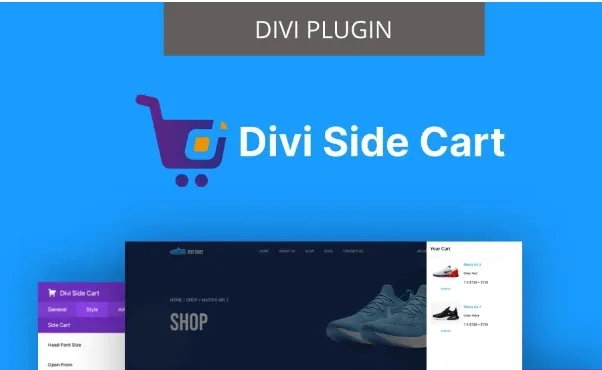
Divi Side Cart by Divi Life
Antivirus scan
Powered by ClamAV
✅ Verified clean
This product file has passed our security filters.
Want to run a fresh ClamAV scan right now? Takes a few seconds and shows scanner version, signature DB and live result.
This can take 5 to 30 seconds.
Clean file Threat detected
No threats detected in this file.
- File
- Size
- Scanned
- ClamAV
- Signature database
⚡ Powered by ClamAV
Scan could not be completed
Report product
If you detected an issue (broken file, malware, inappropriate content, etc.) let us know and we'll review it ASAP.
Sign in to reportNewer version out, or a problem?
About Divi Side Cart by Divi Life
Your shopper adds a product and the side cart opens to show what they have
Divi Side Cart adds a side cart to any Divi and WooCommerce store, user-friendly and easy to customize.
The flow usually goes like this. The shopper clicks add to cart and the product is added via ajax. If you have automatic opening enabled, the side cart opens on its own after a product is added and shows what they have. To make the plugin work you need a Divi store with WooCommerce, since it relies on both.
From the cart, the shopper keeps shopping or completes the order
Inside the side cart there are buttons that go to the cart page, the checkout or the shop. This is a key point for encouraging shoppers to keep going: from there they see their selection and can return to the catalog or move on to pay. If you prefer that any of those buttons not appear, you can turn it off.
Frequently asked questions about Divi Side Cart
Does it work with any Divi store?
It works with any store that uses Divi and WooCommerce together. If your site meets both requirements, the side cart is added without extra settings.
Can I remove the floating icon or the automatic opening?
Yes. From the control panel you turn each feature on or off with a click, including ajax add to cart, automatic opening and the floating icon.
Can I change the cart texts and colors?
Yes. You can edit the titles, the buttons and the rest of the cart texts, and adjust colors, font sizes and the width of the panel.
How does it look on mobile?
It covers most of the screen but leaves a margin showing where you are on the page. To put it back in place, just swipe it.
Can I see the cart before deciding?
There is a live demo. Check in it whether the style and behavior of the cart fit your brand.
How the cart reopens from any point in the store
A shopper browsing the catalog needs to get back to their cart without looking for it. Divi Side Cart lets you open it from several places:
- The built-in floating icon.
- The cart icon in the Divi header.
- Any text link or menu link.
- Automatically, after adding a product.
- Any Divi section, row or module, using the built-in CSS trigger class.
That last option lets you place a cart access where it makes sense in your design, by assigning the class to the element you want.
On mobile, the cart covers most of the screen and closes by swiping
On small screens space is limited, so the cart takes up most of the screen. It still leaves a margin with part of the page visible, so they do not lose track of where they are. Swiping the panel back into place returns it to its position.
Divi Side Cart settings so the cart fits your brand
The control panel follows the Divi style. From there you decide how the cart works and can turn features on or off, such as ajax add to cart, automatic opening when a product is added or the floating icon.
In the styles section you change colors, font sizes and the width of the cart, so the panel looks like part of your store.
Topics
Version history
-
v
1.0 Current 14 May 2024
Customer reviews
Sign in to leave a review. Only people who have the product can review it.
No reviews for this product yet.
Frequently asked questions
-
GPL (General Public License) is the license under which WordPress and most premium plugins/themes are distributed. It grants you the right to use, modify and redistribute the software in as many projects as you want, with no domain restrictions.
-
Yes. With membership you get automatic updates via our GPLClub Updater plugin (installed on your WP, detects new versions and applies them). With individual purchase, you get one year of manual updates from your account.
-
Depends on the plan. Monthly: 3 domains. Semi-annual: 7. Annual and Lifetime: 15. Individual purchase: 1 domain.
-
GPLClub offers its own support for installation, configuration and compatibility. For direct support from the original author (feature requests, product-specific bugs), a license purchased from the author is required.