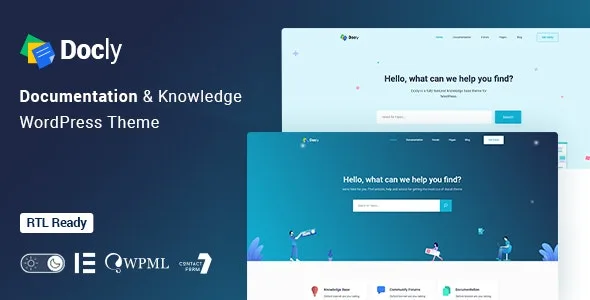
Docly Documentation And Knowledge Base
Antivirus scan
Powered by ClamAV
✅ Verified clean
This product file has passed our security filters.
Want to run a fresh ClamAV scan right now? Takes a few seconds and shows scanner version, signature DB and live result.
This can take 5 to 30 seconds.
Clean file Threat detected
No threats detected in this file.
- File
- Size
- Scanned
- ClamAV
- Signature database
⚡ Powered by ClamAV
Scan could not be completed
Report product
If you detected an issue (broken file, malware, inappropriate content, etc.) let us know and we'll review it ASAP.
Sign in to reportNewer version out, or a problem?
About Docly Documentation And Knowledge Base
When the reader arrives with a single question
People who read technical documentation rarely go through it from start to finish. They arrive from a search engine with a specific doubt about a parameter, an endpoint or an installation step, and if they take too long to find the answer, they leave. That is why documentation built for reading depends on something different than a corporate website: the text has to be comfortable to follow and every page has to be easy to browse without getting lost. Docly is a WordPress theme for documenting APIs, frameworks, plugins, software or any other product, and it is designed around that reader, not around page views or the time spent on the page.
Docly: single-page or multi-page documentation
Imagine a team publishing the documentation for its API. Docly needs the EazyDocs plugin installed and active, because that is where documents and their settings are created. With the theme you can build onepage documentation, everything on one page, or multipage documentation, spread across several documents, and there is no limit on the number of documentations you can create. It works with the WordPress block editor (Gutenberg).
Each page can be full width or fixed width inside a container.
Frequently asked questions about Docly before you choose it
Can I have a support forum for my users?
The forum is not included in the theme. That part is handled by the Forumax plugin, which is installed separately.
Does it work if my documentation is in several languages?
Yes. The theme is compatible with WPML and with right-to-left (RTL) languages.
Can I change the design without touching the main theme?
Yes. It includes a child theme so your changes stay separate from the original theme, and the PSD files with images and graphics are also provided if you want to adapt them.
Can it be used alongside a shop?
It integrates with WooCommerce, so it can sit alongside an online store.
How do I capture subscribers from the documentation?
It includes Mailchimp integration, so you can connect the documentation with your mailing lists.
Navigating without getting lost: fixed sidebar, file tree and table of contents
The reader lands on a page and the first thing they look for is where they are. The sidebar can stay fixed while they scroll through the text, and the header can be fixed or not, depending on your preference. The documentation includes file tree navigation and a directory indicator. Inside each article there is a table of contents for that page. Everything adapts to mobile, tablet and desktop.
Reading comfortably: dark mode, font size and footnotes
There is a dark mode switcher and a font size switcher, so each reader can adjust the text. References can be resolved with footnotes, and when you hover over a link a preview of the destination page appears. There are also tooltips.
Explaining with blocks: code, alerts, tabs and image hotspots
To document code there is syntax highlighting. There are also alerts, messages and notes, tabs, accordions and a lightbox.
Images support hotspots that point to specific parts of the image. There is a property table for the data of each element, and the reader can leave feedback on the article.
Version history
-
v
2.4.1 Current 5 Sep 2026
-
v
2.3.2 29 Jan 2026
Customer reviews
Sign in to leave a review. Only people who have the product can review it.
No reviews for this product yet.
Frequently asked questions
-
GPL (General Public License) is the license under which WordPress and most premium plugins/themes are distributed. It grants you the right to use, modify and redistribute the software in as many projects as you want, with no domain restrictions.
-
Yes. With membership you get automatic updates via our GPLClub Updater plugin (installed on your WP, detects new versions and applies them). With individual purchase, you get one year of manual updates from your account.
-
Depends on the plan. Monthly: 3 domains. Semi-annual: 7. Annual and Lifetime: 15. Individual purchase: 1 domain.
-
GPLClub offers its own support for installation, configuration and compatibility. For direct support from the original author (feature requests, product-specific bugs), a license purchased from the author is required.