DZS Restaurant Menu
Antivirus scan
Powered by ClamAV
✅ Verified clean
This product file has passed our security filters.
Want to run a fresh ClamAV scan right now? Takes a few seconds and shows scanner version, signature DB and live result.
This can take 5 to 30 seconds.
Clean file Threat detected
No threats detected in this file.
- File
- Size
- Scanned
- ClamAV
- Signature database
⚡ Powered by ClamAV
Scan could not be completed
Report product
If you detected an issue (broken file, malware, inappropriate content, etc.) let us know and we'll review it ASAP.
Sign in to report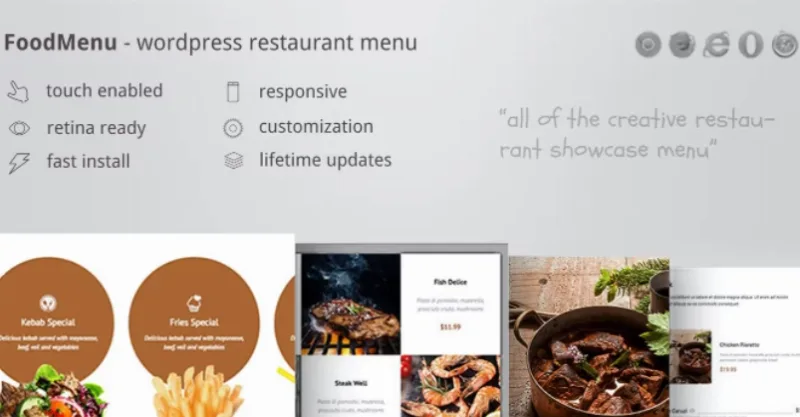
About DZS Restaurant Menu
A menu nobody can read on a phone doesn't sell dishes
Most restaurants post their menu as a scanned PDF or a huge image that has to be pinched and zoomed. A customer looking from a phone outside the door decides in a moment, and if they can't quickly find what's vegan or what contains cheese, they move on to the next place. DZS Restaurant Menu turns your menu into WordPress content that can be displayed in several ways and adapts to any screen.
Every dish is an entry with categories and tags
Dishes are created as WordPress custom posts, just like any other content, and carry categories and tags to keep them organized. You can group by breakfast, lunch and dinner, as in the tabbed demo, and mark each dish with tags like VEGAN, RAW or LOW CARB so customers see the key information at a glance.
Each dish supports a title, price, ingredients and a short description. That matters more than it seems: someone with an allergy or a specific diet reads the ingredients first, not the poetic name of the dish.
Four modes and four skins so the menu fits your venue
The plugin offers several display modes and several visual skins. The demos include a tabs mode, a grid mode, a parallax variant, a black and white skin and one with multiple headers. A minimalist bistro and a family pizzeria don't need the same menu, and here you change the look without redoing the content.
Popup window and tooltip
Clicking a dish can open a window with ingredients, tags and description. There is also an optional tooltip that shows that data on hover.
How it gets into a page
A button above the WordPress editor generates the shortcode, so you add the menu the way you would insert an image or a video. It also includes sample data that installs with one click, so you can see how it looks before loading your own dishes.
Online orders need another solution
- Already solved: showing the menu by category, with prices, ingredients, dietary tags, popup window and tooltip, adapted to mobile and high-density screens.
- Already solved: choosing between several modes and skins, and inserting the menu with a shortcode.
- You'll cover separately: table reservations, which are not a feature of the plugin.
- You'll cover separately: charging for orders and managing deliveries. There is a demo called WooCommerce Order, but check in it which part needs WooCommerce before planning online orders.
- By hand: writing real descriptions and checking the ingredients and allergens of each dish. The demo text is filler.
Dietary tags are information you enter yourself, so review them carefully: a wrongly placed VEGAN is a serious problem.
Frequently asked questions about DZS Restaurant Menu
Does it work well on mobile?
Yes, the layout is responsive, from mobile to large screens, and it uses font icons instead of images to look sharp on retina screens.
Can I mark vegan or gluten-free dishes?
You can add your own tags to each dish, such as VEGAN or RAW. You decide which to use and which are accurate.
Is it good for taking reservations?
No. It is a menu for display; reservations need another plugin.
Do I have to code anything?
Dishes are created as WordPress entries and the menu is inserted with a button in the editor.
Topics
Version history
-
v
1.20 Current 15 May 2024
Customer reviews
Sign in to leave a review. Only people who have the product can review it.
No reviews for this product yet.
Frequently asked questions
-
GPL (General Public License) is the license under which WordPress and most premium plugins/themes are distributed. It grants you the right to use, modify and redistribute the software in as many projects as you want, with no domain restrictions.
-
Yes. With membership you get automatic updates via our GPLClub Updater plugin (installed on your WP, detects new versions and applies them). With individual purchase, you get one year of manual updates from your account.
-
Depends on the plan. Monthly: 3 domains. Semi-annual: 7. Annual and Lifetime: 15. Individual purchase: 1 domain.
-
GPLClub offers its own support for installation, configuration and compatibility. For direct support from the original author (feature requests, product-specific bugs), a license purchased from the author is required.