e-addons PRO FORM EXTENDED
Antivirus scan
Powered by ClamAV
✅ Verified clean
This product file has passed our security filters.
Want to run a fresh ClamAV scan right now? Takes a few seconds and shows scanner version, signature DB and live result.
This can take 5 to 30 seconds.
Clean file Threat detected
No threats detected in this file.
- File
- Size
- Scanned
- ClamAV
- Signature database
⚡ Powered by ClamAV
Scan could not be completed
Report product
If you detected an issue (broken file, malware, inappropriate content, etc.) let us know and we'll review it ASAP.
Sign in to report
About e-addons PRO FORM EXTENDED
Elementor forms that stop receiving half-filled data
A basic form almost always fails in the same ways: phone numbers typed five different ways, incomplete addresses, dates in any format, and fields that make visitors do math the form could do on its own. Every messy entry is a contact you have to fix by hand or lose.
e-addons Pro Form Extended adds a long list of field types and extensions to the Elementor form. The underlying idea: the more guided the person filling it in, the less cleanup falls to you afterwards.
What changes depending on who uses e-addons Pro Form Extended
If you sell with WooCommerce
It includes a coupon field and a WooCommerce checkout field, plus a calculator field and numeric fields with decimals, range and slider. They are useful for quote builders, bookings with extras or custom orders where customers see the amount as they choose.
If you capture leads and quote requests
You get a phone prefix, a country selector, an address field with Google Maps, input patterns and masks, and minimum and maximum length limits. That way the phone number arrives with its prefix and the postal code in the right format, with no need to check them one by one.
If you build long forms or forms with documents
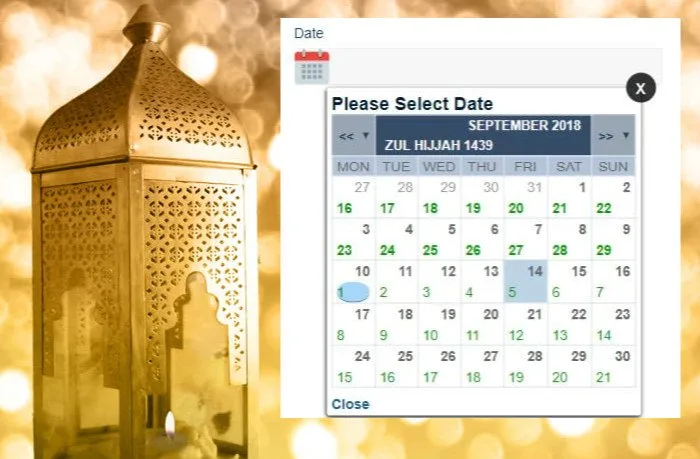
There is a signature field, a media field using the WordPress library, a repeater to add rows (several attendees, several order lines), field grouping, a WYSIWYG editor, star ratings, a color picker and a date and time picker. These pieces help in applications, registrations or detailed orders.
Interface details visitors will notice in the form
- More comfortable selectors: Select2 with search, option groups inside a dropdown and inline options.
- Help while filling in: help descriptions per field, icons inside fields and a button to show the password.
- Layout: extra column widths and control over field height.
- Submission: a submit button field, a reset button and progress while the form is sent.
- Behavior: an On Change extension, query fields, shortcodes inside an HTML field and dynamic tags for repeaters.
Questions before installing it
Does it work without Elementor?
No. It is an add-on within the e-addons for Elementor ecosystem and extends forms built with Elementor.
Does it add conditions, steps or submission actions?
Not as such. Those features (conditional fields, multi-step forms, sending to Telegram, creating posts or registering users) appear as separate e-addons add-ons. This one focuses on fields.
Can I build a price calculator with it?
It includes a calculator field and numeric, range and slider fields. Check in the demo that the calculation you need fits before planning a complex quote builder.
Can I ask the customer for a signature?
Yes, there is a signature field. Whether that document has legal value depends on your case and the regulations, not on the field.
It needs Elementor and the e-addons base to work
It is not a standalone form plugin: without Elementor and the rest of e-addons there is no form to add fields to. If you are looking for multi-step forms, conditional logic or submission integrations, do not expect them inside this add-on.
Topics
Version history
-
v
2.4 Current 15 May 2024
Customer reviews
Sign in to leave a review. Only people who have the product can review it.
No reviews for this product yet.
Frequently asked questions
-
GPL (General Public License) is the license under which WordPress and most premium plugins/themes are distributed. It grants you the right to use, modify and redistribute the software in as many projects as you want, with no domain restrictions.
-
Yes. With membership you get automatic updates via our GPLClub Updater plugin (installed on your WP, detects new versions and applies them). With individual purchase, you get one year of manual updates from your account.
-
Depends on the plan. Monthly: 3 domains. Semi-annual: 7. Annual and Lifetime: 15. Individual purchase: 1 domain.
-
GPLClub offers its own support for installation, configuration and compatibility. For direct support from the original author (feature requests, product-specific bugs), a license purchased from the author is required.