Easy Custom Js And Css (PRO)
Antivirus scan
Powered by ClamAV
✅ Verified clean
This product file has passed our security filters.
Want to run a fresh ClamAV scan right now? Takes a few seconds and shows scanner version, signature DB and live result.
This can take 5 to 30 seconds.
Clean file Threat detected
No threats detected in this file.
- File
- Size
- Scanned
- ClamAV
- Signature database
⚡ Powered by ClamAV
Scan could not be completed
Report product
If you detected an issue (broken file, malware, inappropriate content, etc.) let us know and we'll review it ASAP.
Sign in to report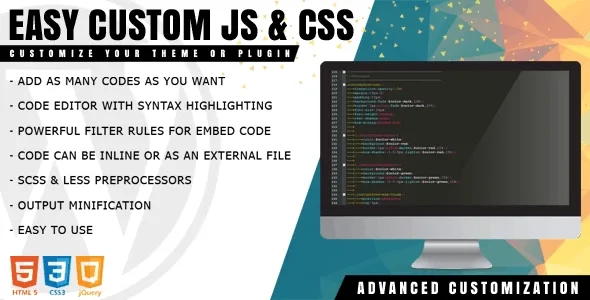
About Easy Custom Js And Css (PRO)
Customize without touching the theme: the tweak that survives updates
Changing a color, hiding a block or adding a small script usually ends up in a theme or plugin file, and the next update wipes it out without warning. Then you have to remember what you changed, where and why. Easy Custom Js And Css keeps that code separate, in its own interface, so the theme can update without taking your tweaks with it.
Easy Custom Js And Css: what it lets you do and where it stops
It is a code editor inside the admin area, with syntax highlighting, for creating as many CSS and JavaScript snippets as you need. Each one can be placed in the header or the footer, applied on the public side, in the admin or both, and served in two ways: inline or as an external file.
- Inclusion filters: the rule builder lets you load a code only on a specific URL, post or page, depending on the device, operating system or browser, and even on a date, time or day of the week. That way a landing page script does not weigh down the rest of the site.
- Minification: reduces the size of styles and JavaScript.
- SCSS and LESS: if you prefer writing with preprocessors, the plugin supports them.
- AJAX saving: editors save without reloading the page, and version 1.1.1 added a search inside the editor with Ctrl + F.
- Served from the filesystem: the code is not read from the database, something designed to help performance.
The limit: it is a tool for people who already know what code they want to write. It has no snippet library and no visual wizard that generates styles for you. If you do not know CSS, the plugin only gives you an organized place to paste it.
Frequently asked questions before installing it
Does it replace a child theme?
For style and script tweaks, it covers a good part of what you would do with one. If you need to modify PHP templates or theme functions, that is not its territory.
Can I load a script on just one page?
Yes, with the filter builder you can limit a code to a specific URL, post or page.
Can I write HTML?
It allows adding HTML markup in addition to CSS and JavaScript, but its strength is the first two.
What if I break something with a script?
You go into the plugin interface and change the wrong item. Even so, test delicate changes in a staging environment first.
Be careful with third-party JavaScript you paste in
A snippet copied from a forum runs with the same permissions as any other code on your site. Check what it does before activating it, especially if it loads external resources. And if you install tracking pixels, remember they may require cookie consent.
Start with a single snippet and one filter rule
The most practical approach is to create a small first code, for example a CSS tweak, limit it to a specific page and check it on a phone and a computer. Once it works, decide whether you want it inline or as an external file. Give each snippet a clear name so you can find it months later, and keep the footer for scripts that do not need to load before the content.
Version history
-
v
1.1.1 Current 30 May 2024
Customer reviews
Sign in to leave a review. Only people who have the product can review it.
No reviews for this product yet.
Frequently asked questions
-
GPL (General Public License) is the license under which WordPress and most premium plugins/themes are distributed. It grants you the right to use, modify and redistribute the software in as many projects as you want, with no domain restrictions.
-
Yes. With membership you get automatic updates via our GPLClub Updater plugin (installed on your WP, detects new versions and applies them). With individual purchase, you get one year of manual updates from your account.
-
Depends on the plan. Monthly: 3 domains. Semi-annual: 7. Annual and Lifetime: 15. Individual purchase: 1 domain.
-
GPLClub offers its own support for installation, configuration and compatibility. For direct support from the original author (feature requests, product-specific bugs), a license purchased from the author is required.