Easy Digital Downloads - Campaign Monitor
Antivirus scan
Powered by ClamAV
✅ Verified clean
This product file has passed our security filters.
Want to run a fresh ClamAV scan right now? Takes a few seconds and shows scanner version, signature DB and live result.
This can take 5 to 30 seconds.
Clean file Threat detected
No threats detected in this file.
- File
- Size
- Scanned
- ClamAV
- Signature database
⚡ Powered by ClamAV
Scan could not be completed
Report product
If you detected an issue (broken file, malware, inappropriate content, etc.) let us know and we'll review it ASAP.
Sign in to reportNewer version out, or a problem?
About Easy Digital Downloads - Campaign Monitor
Whoever ticks that box has already bought from you
You sell templates, courses or plugins with Easy Digital Downloads and you have a newsletter form in the site footer. People who are browsing fill it in. Meanwhile, the people who have just paid you go through checkout and leave, and you cannot talk to them again about anything beyond their receipt.
A list fed from the checkout has no browsers to convince: it has customers, and what interests them is the next thing you will launch. Sending them the same introductory email as a stranger wastes exactly what makes that list valuable.
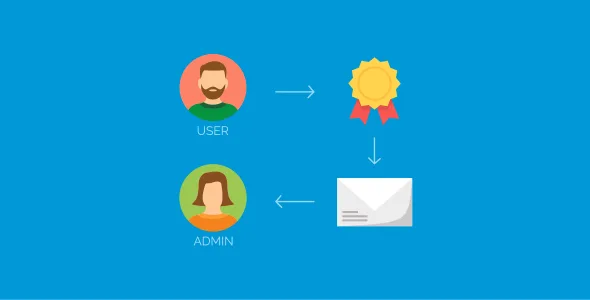
Easy Digital Downloads - Campaign Monitor is the extension that opens that door. It adds a checkbox to the checkout so the buyer can join your Campaign Monitor list while paying, and that is where its work ends. What you do afterwards with those contacts is decided in your Campaign Monitor account.
One checkbox at checkout and four settings
Its configuration fits on one screen:
- Signup checkbox on the Easy Digital Downloads checkout page.
- API key from Campaign Monitor.
- Client ID for the account, alongside that key.
- Target list, which new subscribers join.
- Checkbox label, optional, with Sign up for our mailing list as the default text.
The text that decides whether someone ticks it
The label is the only part of all this the buyer reads, and it happens at the worst moment to distract them: they are finishing a payment. The default text invites people to a mailing list without saying what is inside.
You change it in the extension settings. It should promise something concrete that you can deliver, in your store's language:
- If you sell software or templates, talk about notices of new versions.
- If you sell courses, talk about upcoming lessons or intakes.
- If you publish collections, talk about upcoming releases.
That promise also sets what you must send later. Someone who signed up to hear about releases expects releases, so your first campaign has to resemble what the checkbox said.
What stays in your hands after the payment
It does not write or send campaigns. Emails go out from Campaign Monitor, and you need an account there.
It does not bring in past customers. Signup happens when passing through checkout, so anyone who bought before you installed it does not join this way.
It does nothing without a store. It is an add-on for Easy Digital Downloads, with no effect on a site that does not use it, and it does not apply to WooCommerce either.
It only captures at checkout. Visitors who have not bought yet still need another form. The target list is chosen in the extension settings.
Connecting it to your Campaign Monitor account
You need Easy Digital Downloads active and a Campaign Monitor account with at least one list created. The order matters, because lists do not appear until you save the credentials.
- Install and activate the extension.
- Copy the API key and Client ID from Account Settings, API Keys, in Campaign Monitor.
- Paste them under Downloads, Settings, Extensions, Campaign Monitor, and save.
- Choose the target list and write your label.
- Make a test purchase with the box ticked and confirm the contact reaches the list.
If your email does not live in Campaign Monitor
Anyone who prefers keeping contacts in their own WordPress can look at FluentCRM Pro, a self-hosted CRM with Easy Digital Downloads triggers and sequences with delays, although it requires sending through an SMTP service.
If you already use the Newsletter plugin, it has its add-on for Easy Digital Downloads. And if your list is in Mailchimp, look at MC4WP Premium.
Questions about the checkout checkbox
Where does the checkbox appear?
On the Easy Digital Downloads checkout page, and the buyer decides whether to sign up.
Can I change the text?
Yes, the label is edited in the extension settings. If you leave it empty, Sign up for our mailing list is used.
Where do I find the API key and Client ID?
In your Campaign Monitor dashboard, under Account Settings, API Keys.
Why are my lists not showing?
They appear after you save the credentials. Save first and return to the same screen.
Does it send emails by itself?
No, it only adds the buyer to the list. Campaigns go out from Campaign Monitor.
Topics
Version history
-
v
1.2.0 Current 30 Oct 2026
-
v
1.1.2 28 May 2024
Customer reviews
Sign in to leave a review. Only people who have the product can review it.
No reviews for this product yet.
Frequently asked questions
-
GPL (General Public License) is the license under which WordPress and most premium plugins/themes are distributed. It grants you the right to use, modify and redistribute the software in as many projects as you want, with no domain restrictions.
-
Yes. With membership you get automatic updates via our GPLClub Updater plugin (installed on your WP, detects new versions and applies them). With individual purchase, you get one year of manual updates from your account.
-
Depends on the plan. Monthly: 3 domains. Semi-annual: 7. Annual and Lifetime: 15. Individual purchase: 1 domain.
-
GPLClub offers its own support for installation, configuration and compatibility. For direct support from the original author (feature requests, product-specific bugs), a license purchased from the author is required.