EMO Questalk Pro WordPress Plugin
Antivirus scan
Powered by ClamAV
✅ Verified clean
This product file has passed our security filters.
Want to run a fresh ClamAV scan right now? Takes a few seconds and shows scanner version, signature DB and live result.
This can take 5 to 30 seconds.
Clean file Threat detected
No threats detected in this file.
- File
- Size
- Scanned
- ClamAV
- Signature database
⚡ Powered by ClamAV
Scan could not be completed
Report product
If you detected an issue (broken file, malware, inappropriate content, etc.) let us know and we'll review it ASAP.
Sign in to report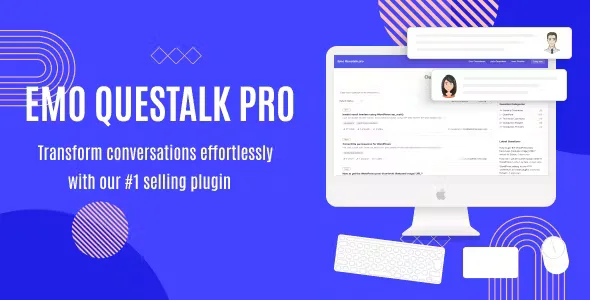
About EMO Questalk Pro WordPress Plugin
When your audience's questions end up scattered
Readers' doubts usually get spread across loose comments, private messages and emails nobody else sees. Each question is answered once and lost, and whoever arrives later asks the same thing again. EMO Questalk Pro sets up a question and answer space in the style of StackOverflow, Quora or Yahoo Answers inside your WordPress, so every solved doubt stays published and helps the next person.
The underlying idea: a question community is not sustained by the tool, but by someone answering at the start. If you open the space and nobody replies in the first days, users do not come back. Think about who will answer before launching.
The question listing and the form to ask
A shortcode displays all questions on the page you choose. The listing includes filters, sorting, pagination and search.
The question form can be placed in a sidebar or on its own page. The person asking can:
- Set a title that summarizes the question.
- Write the description with HTML or Markdown.
- Assign categories to organize topics.
- Add keyword tags so others can find related content.
Front-end management and the limits of EMO Questalk Pro
You can edit, delete, pin, follow and change the status of questions directly from the front-end, without entering the WordPress dashboard. Users also manage their own contributions, which shares out the moderation work.
The plugin also includes voting, categories, a user reputation system and options to adapt the look to your brand. There is also an answers and comments system.
What to keep in mind:
- It is a question and answer system, not a full forum with free-form threads or messaging between users.
- It works with shortcodes, so you need to create the pages where the listing and the form are shown.
- Check the advanced moderation details, such as anti-spam filters or pre-approval, in the demo before counting on them.
Frequently asked questions
Is it suitable for a blog or a shop?
Yes, it can sit alongside a blog, a forum or an online shop as a community Q&A section. If all you want is a per-product question box, it may be more than you need.
Can users format their questions?
Yes, the description accepts HTML or Markdown.
Can topics be organized?
Yes, with categories and tags, plus search, filters and sorting in the listing.
Do I have to moderate from the WordPress dashboard?
Not necessarily: editing, deleting, pinning and changing statuses is done from the public side.
The listing and form pages are created with shortcodes
Before opening to the public, decide where the question listing lives and where the form goes: a dedicated page for each, or the form in the sidebar. Create the starting categories so the first users do not have to invent them, and publish several questions with their answers yourself so the space does not look empty. Then check the look with your theme.
Topics
Version history
-
v
1.0.9 Current 8 Jan 2025
Customer reviews
Sign in to leave a review. Only people who have the product can review it.
No reviews for this product yet.
Frequently asked questions
-
GPL (General Public License) is the license under which WordPress and most premium plugins/themes are distributed. It grants you the right to use, modify and redistribute the software in as many projects as you want, with no domain restrictions.
-
Yes. With membership you get automatic updates via our GPLClub Updater plugin (installed on your WP, detects new versions and applies them). With individual purchase, you get one year of manual updates from your account.
-
Depends on the plan. Monthly: 3 domains. Semi-annual: 7. Annual and Lifetime: 15. Individual purchase: 1 domain.
-
GPLClub offers its own support for installation, configuration and compatibility. For direct support from the original author (feature requests, product-specific bugs), a license purchased from the author is required.