Epic Social Share
Antivirus scan
Powered by ClamAV
✅ Verified clean
This product file has passed our security filters.
Want to run a fresh ClamAV scan right now? Takes a few seconds and shows scanner version, signature DB and live result.
This can take 5 to 30 seconds.
Clean file Threat detected
No threats detected in this file.
- File
- Size
- Scanned
- ClamAV
- Signature database
⚡ Powered by ClamAV
Scan could not be completed
Report product
If you detected an issue (broken file, malware, inappropriate content, etc.) let us know and we'll review it ASAP.
Sign in to report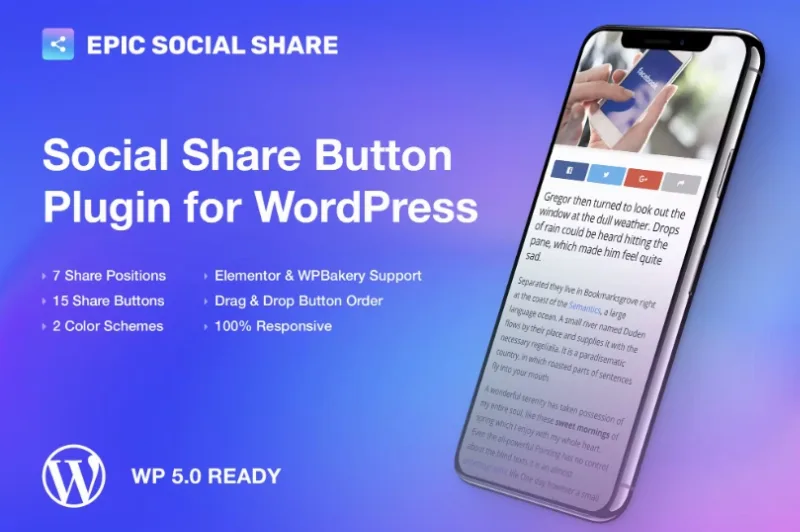
About Epic Social Share
Epic Social Share: make sharing easy right when they finish reading
You publish a good article, the reader reaches the end and finds nothing at hand to pass it on to their circle. They close the tab and that traffic is lost. Share buttons usually fail for the same reason: they sit in an awkward spot, cover half the phone screen or leave out the network your audience actually uses.
Epic Social Share, created by Jegtheme (the authors of the JNews theme), focuses on that moment. People share on impulse, and every extra step costs shares. So what matters here is not just having buttons, but having them where the reader sees them and on the network they really use.
Seven positions and over fifteen networks to fit the moment
You can place the buttons in several ways:
- Top, bottom or both of the content.
- Floating.
- Side bar, on the left or the right.
- Mobile mode, a position designed for small screens.
It includes more than 15 social networks and messaging apps. You order the buttons by dragging them with the mouse, and you can show text next to the icon or leave only the icon. There are two color schemes: each network's own color or monochrome, with a customizable color so it fits your design. It works on posts and pages, and you choose which ones show it.
Epic Social Share depending on who installs it
Blog or magazine with many posts
You want to choose where the buttons show. If your readers come mostly from mobile, check the mobile-specific position and the networks they really use.
Site built with Elementor or WPBakery
You can add the buttons as one more element of the builder, useful if you want them at a specific point of a landing page or a template. It can also be used as a widget.
Developer or agency
The code is modular and supports hooks, so it can be extended or adapted to a project without rewriting it. That is a plus if a client asks for behavior the options do not cover.
Frequently asked questions
Does it adapt to mobile?
Yes, the buttons display well on desktop, tablet and phone, and there is a position designed for mobile.
Can I show only icons?
Yes. You can add text to the main buttons or leave it blank to show only the icon.
Can I change the order of the networks?
Yes, by drag and drop. That way you put first the network your audience uses most.
Does it work for pages or only for posts?
For both, and you can choose which ones show the buttons.
Buttons to share, not to publish for you
Epic Social Share adds buttons so your visitors can share. It does not publish to your networks for you or schedule posts, and it does not replace an analytics tool. If share counters matter to you, check in the demo whether they are shown. To insert it as an element you need Elementor or WPBakery; without them, use the automatic positions or the widget. And remember that no button makes people share content that does not deserve to be shared.
Topics
Version history
-
v
1.0.3 Current 15 May 2024
Customer reviews
Sign in to leave a review. Only people who have the product can review it.
No reviews for this product yet.
Frequently asked questions
-
GPL (General Public License) is the license under which WordPress and most premium plugins/themes are distributed. It grants you the right to use, modify and redistribute the software in as many projects as you want, with no domain restrictions.
-
Yes. With membership you get automatic updates via our GPLClub Updater plugin (installed on your WP, detects new versions and applies them). With individual purchase, you get one year of manual updates from your account.
-
Depends on the plan. Monthly: 3 domains. Semi-annual: 7. Annual and Lifetime: 15. Individual purchase: 1 domain.
-
GPLClub offers its own support for installation, configuration and compatibility. For direct support from the original author (feature requests, product-specific bugs), a license purchased from the author is required.