Event Countdown for Calendarize it!
Antivirus scan
Powered by ClamAV
✅ Verified clean
This product file has passed our security filters.
Want to run a fresh ClamAV scan right now? Takes a few seconds and shows scanner version, signature DB and live result.
This can take 5 to 30 seconds.
Clean file Threat detected
No threats detected in this file.
- File
- Size
- Scanned
- ClamAV
- Signature database
⚡ Powered by ClamAV
Scan could not be completed
Report product
If you detected an issue (broken file, malware, inappropriate content, etc.) let us know and we'll review it ASAP.
Sign in to reportNewer version out, or a problem?
About Event Countdown for Calendarize it!
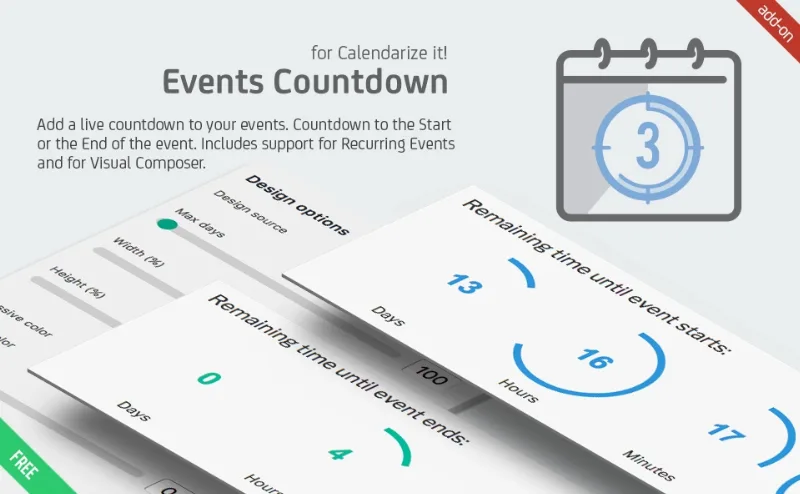
A countdown that follows the dates of your events
An event with a date on the website usually ends up with hand-written text that must be edited every time the calendar changes, or with a counter nobody adjusts, still counting days after the event has already started. Event Countdown for Calendarize it! takes the start and end dates you already have in each event.
Two ways to use it: tied to the event or with a free date
- Automatic per event: in Options > Countdown you enable the Auto Template feature and decide when creating each event whether its countdown appears or not.
- Manual in your template: if you turn Auto Template off, you insert the shortcode in your template or with Visual Composer, with more freedom to build it your way.
- With a free date: by adding the date attribute, the countdown can appear on any page of your website up to the date and time you choose.
Look and text of the Event Countdown counter
Each circle is adjusted with colors and size. With bgcolor and fgcolor you set the background and active colors in hexadecimal code, and with thickness, a value between 0.1 and 0.9, you decide whether the circle is thicker or thinner. The labels change too: label_day, label_hour, label_minute and label_second replace the default texts with the ones your website needs.
To fine-tune the position you use adjust_w and adjust_h with positive or negative values, and show_labels set to 0 hides the labels. Titles are set with title when it counts to the start and with title_end when it counts to the end.
What happens when the counter reaches zero
The count_to attribute decides whether the countdown runs to the start or the end of the event. When it reaches zero it shows the message message if it counts to the start, or message_end if it counts to the end. With message_end_delay you add seconds of waiting before that message appears.
Needs Calendarize it! installed and active
Event Countdown is an add-on for Calendarize it!, so that plugin must be installed and active for it to work. If you use the template shortcode, turn Auto Template off: otherwise the page will show two countdowns at once.
Frequently asked questions about Event Countdown for Calendarize it!
Can I put the countdown on a page that is not an event?
Yes. With the date attribute in the shortcode you set the date and time in YYYY-MM-DD HH:MM:SS format, and the counter appears wherever you insert it.
How long can it count?
By default, the countdown goes up to 365 days. The max_days attribute replaces that value with the one you choose.
Can I change the text shown at the end?
Yes. message sets the message when it counts to the start and message_end sets the message when it counts to the end.
What is the difference between automatic and manual mode?
In automatic mode the countdown is turned on or off for each event when you create it. In manual mode you insert it yourself in the template, which gives you more control over where and how it appears.
Topics
Version history
-
v
1.0.7.100180 Current 12 May 2024
Customer reviews
Sign in to leave a review. Only people who have the product can review it.
No reviews for this product yet.
Frequently asked questions
-
GPL (General Public License) is the license under which WordPress and most premium plugins/themes are distributed. It grants you the right to use, modify and redistribute the software in as many projects as you want, with no domain restrictions.
-
Yes. With membership you get automatic updates via our GPLClub Updater plugin (installed on your WP, detects new versions and applies them). With individual purchase, you get one year of manual updates from your account.
-
Depends on the plan. Monthly: 3 domains. Semi-annual: 7. Annual and Lifetime: 15. Individual purchase: 1 domain.
-
GPLClub offers its own support for installation, configuration and compatibility. For direct support from the original author (feature requests, product-specific bugs), a license purchased from the author is required.