Event EMU
Antivirus scan
Powered by ClamAV
✅ Verified clean
This product file has passed our security filters.
Want to run a fresh ClamAV scan right now? Takes a few seconds and shows scanner version, signature DB and live result.
This can take 5 to 30 seconds.
Clean file Threat detected
No threats detected in this file.
- File
- Size
- Scanned
- ClamAV
- Signature database
⚡ Powered by ClamAV
Scan could not be completed
Report product
If you detected an issue (broken file, malware, inappropriate content, etc.) let us know and we'll review it ASAP.
Sign in to reportNewer version out, or a problem?
About Event EMU
Selling tickets without depending on someone else's platform
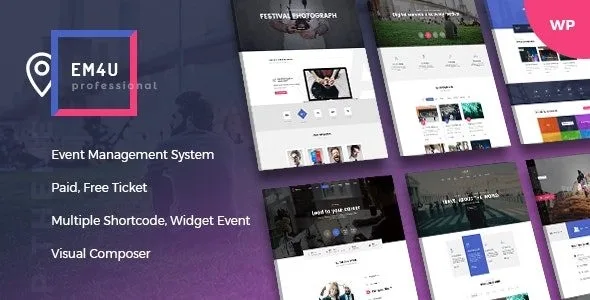
Event organizers often end up with ticket sales on an outside service, the schedule in a spreadsheet and the speakers in a PDF. Buyers jump from one place to another and the organizer loses data and control. Event EMU is a theme designed to bring all of that into your own website: events, tickets, orders, venues and speakers in one place.
An event business has a particular trait: the product expires the day it happens, and what remains is the attendee list. Keeping that list on your website, not on a third party's, is what lets you write to those people again for the next edition.
Tickets with private details, QR codes and certificates
The ticket system is one of the most important features. You can create free, paid, WooCommerce-linked or external tickets, and control the inventory of each type. The ticket PDF can include a QR code, barcode, logo and a certificate file.
- Online events: you can add a private link and password that the customer receives by email on purchase, useful for Zoom or Google Meet in webinars, classes or virtual meetings.
- Door control: the QR code is used to verify and update the status of each ticket.
- Resending: if the customer did not receive the email, you can send the PDF or QR again, and they can also download it again from their bookings area.
- Custom fields: the booking form supports text, phone, email, textarea, checkbox, select, radio and file fields.
Schedule, speakers, venues and sponsors in Event EMU
Each event can have a schedule with unlimited tabs, each with a date and label, where you choose the title, time, description and one or more speakers. Speakers have their own profile with bio and social links, and it lists the events they take part in.
Venues are also their own content type: opening days, map and contact details, with a list of each venue's events. Locations are organized in two levels (country and city, or state and city) and the Google map is shown on the site itself. Sponsors are grouped by level (gold, silver, etc.) with an image and link, and organizers show name, email, phone and website, with the option to hide private details.
Visitors get a calendar with filters (future, upcoming, past, by category), hierarchical categories, tags and a search form you can place anywhere using a shortcode. Each event's gallery uses the WordPress media library.
Payments, export and design: what to be clear on before choosing it
The real decision is whether you want a theme with event management built in, or prefer an events plugin on top of a theme you already have. With this theme, the event system is tied to the design: if you change themes, you will need to consider what happens to that structure.
- Payments: PayPal, Stripe and offline payment out of the box; with WooCommerce, whichever methods you have active.
- Orders: you see customer data and status, and can export tickets and attendees per event as CSV.
- Options: require login before checkout, reCAPTCHA v2 or v3 on registration and booking, and change the event and category slugs.
- Design: several variations of home page, header, footer, event list, blog, speakers and venues. Event lists are sorted with WPBakery Page Builder elements.
- Customization: you can override the event system templates from a child theme.
Can it sell tickets for online events?
Yes: the ticket can carry a private link and password that arrive by email after purchase.
Do I need WooCommerce?
Not necessarily: PayPal, Stripe and offline payment are included. WooCommerce is optional if you want more gateways.
Can I manage several events at once?
Yes, with categories, locations, venues and speakers.
Is it meant for other kinds of business?
It is geared toward events, conferences, agencies and meetups. If you need appointment or service booking, check in the demo whether it fits your case.
Topics
Version history
-
v
1.3.8 Current 19 Jun 2024
Customer reviews
Sign in to leave a review. Only people who have the product can review it.
No reviews for this product yet.
Frequently asked questions
-
GPL (General Public License) is the license under which WordPress and most premium plugins/themes are distributed. It grants you the right to use, modify and redistribute the software in as many projects as you want, with no domain restrictions.
-
Yes. With membership you get automatic updates via our GPLClub Updater plugin (installed on your WP, detects new versions and applies them). With individual purchase, you get one year of manual updates from your account.
-
Depends on the plan. Monthly: 3 domains. Semi-annual: 7. Annual and Lifetime: 15. Individual purchase: 1 domain.
-
GPLClub offers its own support for installation, configuration and compatibility. For direct support from the original author (feature requests, product-specific bugs), a license purchased from the author is required.