Event Espresso - Wait Lists (EE4.9+)
Antivirus scan
Powered by ClamAV
✅ Verified clean
This product file has passed our security filters.
Want to run a fresh ClamAV scan right now? Takes a few seconds and shows scanner version, signature DB and live result.
This can take 5 to 30 seconds.
Clean file Threat detected
No threats detected in this file.
- File
- Size
- Scanned
- ClamAV
- Signature database
⚡ Powered by ClamAV
Scan could not be completed
Report product
If you detected an issue (broken file, malware, inappropriate content, etc.) let us know and we'll review it ASAP.
Sign in to reportNewer version out, or a problem?
About Event Espresso - Wait Lists (EE4.9+)
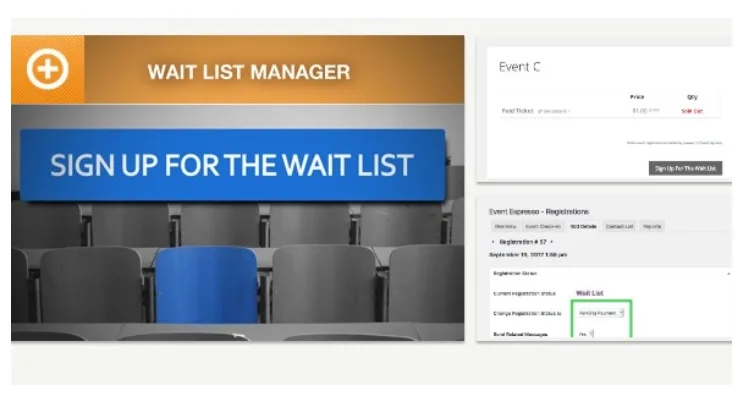
When an event or a ticket sells out, attendees can add themselves to a wait list
Wait List Manager, the waiting list add-on for Event Espresso, collects those people and manages the process for you. When spots open from cancellations, it can fill them and potentially increase revenue.
Waiting list for the whole event or for a single ticket
You enable the waiting list event by event and choose how it applies. In Whole Event mode, it opens when all the tickets for the event sell out. In Per Ticket mode, a “Join the wait list” link appears only next to the sold-out ticket while the others stay on sale, so a full workshop does not close the rest of the workshops.
- It collects each person’s name, email address, ticket preferences and number of tickets, up to the limit you set.
- It monitors the availability of the event and its tickets.
- When a space opens, it contacts the next eligible person so they can confirm their registration.
Promotion can be automatic or manual. You can reserve some buffer spaces for manual handling instead of letting every opening trigger automatic promotion, and in Per Ticket mode the promotion respects the ticket each attendee chose. The wait list has one shared capacity for the event: when it is full, the sign-up buttons and per-ticket links become unavailable.
Use it if you already sell with Event Espresso on WordPress and your events sell out
Wait List Manager is an add-on for Event Espresso, so you need a website with WordPress and Event Espresso installed and active. It works for events, workshops, courses or conferences where a ticket or the whole event can sell out, and it creates three email templates for the added, promoted and demoted notices, which you can send manually or automatically.
For organizations and teams, wait lists also help measure demand for sold-out tickets and plan future events with that data.
Frequently asked questions about Wait List Manager
Do I need WordPress to use it?
Yes. Event Espresso and its compatible add-ons are built for WordPress, so you need a website running WordPress.
What happens when an event or a ticket fills up?
In Whole Event mode, the list opens when the whole event sells out. In Per Ticket mode, it opens for the sold-out ticket while the others stay on sale. The add-on collects the details of interested people and, when there is capacity, contacts the next eligible person to confirm.
Can I limit how many people join the wait list?
Yes. In the event editor you set Wait List Spaces, the maximum number of registrations the list can hold. That limit is shared across the event: in Per Ticket mode, registrations for all sold-out tickets count together, not separately.
Can I approve attendees manually?
Yes. You can enable or disable automatic promotion and reserve spaces for manual handling, or manage every promotion yourself. In Per Ticket mode, confirm that there is capacity for the ticket that person selected before promoting them by hand.
Topics
Version history
-
v
1.0.4.p Current 13 May 2024
Customer reviews
Sign in to leave a review. Only people who have the product can review it.
No reviews for this product yet.
Frequently asked questions
-
GPL (General Public License) is the license under which WordPress and most premium plugins/themes are distributed. It grants you the right to use, modify and redistribute the software in as many projects as you want, with no domain restrictions.
-
Yes. With membership you get automatic updates via our GPLClub Updater plugin (installed on your WP, detects new versions and applies them). With individual purchase, you get one year of manual updates from your account.
-
Depends on the plan. Monthly: 3 domains. Semi-annual: 7. Annual and Lifetime: 15. Individual purchase: 1 domain.
-
GPLClub offers its own support for installation, configuration and compatibility. For direct support from the original author (feature requests, product-specific bugs), a license purchased from the author is required.