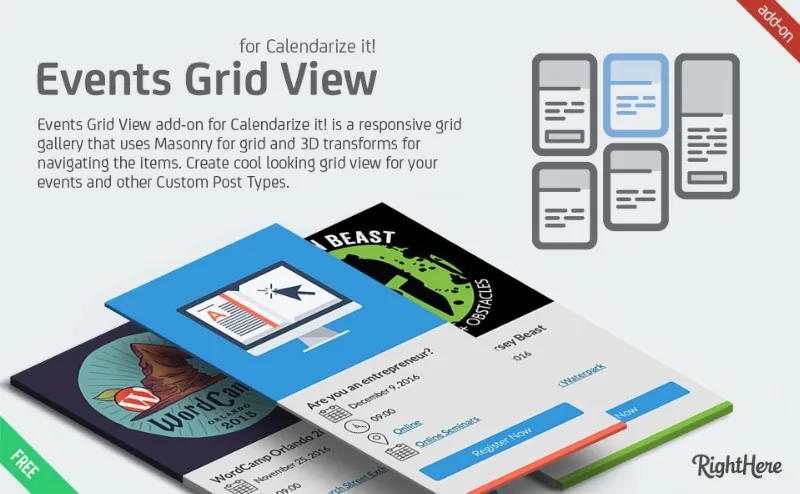
Events Grid View for Calendarize it!
Antivirus scan
Powered by ClamAV
✅ Verified clean
This product file has passed our security filters.
Want to run a fresh ClamAV scan right now? Takes a few seconds and shows scanner version, signature DB and live result.
This can take 5 to 30 seconds.
Clean file Threat detected
No threats detected in this file.
- File
- Size
- Scanned
- ClamAV
- Signature database
⚡ Powered by ClamAV
Scan could not be completed
Report product
If you detected an issue (broken file, malware, inappropriate content, etc.) let us know and we'll review it ASAP.
Sign in to reportNewer version out, or a problem?
About Events Grid View for Calendarize it!
Events as a gallery, not as a list
Events Grid View displays your events and other custom post types in a grid with an attractive look.
How the Events Grid View gallery works on desktop and mobile
Clicking an event opens the gallery view, where you can move between items with the arrow keys and close it with the Escape key or the X. On touch devices such as tablets and smartphones, Events Grid View includes TouchSwipe, a jQuery plugin that makes it easier to navigate the gallery view on mobile.
The grid adapts to desktops, tablets and phones. When visitors scroll down, items appear with one of eight CSS3 loading effects.
Works on top of Calendarize it!, and taxonomy filters need extra add-ons
It is an add-on for Calendarize it!, so you need that plugin installed and active for the grid to have events to show. This is what it covers and what depends on other add-ons:
- Shows events and other custom post types in a Masonry grid, with a gallery when clicked.
- Lets you switch between the views that Calendarize it! supports.
- Can be used as the default view or with advanced arguments on specific views.
- It is compatible with the Calendarize it! Layout Builder and with the Visual CSS Editor.
- The grid examples with taxonomy filters require extra Calendarize it! add-ons.
Design and content you control from the panel
In the options panel you set the default values for the view, choose the date and time format, and turn each element of the grid and the gallery on or off. For the look, you can choose among more than 600 Google Web Fonts and customize the CSS with the Visual CSS Editor.
The Calendarize it! Layout Builder lets you design the grid template. You can create a template for each event or a default template to apply to all of them, and also a template for the gallery view.
Using the grid as the default view or only on some pages
If you want the grid to be your usual view, set it in the default settings and it will be the view on the pages that use the shortcode. If you prefer to vary it by page, the advanced arguments let you define specific views, such as the examples that use the norepeat argument or a maximum number of events.
To show the Grid button in the navigation, add the rhc_grid argument to the right header navigation in the Calendarize it! shortcode settings. The button will appear on the pages where you use that shortcode.
Frequently asked questions about Events Grid View for Calendarize it!
Does it work for content types other than events?
Yes. The grid also works with other custom post types, not only with events.
Can it be used on mobile?
Yes. The grid is responsive and the gallery includes touch navigation with TouchSwipe, designed for tablets and smartphones.
Can I change the look of each event in the grid?
Yes. With the Layout Builder you can create an individual template for each event or a global template for all of them, and adjust the style with the Visual CSS Editor.
My theme already loads Modernizr, is there a conflict?
The product includes a troubleshooting option that disables loading Modernizr, useful when the theme also loads it and causes conflicts.
Topics
Version history
-
v
1.2.7.83033 Current 12 May 2024
Customer reviews
Sign in to leave a review. Only people who have the product can review it.
No reviews for this product yet.
Frequently asked questions
-
GPL (General Public License) is the license under which WordPress and most premium plugins/themes are distributed. It grants you the right to use, modify and redistribute the software in as many projects as you want, with no domain restrictions.
-
Yes. With membership you get automatic updates via our GPLClub Updater plugin (installed on your WP, detects new versions and applies them). With individual purchase, you get one year of manual updates from your account.
-
Depends on the plan. Monthly: 3 domains. Semi-annual: 7. Annual and Lifetime: 15. Individual purchase: 1 domain.
-
GPLClub offers its own support for installation, configuration and compatibility. For direct support from the original author (feature requests, product-specific bugs), a license purchased from the author is required.