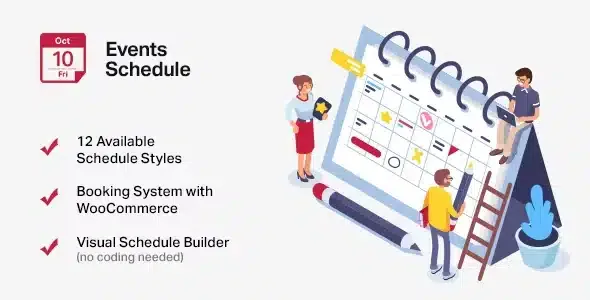
Events Schedule - WordPress Events Calendar Plugin
Antivirus scan
Powered by ClamAV
✅ Verified clean
This product file has passed our security filters.
Want to run a fresh ClamAV scan right now? Takes a few seconds and shows scanner version, signature DB and live result.
This can take 5 to 30 seconds.
Clean file Threat detected
No threats detected in this file.
- File
- Size
- Scanned
- ClamAV
- Signature database
⚡ Powered by ClamAV
Scan could not be completed
Report product
If you detected an issue (broken file, malware, inappropriate content, etc.) let us know and we'll review it ASAP.
Sign in to reportNewer version out, or a problem?
About Events Schedule - WordPress Events Calendar Plugin
Events Schedule: class and event timetables that change every week
Publishing a timetable on a website often ends with a table pasted by hand that has to be rewritten every time a teacher changes, a session is cancelled or a new workshop appears. Events Schedule lets you create unlimited timetables and choose the style each one is displayed in.
Filling the schedule works like creating a WordPress post. Each class gets its type, location and instructor, and classes that repeat every week can appear automatically without being created again. You can mark a class as cancelled, which stays visible in the schedule, and set durations from 10 minutes up to 6 hours. Each class accepts its own text and images, shown in a pop-up window, so the timetable displays only the key information and visitors find the rest with one click.
Twelve timetable styles for different kinds of business
The plugin includes twelve styles, each with its own design and features, and you can switch from one to another with a single click. Weekly Tabs and Large List fit dance studios and fitness or sports centres. Compact List works best for congresses, conferences, workshops or seminars with speakers. The fixed Weekly Schedule suits schools, universities or nurseries that repeat the same classes every week, and also medical or beauty centres that need to show their working hours.
For music festivals, stadiums, sports arenas or exhibition centres, the Plain List style with featured images lets you promote each event. All content is responsive and adapts to mobile phones and high-density screens, and the texts can be translated.
Decide whether your timetable needs filters, pop-up windows and action buttons
If your timetable has many classes, the plugin includes powerful filters. You can allow filtering by type, location, instructor, day or time of day, placed on the left, right or centre, and using checkboxes or switchers. In addition, each class can have an action button with these options:
- Add the class to the visitor's iCal calendar with a single click.
- Open an email addressed to you so the visitor can write to you and book.
- Send the button to an internal or external link, also linked to a type, location or instructor.
Events Schedule works with Visual Composer, which it adds as its own element, but you can also insert it with an automatically generated shortcode, without using that page builder. You need to supply your own images, because they are not included in the package.
Frequently asked questions about Events Schedule
Is it only for sports classes?
No. Types, locations and instructors adapt to very different businesses, from dance studios and fitness centres to schools, congresses or music festivals.
Is Visual Composer required?
No, it is not mandatory. You can use the Visual Composer element or insert the timetable into the page with a shortcode that the plugin generates automatically.
Can I show only the next few days?
Yes. You can show the full timetable, the next weeks or just a few days, and choose from your WordPress settings which day is the first of the week.
Can I put my email address on the button?
Yes. If you add your email address to a class button, the visitor can write to you to book. You can also send the button to a specific URL.
Topics
Version history
-
v
2.7.2 Current 30 Sep 2025
Customer reviews
Sign in to leave a review. Only people who have the product can review it.
No reviews for this product yet.
Frequently asked questions
-
GPL (General Public License) is the license under which WordPress and most premium plugins/themes are distributed. It grants you the right to use, modify and redistribute the software in as many projects as you want, with no domain restrictions.
-
Yes. With membership you get automatic updates via our GPLClub Updater plugin (installed on your WP, detects new versions and applies them). With individual purchase, you get one year of manual updates from your account.
-
Depends on the plan. Monthly: 3 domains. Semi-annual: 7. Annual and Lifetime: 15. Individual purchase: 1 domain.
-
GPLClub offers its own support for installation, configuration and compatibility. For direct support from the original author (feature requests, product-specific bugs), a license purchased from the author is required.