Everest Forms - Email Templates
Antivirus scan
Powered by ClamAV
✅ Verified clean
This product file has passed our security filters.
Want to run a fresh ClamAV scan right now? Takes a few seconds and shows scanner version, signature DB and live result.
This can take 5 to 30 seconds.
Clean file Threat detected
No threats detected in this file.
- File
- Size
- Scanned
- ClamAV
- Signature database
⚡ Powered by ClamAV
Scan could not be completed
Report product
If you detected an issue (broken file, malware, inappropriate content, etc.) let us know and we'll review it ASAP.
Sign in to report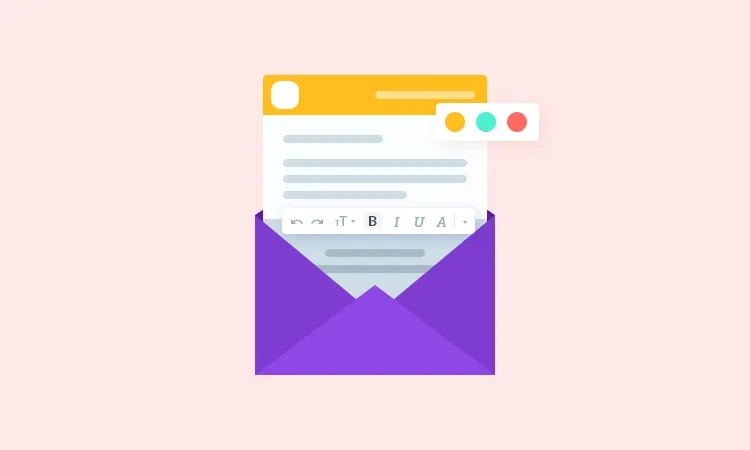
About Everest Forms - Email Templates
Someone fills in your form, gets a plain-text confirmation with no logo or colors, and mistakes it for spam. It's a common problem: the automatic email is the first thing a customer sees of your brand after submitting their details, and it's usually the most neglected.
The confirmation email is your first impression after submission
Whoever contacts you has already taken the hard step. What they receive next decides whether they feel they've dealt with a serious business or an automated mailbox. Almost nobody looks after that email because it's set up once and forgotten, which gives an advantage to those who do. Everest Forms - Email Templates is an Everest Forms add-on that replaces the basic look of notifications with a template carrying your visual identity.
What you can change in the Everest Forms - Email Templates template
The add-on lets you style each area of the email separately, so all your messages go out looking the same:
- Typography and color: you can choose from hundreds of font families and adjust font and color individually for the different headings and texts.
- Header and footer: style for the logo, title and tagline (typography and color), alignment, background with color or image, and borders.
- Message body: font size, text color, background color or image, and borders.
- Containers: the outer and inner parts of the email can be styled with colors and images.
- Additional CSS: if you can code, you can add your own rules to the template.
Important: this add-on doesn't create forms or send emails on its own. It needs Everest Forms installed. It is also an add-on of the plugin's Premium plan, so it doesn't work with the free version alone. Nor is it a newsletter campaign editor: it's designed for the emails triggered when a form is submitted.
Common questions before using it
Can it be used to send newsletters?
No. It formats the emails Everest Forms generates after a submission, such as confirmations to the user or alerts to the administrator.
Can I use it without knowing design or coding?
The additional CSS is optional and only for those who want to fine-tune further.
Does it work without Everest Forms?
No. It's an add-on and depends on the main plugin.
Can I add my logo?
Yes. The header supports a logo, plus a title and tagline with their own styles.
Have your logo and palette ready before touching the template
Setup is faster if you already have your logo, brand colors and the fonts you want to use defined. That way you avoid trying random combinations. Once the template is set up, submit a test form and check the result in the email received, because the final look may vary depending on the recipient's email client. Keep the design sober: a very busy background or too many images can reduce the legibility of a message whose purpose is to confirm something clearly.
Topics
Version history
-
v
1.0.8 Current 17 Apr 2026
Customer reviews
Sign in to leave a review. Only people who have the product can review it.
No reviews for this product yet.
Frequently asked questions
-
GPL (General Public License) is the license under which WordPress and most premium plugins/themes are distributed. It grants you the right to use, modify and redistribute the software in as many projects as you want, with no domain restrictions.
-
Yes. With membership you get automatic updates via our GPLClub Updater plugin (installed on your WP, detects new versions and applies them). With individual purchase, you get one year of manual updates from your account.
-
Depends on the plan. Monthly: 3 domains. Semi-annual: 7. Annual and Lifetime: 15. Individual purchase: 1 domain.
-
GPLClub offers its own support for installation, configuration and compatibility. For direct support from the original author (feature requests, product-specific bugs), a license purchased from the author is required.