Everest Forms – Multi-Part Forms
Antivirus scan
Powered by ClamAV
✅ Verified clean
This product file has passed our security filters.
Want to run a fresh ClamAV scan right now? Takes a few seconds and shows scanner version, signature DB and live result.
This can take 5 to 30 seconds.
Clean file Threat detected
No threats detected in this file.
- File
- Size
- Scanned
- ClamAV
- Signature database
⚡ Powered by ClamAV
Scan could not be completed
Report product
If you detected an issue (broken file, malware, inappropriate content, etc.) let us know and we'll review it ASAP.
Sign in to report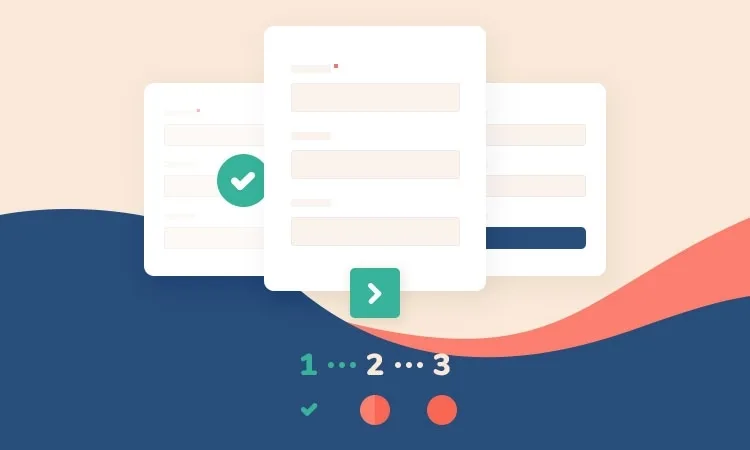
About Everest Forms – Multi-Part Forms
Long forms that people abandon halfway
A twenty-field form on a single screen feels like paperwork at a counter: the visitor looks at it, estimates the effort and leaves. Everest Forms – Multi-Part Forms is an addon that splits those fields into several steps or pages, so each screen asks for little and feels easier to finish.
Visitors decide on the first screen
Splitting the form into steps shows you how far each visitor gets. This matters most if you collect requests, sign-ups, quotes or registrations, where every abandonment is a lost contact.
How Everest Forms – Multi-Part Forms works
- Steps: you group fields by related topics and decide what goes in each step.
- Progress bar: users see where they are and how many pages are left. You can change colors and indicators.
- Next and Previous buttons: you can align them as you like, and they let users go back to earlier steps to make corrections.
- Conditional logic: lets the path adapt to the answers, useful for sign-ups, onboarding or dynamic pricing.
- Save and continue: users can save their progress and pick it up later.
- Pre-designed layouts: you choose a design variation when you enable it on a form.
The design is responsive, so the steps look and work well on mobile and desktop.
It needs the base Everest Forms plugin
This addon does not work on its own: it is activated inside Everest Forms and enabled form by form. Before buying, be clear about what it covers and what it doesn't:
- What it solves: splitting a form into steps, showing progress, moving back and forth, branching with conditional logic and letting users save and continue.
- What you cover with the base plugin: the form builder, the fields, email notifications and the rest of the setup.
- What you have to do: decide which questions are unnecessary and how to group the rest. Splitting a bad form into five steps doesn't fix it.
When splitting pays off and when it doesn't
It isn't needed for a three-field contact form: adding steps only gets in the way. It is also worth thinking about what happens if someone wants to see the whole form before starting; in the demo, check whether the number of steps is clear from the start.
A good practice: put the easy questions first, so the visitor commits, and leave the more sensitive ones for the last steps.
Frequently asked questions
Can it be used for free?
No. It is a paid addon and is not part of the free version of the base plugin.
Can users go back to earlier steps?
Yes, they move back and forth with the buttons, which you can align as you prefer.
Does it make sense on a personal website?
Yes, if the form collects quite a lot of data. For a simple contact form, a single-page form is enough.
Can users resume the form another day?
Yes, with the Save and continue feature users keep their progress.
Does it show how much is left?
Yes, with a progress bar whose colors and indicators you can customize.
Topics
Version history
-
v
1.5.0 Current 26 Aug 2024
Customer reviews
Sign in to leave a review. Only people who have the product can review it.
No reviews for this product yet.
Frequently asked questions
-
GPL (General Public License) is the license under which WordPress and most premium plugins/themes are distributed. It grants you the right to use, modify and redistribute the software in as many projects as you want, with no domain restrictions.
-
Yes. With membership you get automatic updates via our GPLClub Updater plugin (installed on your WP, detects new versions and applies them). With individual purchase, you get one year of manual updates from your account.
-
Depends on the plan. Monthly: 3 domains. Semi-annual: 7. Annual and Lifetime: 15. Individual purchase: 1 domain.
-
GPLClub offers its own support for installation, configuration and compatibility. For direct support from the original author (feature requests, product-specific bugs), a license purchased from the author is required.