Express Shop Page for WooCommerce
Antivirus scan
Powered by ClamAV
✅ Verified clean
This product file has passed our security filters.
Want to run a fresh ClamAV scan right now? Takes a few seconds and shows scanner version, signature DB and live result.
This can take 5 to 30 seconds.
Clean file Threat detected
No threats detected in this file.
- File
- Size
- Scanned
- ClamAV
- Signature database
⚡ Powered by ClamAV
Scan could not be completed
Report product
If you detected an issue (broken file, malware, inappropriate content, etc.) let us know and we'll review it ASAP.
Sign in to reportNewer version out, or a problem?
About Express Shop Page for WooCommerce
When every size means opening another page
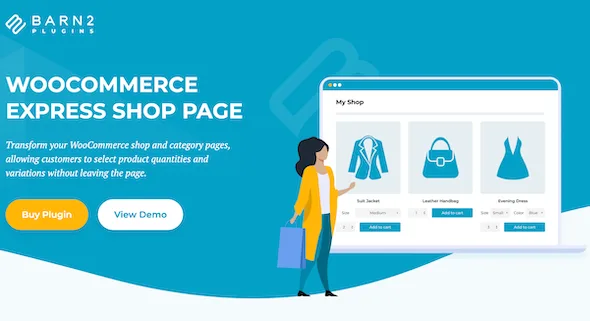
Selling a t-shirt in four sizes and three colours usually means the customer opens each product before deciding. In a store with variable products, the category page ends up being a list to browse, and the purchase starts only after several clicks. Express Shop Page for WooCommerce moves that choice to the shop and category pages, so the customer decides right where they are already looking.
A walk through the category page, step by step
Picture a customer who enters the t-shirt category looking for one to give as a gift. The listing looks the way it always does, but each card now offers what they need to decide without leaving it.
First, the quantity. If they want two units of the same design, they can change the number without opening the product page. The quantity field on the shop page is meant to encourage buying more units.
Then, size and colour. The variation dropdowns appear on the shop page, and when an option is picked the variations load with AJAX. That loading does not slow the site down, even if you have thousands of products.
Finally, the purchase options are within easy reach on that same listing. The customer can choose size and quantity without having opened any individual product page.
Frequently asked questions about Express Shop Page for WooCommerce
Can I show the quantity field only on the shop page and not on category pages?
Yes. You can choose whether the quantity field and the variation dropdowns appear on the shop page, on category pages, or on both.
Does it work alongside product option plugins?
Yes. It can be combined with product option plugins to show those add-ons on the shop page, so the customer configures the product before opening its page.
Does it work with any theme?
Yes. It is designed for WooCommerce shop and category pages and can be used with any theme.
How do variations affect performance in a large store?
Variations load with AJAX, and that loading does not slow the site down, even if you have thousands of products.
You decide which options appear on each page
The control is fine-grained: you can choose whether the quantity field and the variation dropdowns appear on the shop page, on category pages, or on both.
- Quantity field: on the shop page, on category pages, or on both
- Variation dropdowns: on the shop page, on category pages, or on both
A practical idea: start with the category where you sell the most variable products and see how it responds before extending the change to the rest.
How Express Shop Page displays add-on options in the listing
If you already use product option plugins, Express Shop Page for WooCommerce can show those add-ons on the shop page. This way the customer can pick those options from the listing, without having to open each product.
For those who customise their store, the plugin includes documented hooks and filters to adapt its behaviour.
What you need in place to run it in your store
It is a WooCommerce add-on, so WooCommerce must be installed and active. It is listed as compatible with block-based checkout and HPOS.
Topics
Version history
-
v
1.0.4 Current 8 Apr 2024
Customer reviews
Sign in to leave a review. Only people who have the product can review it.
No reviews for this product yet.
Frequently asked questions
-
GPL (General Public License) is the license under which WordPress and most premium plugins/themes are distributed. It grants you the right to use, modify and redistribute the software in as many projects as you want, with no domain restrictions.
-
Yes. With membership you get automatic updates via our GPLClub Updater plugin (installed on your WP, detects new versions and applies them). With individual purchase, you get one year of manual updates from your account.
-
Depends on the plan. Monthly: 3 domains. Semi-annual: 7. Annual and Lifetime: 15. Individual purchase: 1 domain.
-
GPLClub offers its own support for installation, configuration and compatibility. For direct support from the original author (feature requests, product-specific bugs), a license purchased from the author is required.