Fast Gallery for Visual Composer
Antivirus scan
Powered by ClamAV
✅ Verified clean
This product file has passed our security filters.
Want to run a fresh ClamAV scan right now? Takes a few seconds and shows scanner version, signature DB and live result.
This can take 5 to 30 seconds.
Clean file Threat detected
No threats detected in this file.
- File
- Size
- Scanned
- ClamAV
- Signature database
⚡ Powered by ClamAV
Scan could not be completed
Report product
If you detected an issue (broken file, malware, inappropriate content, etc.) let us know and we'll review it ASAP.
Sign in to reportNewer version out, or a problem?
About Fast Gallery for Visual Composer
For those who build their pages with WPBakery and need galleries with more control
A well-chosen gallery decides whether someone keeps looking at the photos or gets tired by the third row. When a page has to show many images, such as a studio's projects, a restaurant's dishes or a catalog of products, the problem is rarely uploading them: it lies in how they look, how many columns they take up, what happens on click and how long they take to load.
This plugin is made for those who already build their pages with WPBakery (Visual Composer) and want to set that behavior from the editor itself. It needs WPBakery installed and active, because it includes two addons that extend that page builder. If your site does not use WPBakery, it will not work for you.
Seven ways to open each photo, including none at all
In Fast Gallery you choose how each image reacts to a click. You can use a viewer such as PrettyPhoto, Light Gallery, Magnific Popup or PhotoSwipe, a slideshow style with Fotorama, or a link to a URL you specify. If you want the photo to stay as it is, the Only Image option, without lightbox, keeps it that way.
Thumbnails are optional and have their own settings, so you decide whether the gallery shows them or not.
Twelve styles, one to nine columns and a color for each gallery
Fast Gallery arranges photos in a grid or in masonry. There are twelve styles plus a no-style option, and the number of columns goes from 1 to 9. The layout can be responsive, custom responsive or fluid, depending on how you want it to adjust on different screens.
The color is set for each gallery, with a main color at a chosen opacity and a secondary color. The space between images is also customizable, so the margin matches the design you need.
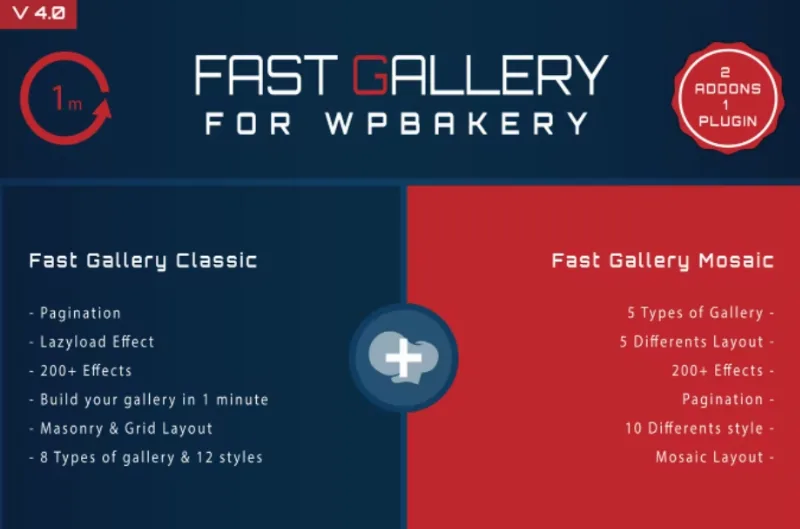
Fast Gallery Mosaic, for mosaic galleries with custom image height
Fast Gallery Mosaic is the second addon in the package and focuses on mosaic layouts. Its main options are these:
- Ten mosaic styles, with a layout adapted to mobile
- PrettyPhoto, Magnific Popup, LightGallery or custom URL viewers
- Image height in five sizes, from very small to very big, or a custom value
- Pagination, custom spacing between photos and a color for each gallery
You can choose five image height sizes or a custom value.
Pagination, lazy loading and over 200 animations for pages with many photos
Fast Gallery offers two pagination styles for galleries with many images. Lazy loading is available in both grid and masonry layouts.
There are more than 200 animation effects available. The plugin is ready for translation, with .po and .mo files included, so its texts can be translated into another language.
Frequently asked questions about Fast Gallery for Visual Composer
What is the difference between Fast Gallery and Fast Gallery Mosaic?
Fast Gallery offers seven viewer types, twelve styles, grid and masonry with 1 to 9 columns. Mosaic focuses on mosaic layouts, with ten styles and adjustable image height. Both come in the same package.
Can I show photos without a popup window?
Yes. With the Only Image option, the image does not open a lightbox when clicked.
How does it look on mobile?
Responsive and fluid layouts adjust to the screen, and Fast Gallery Mosaic includes a specific mobile layout.
Can I link each photo to another page?
Yes, with the Custom URL type the image links to the address you specify.
Topics
Version history
-
v
4.0 Current 15 May 2024
Customer reviews
Sign in to leave a review. Only people who have the product can review it.
No reviews for this product yet.
Frequently asked questions
-
GPL (General Public License) is the license under which WordPress and most premium plugins/themes are distributed. It grants you the right to use, modify and redistribute the software in as many projects as you want, with no domain restrictions.
-
Yes. With membership you get automatic updates via our GPLClub Updater plugin (installed on your WP, detects new versions and applies them). With individual purchase, you get one year of manual updates from your account.
-
Depends on the plan. Monthly: 3 domains. Semi-annual: 7. Annual and Lifetime: 15. Individual purchase: 1 domain.
-
GPLClub offers its own support for installation, configuration and compatibility. For direct support from the original author (feature requests, product-specific bugs), a license purchased from the author is required.