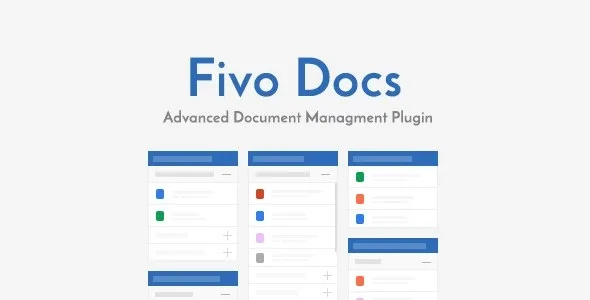
Fivo Docs – WordPress Documents and Attachments Manager
Antivirus scan
Powered by ClamAV
✅ Verified clean
This product file has passed our security filters.
Want to run a fresh ClamAV scan right now? Takes a few seconds and shows scanner version, signature DB and live result.
This can take 5 to 30 seconds.
Clean file Threat detected
No threats detected in this file.
- File
- Size
- Scanned
- ClamAV
- Signature database
⚡ Powered by ClamAV
Scan could not be completed
Report product
If you detected an issue (broken file, malware, inappropriate content, etc.) let us know and we'll review it ASAP.
Sign in to reportNewer version out, or a problem?
About Fivo Docs – WordPress Documents and Attachments Manager
Sites that publish catalogs, manuals and downloadable sheets
When a site shares documents, they usually end up as a list of links nobody browses, with no context or easy way to find what they need. Fivo Docs is built for anyone who wants to showcase their documents attractively. If you only need to link a single file, a presentation this elaborate may not be necessary.
How documents are displayed: grid or table
Fivo Docs lets you choose between two styles: grid and list table. There are demos of each style on the product site.
Categories and a custom selection on each page
Categories help organize the documents in your media library. On top of that, the custom selection can be set individually on each page.
Filters, pagination and brand colors in Fivo Docs
You can optionally add four filter options and pagination. Fivo Docs also lets you customize every color used in the styles. In addition, you can change all the visible texts on the public side.
Inserting Fivo Docs with a block, a widget or a shortcode
There are three ways to place your documents: a custom block for the WordPress block editor, an Elementor widget, and an “Add Docs” button that opens the shortcode generator. The block and the widget both include all the customization options. The Elementor widget needs Elementor installed and active, since it is an element of that page builder.
Frequently asked questions about Fivo Docs
Do I need Elementor to use Fivo Docs?
Only for the Elementor widget, which requires that page builder. The WordPress block editor block and the shortcode generator are other ways to insert the documents on a page.
Can I adapt the colors to my brand?
Yes. You can customize every color used in the styles.
How do I show documents on a specific page?
Use the “Add Docs” button to open the shortcode generator. To choose particular documents for each page, use the custom selection. Check the grid, list and table demos to see which style fits your content before deciding.
Version history
-
v
1.2.2 Current 8 Apr 2024
Customer reviews
Sign in to leave a review. Only people who have the product can review it.
No reviews for this product yet.
Frequently asked questions
-
GPL (General Public License) is the license under which WordPress and most premium plugins/themes are distributed. It grants you the right to use, modify and redistribute the software in as many projects as you want, with no domain restrictions.
-
Yes. With membership you get automatic updates via our GPLClub Updater plugin (installed on your WP, detects new versions and applies them). With individual purchase, you get one year of manual updates from your account.
-
Depends on the plan. Monthly: 3 domains. Semi-annual: 7. Annual and Lifetime: 15. Individual purchase: 1 domain.
-
GPLClub offers its own support for installation, configuration and compatibility. For direct support from the original author (feature requests, product-specific bugs), a license purchased from the author is required.