Focus Transition for WordPress — Makes the Tab Key Navigation More Apparent
Antivirus scan
Powered by ClamAV
✅ Verified clean
This product file has passed our security filters.
Want to run a fresh ClamAV scan right now? Takes a few seconds and shows scanner version, signature DB and live result.
This can take 5 to 30 seconds.
Clean file Threat detected
No threats detected in this file.
- File
- Size
- Scanned
- ClamAV
- Signature database
⚡ Powered by ClamAV
Scan could not be completed
Report product
If you detected an issue (broken file, malware, inappropriate content, etc.) let us know and we'll review it ASAP.
Sign in to report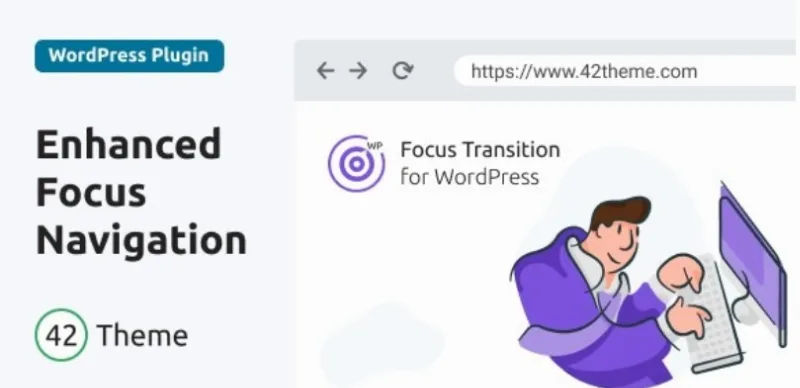
About Focus Transition for WordPress — Makes the Tab Key Navigation More Apparent
People who navigate with Tab often get lost, and you probably haven't noticed
Almost nobody who runs a website tests it with the keyboard. It gets checked with a mouse and on a phone, and focus is forgotten: in many designs the outline that marks the active element is so discreet that it disappears, or it was removed for aesthetic reasons. Anyone moving through the page with the Tab key, by preference or by need, jumps from link to link without knowing where they landed. Focus Transition for WordPress targets exactly that: it makes the move of focus from one element to the next visible and easy to follow.
Four effects to move the focus and what you can adjust
The plugin offers four types of transition between elements:
- Flying: the focus outline flies to the next element and draws attention to it.
- Hug: the outline embraces the current element and highlights it.
- Snail: the transition appears as a gradient-colored strip that guides the focus to the next element.
- Zoom: the focused element grows slightly and returns to its normal size.
You can also control the animation speed and change the look of the focused element (color, size and other visual properties) so it fits your design and brand.
Headings that also receive focus
There is an option to make elements that are normally not focusable, such as headings from h1 to h6, focusable. That way Tab also stops on them. Use it with judgment: every extra stop lengthens the path for keyboard users, and it is not wise to turn all headings into stops if the page is long.
What it does not do
It only works on the focus indicator. It does not fix missing labels in a form, reorder a confusing structure or add keyboard-friendly menus if your theme doesn't have them. It is a visual improvement to navigation, not an accessibility audit, and it does not guarantee compliance with any regulation.
Does it work with my theme, on mobile and without jQuery?
Does it depend on a specific theme or framework?
No. It is designed to work with any template or framework.
Does it need jQuery?
No. It is written in native JavaScript, with no dependencies, and is very lightweight.
Does it run in every browser?
It supports the main ones: Chrome, Firefox, Safari, Edge and Opera, and it works on Windows, Linux and macOS. It is also compatible with RTL sites.
Does it work on touch devices?
It is designed to work on phones and touchscreens as well. Even so, Tab is a keyboard tool, so the effect is most noticeable on a computer.
Menus with submenus, forms and product pages: where it shows
On a site with multi-level menus, seeing clearly where the focus is helps people understand the structure. In a long form, the active field stands out and confusion drops while filling it in, whether it is a checkbox, a radio button or another control. In a store it can highlight images or key details while moving through a listing or a product page. And on an educational site it helps follow sections, interactive elements or progress indicators in a course or quiz.
A small plugin, with no CSS or images to upload
Getting started means installing the plugin and activating it: you don't need to add stylesheets or image files for it to work. What is left for you is to test it with your own design: go through the whole page with Tab, choose the effect that distracts the least, adjust speed and color so it contrasts with your backgrounds, and decide whether you really want headings to receive focus.
Version history
-
v
1.0.0 Current 12 Jun 2024
Customer reviews
Sign in to leave a review. Only people who have the product can review it.
No reviews for this product yet.
Frequently asked questions
-
GPL (General Public License) is the license under which WordPress and most premium plugins/themes are distributed. It grants you the right to use, modify and redistribute the software in as many projects as you want, with no domain restrictions.
-
Yes. With membership you get automatic updates via our GPLClub Updater plugin (installed on your WP, detects new versions and applies them). With individual purchase, you get one year of manual updates from your account.
-
Depends on the plan. Monthly: 3 domains. Semi-annual: 7. Annual and Lifetime: 15. Individual purchase: 1 domain.
-
GPLClub offers its own support for installation, configuration and compatibility. For direct support from the original author (feature requests, product-specific bugs), a license purchased from the author is required.