Fraud Prevention For Woocommerce Premium (Premium)
Antivirus scan
Powered by ClamAV
✅ Verified clean
This product file has passed our security filters.
Want to run a fresh ClamAV scan right now? Takes a few seconds and shows scanner version, signature DB and live result.
This can take 5 to 30 seconds.
Clean file Threat detected
No threats detected in this file.
- File
- Size
- Scanned
- ClamAV
- Signature database
⚡ Powered by ClamAV
Scan could not be completed
Report product
If you detected an issue (broken file, malware, inappropriate content, etc.) let us know and we'll review it ASAP.
Sign in to reportNewer version out, or a problem?
About Fraud Prevention For Woocommerce Premium (Premium)
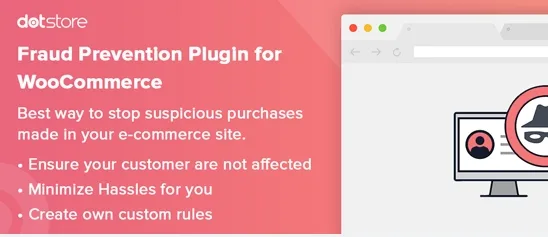
Fraud Prevention for WooCommerce Premium stops fake orders before you charge them
A fraudulent order can end up costing you gateway fees and chargebacks. This plugin scores each order by its IP, email, address and value, and acts before the charge, using rules you define.
Depending on the result, you can block the order, hold it or flag it as risky so you review it yourself. Safe orders go through without friction.
Three store problems this plugin cuts off at checkout
Store facing card testing
Card testing is one of the frauds the plugin stops. With rules by IP and email, it cuts those attempts off at checkout, before they reach your gateway.
Business with high-value orders
If your problem is large orders that look legitimate but are not, you can set a score threshold that moves them to "On Hold" so you approve them by hand, while normal orders complete instantly.
Site with fake account registrations
Bots and fake users sign up with suspicious data. The plugin can stop the sign-up using name, email, ZIP code or phone, and shows a custom message so the user knows why they cannot continue.
Blacklists by IP, email, domain or ZIP code
Besides scores, you can block using direct rules: IP, email, domain, browser, ZIP code, state, name or address. It also blocks disposable emails and VPNs.
- Bulk upload from an Excel (.xlsx) file with emails, ZIP codes or states.
- A sample file to get started quickly with uploads.
- Whitelist for trusted customers or partners by IP, email, payment method or user role.
AI fraud detection with Google or OpenAI and a threshold you set
AI analysis evaluates each order in real time and assigns it a risk score. You set the threshold: for example, 70 %, and anything above that value is blocked before the payment is completed. In the WooCommerce dashboard you see the score, the decision and the rules that were triggered.
The AI looks at factors such as IP, country, phone number, email and payment method. In addition, a green, yellow or red indicator on each order lets you assess its risk at a glance.
AI fraud detection requires an API key from Google or OpenAI
To use AI detection you have to connect your preferred provider by adding its API key in the plugin settings. That key is not free: usage is charged according to each provider's pricing model.
Frequently asked questions about Fraud Prevention for WooCommerce Premium
Can I see how it works before buying?
Yes. There is a live demo where you can see how it analyzes and blocks risky orders in real time. Check there whether the dashboard is clear to you.
Does it run before or after payment?
Before. The plugin checks for fraud before the payment is processed, and if the order is risky it is blocked or flagged right at checkout.
Can I let trusted customers through?
Yes. You can whitelist them by email, IP, payment method or user role, and new or unknown customers still go through the fraud logic.
What does a blocked customer see?
A custom message that you write, with or without support links, which replaces the default WooCommerce error.
Can I adjust how strict it is?
Yes. You can adjust the weight of each rule to reduce false positives or tighten control during higher-risk periods such as sales or holidays.
Compatible with WPML, Weglot and MultiVendorX Pro
The plugin has checked compatibility with WPML, Weglot, WooCommerce PayPal Payments, Loco Translate and MultiVendorX Pro, and it works with many other WooCommerce plugins. In addition, the admin panel gives you a centralized view of blocked attempts, flagged orders and fraud trends, with data to help you decide.
Topics
Version history
-
v
2.1.6 Current 12 May 2024
Customer reviews
Sign in to leave a review. Only people who have the product can review it.
No reviews for this product yet.
Frequently asked questions
-
GPL (General Public License) is the license under which WordPress and most premium plugins/themes are distributed. It grants you the right to use, modify and redistribute the software in as many projects as you want, with no domain restrictions.
-
Yes. With membership you get automatic updates via our GPLClub Updater plugin (installed on your WP, detects new versions and applies them). With individual purchase, you get one year of manual updates from your account.
-
Depends on the plan. Monthly: 3 domains. Semi-annual: 7. Annual and Lifetime: 15. Individual purchase: 1 domain.
-
GPLClub offers its own support for installation, configuration and compatibility. For direct support from the original author (feature requests, product-specific bugs), a license purchased from the author is required.