Frontend Post Submission Manager
Antivirus scan
Powered by ClamAV
✅ Verified clean
This product file has passed our security filters.
Want to run a fresh ClamAV scan right now? Takes a few seconds and shows scanner version, signature DB and live result.
This can take 5 to 30 seconds.
Clean file Threat detected
No threats detected in this file.
- File
- Size
- Scanned
- ClamAV
- Signature database
⚡ Powered by ClamAV
Scan could not be completed
Report product
If you detected an issue (broken file, malware, inappropriate content, etc.) let us know and we'll review it ASAP.
Sign in to reportNewer version out, or a problem?
About Frontend Post Submission Manager
Receiving content from your users without opening the WordPress dashboard to them
When a website depends on contributors, readers or clients to publish, the same thing usually happens: you either give the admin area to people who should not see it, or the content arrives by email and someone copies it by hand. Frontend Post Submission Manager fills that gap: users send posts, pages or custom content types from your website, without touching the WordPress dashboard.
Submission forms you build yourself with Frontend Post Submission Manager
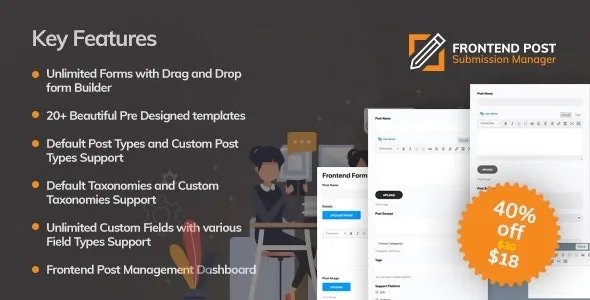
The builder works by drag and drop, and you can create as many forms as you need, one per content type or per workflow. Duplicating an existing form saves time when the new one is similar, and each one can be activated or deactivated separately. You insert it wherever you want with a shortcode.
Submissions use AJAX, and you can customize validation and success messages. You choose the default post status and the author of guest submissions.
Guests and registered members
A form can accept submissions from visitors without an account, collecting their name and email as author. Another can require login: you customize the login form, with its own text and a redirect to the page you choose, and you can protect it with CAPTCHA.
Custom fields and file uploads in Frontend Post Submission Manager
Each custom field is saved as post metadata. There are text, textarea, editor, email, telephone, date picker, dropdown, radio, checkbox, URL, YouTube URL, file upload and hidden fields, and each one can be required or optional.
Validation adapts to each case: minimum and maximum characters or numeric values, telephone pattern and date formats. Hidden fields can capture the page URL, the visitor's IP address or request parameters.
Files and images
You can allow one or several files, set their extensions, maximum size and number of files, and write custom messages for each case. Images and other media can be inserted into the content, and you can give certain roles permission to upload media without the standard capability.
A member panel to review, edit and delete their submissions
Registered users have a panel on the frontend, with a list that adapts to the screen size, where they review their submissions, edit them or delete them without entering the admin area. The panel is configurable.
Submitted values are also shown on the website, before or after the content, with six display templates. Taxonomy terms can be linked.
Frequently asked questions about Frontend Post Submission Manager
Can a visitor without an account submit a post?
Yes. You create a guest form that collects their name and email, and you decide which author is assigned to those submissions.
Can I charge for submissions?
The plugin lets you collect payments with PayPal. Check the demo to see how that flow looks before deciding.
Does the plugin send email alerts?
Yes, it includes automated email notifications.
Can I use it with pages or custom content types?
Yes. It supports posts, pages and the custom content types registered on your website, along with their taxonomies.
Fit with your theme, your content types and your payments
The plugin works on WordPress: it supports the post formats registered by your active theme and their taxonomies. If your website receives content from several people, it saves you from giving admin access to each of them.
Before deciding, check whether you need PayPal payments or email alerts, since both are part of the product. There is no limit on the number of forms or custom fields.
Topics
Version history
-
v
1.4.4 Current 13 Jan 2025
Customer reviews
Sign in to leave a review. Only people who have the product can review it.
No reviews for this product yet.
Frequently asked questions
-
GPL (General Public License) is the license under which WordPress and most premium plugins/themes are distributed. It grants you the right to use, modify and redistribute the software in as many projects as you want, with no domain restrictions.
-
Yes. With membership you get automatic updates via our GPLClub Updater plugin (installed on your WP, detects new versions and applies them). With individual purchase, you get one year of manual updates from your account.
-
Depends on the plan. Monthly: 3 domains. Semi-annual: 7. Annual and Lifetime: 15. Individual purchase: 1 domain.
-
GPLClub offers its own support for installation, configuration and compatibility. For direct support from the original author (feature requests, product-specific bugs), a license purchased from the author is required.