FunnelKit Checkout
Antivirus scan
Powered by ClamAV
✅ Verified clean
This product file has passed our security filters.
Want to run a fresh ClamAV scan right now? Takes a few seconds and shows scanner version, signature DB and live result.
This can take 5 to 30 seconds.
Clean file Threat detected
No threats detected in this file.
- File
- Size
- Scanned
- ClamAV
- Signature database
⚡ Powered by ClamAV
Scan could not be completed
Report product
If you detected an issue (broken file, malware, inappropriate content, etc.) let us know and we'll review it ASAP.
Sign in to report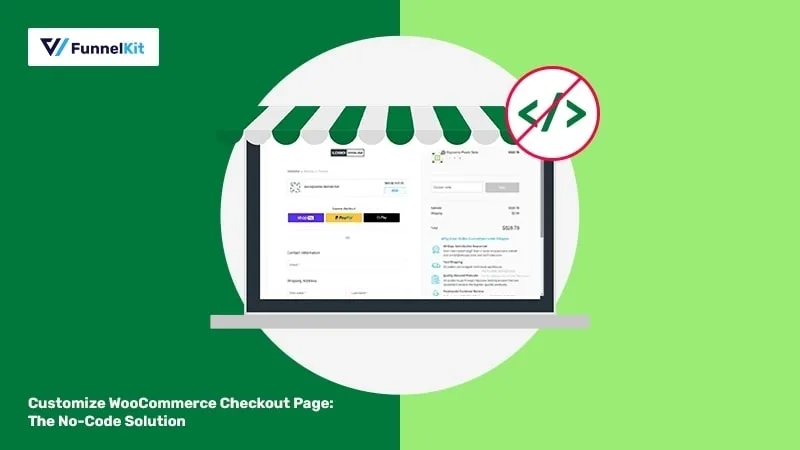
About FunnelKit Checkout
Default WooCommerce checkout loses sales you already paid ads for
You bring a visitor in through advertising or SEO, they decide to buy, and they run into a long form, fields they don't need, an error that only shows up at the end and a cart page in between. Every extra step is an excuse to leave. FunnelKit Checkout replaces that journey with payment pages you design, with less friction and with data to show what works. That matters because checkout is the one part of your store where every improvement is measured directly in orders.
One checkout page per product
You can create checkouts for one or several products, as a single page, multi-step, Shopify-style or as an order form. This is useful when you sell a star product with its own campaign and want the payment page to speak about it, without the generic look of the store.
There are checkout, order bump and thank-you page templates to import and adapt, or you can start from scratch. The design is edited with Elementor, Divi, Bricks or Oxygen, and with shortcodes on other page builders.
FunnelKit Checkout features that touch the form
- Field editor: add text fields, dropdowns, HTML, radios or checkboxes, and reorder or delete fields and sections by dragging. Validation included.
- Inline validation: flags the mistyped email or the missing ZIP code before the order is submitted.
- International phone field: detects the country code, shows the flag and validates the number.
- Google address autocomplete: suggests addresses and fills in street, city, state and ZIP code.
- Express payment: Apple Pay, Google Pay, PayPal Express and other buttons, placed where you prefer.
- Cart editing at checkout: see images, change quantities and apply coupons without leaving the page.
- Smart login: recognizes returning customers and preloads their account.
- A/B testing: splits traffic between variants and compares conversion rate, revenue and average order value.
Keep in mind that several of these pieces depend on external services: autocomplete needs Google and the express buttons need those payment methods to be active in your store. The plugin is not a payment gateway; it organizes and optimizes the page where they are used.
Extra sales without leaving the payment step
Order bumps offer an add-on with one click inside the checkout itself, targeted by cart contents, buyer behavior or past purchases. Post-purchase offers let you add a product without the customer re-entering payment details. There is also a direct checkout button that replaces "Add to cart" and skips the cart page. Use it with judgment: if your catalog requires comparing or adding several products, skipping the cart can get in the way.
Frequently asked questions
Does it work on mobile?
Yes: it includes a collapsible order summary, a sticky payment button and one-tap payment with Apple Pay or Google Pay.
Do I need to know how to code?
No. The field editor, the templates and the page builder design work without code or hooks.
Does it replace my payment gateway?
No. It improves the WooCommerce payment page; you still set up your payment methods in your store.
Can I test two designs?
Yes, with the built-in A/B testing, with no extra plugins.
Is it for subscriptions or email marketing?
This plugin focuses on checkout and related offers. Email and SMS automations or subscriptions belong to other products from the same brand.
Import a template and review the payment page as a customer would
Start by choosing a checkout template, assign it to a product, and place a test purchase from your phone. Check that the fields you removed are not needed for your shipping or billing, that autocomplete works for the countries you sell to, and that the express buttons appear. Then activate an A/B test with a simple change and let it collect orders before deciding.
Topics
Version history
-
v
3.23.2 Current 13 Jan 2026
Customer reviews
Sign in to leave a review. Only people who have the product can review it.
No reviews for this product yet.
Frequently asked questions
-
GPL (General Public License) is the license under which WordPress and most premium plugins/themes are distributed. It grants you the right to use, modify and redistribute the software in as many projects as you want, with no domain restrictions.
-
Yes. With membership you get automatic updates via our GPLClub Updater plugin (installed on your WP, detects new versions and applies them). With individual purchase, you get one year of manual updates from your account.
-
Depends on the plan. Monthly: 3 domains. Semi-annual: 7. Annual and Lifetime: 15. Individual purchase: 1 domain.
-
GPLClub offers its own support for installation, configuration and compatibility. For direct support from the original author (feature requests, product-specific bugs), a license purchased from the author is required.