GamiPress - Progress
Antivirus scan
Powered by ClamAV
✅ Verified clean
This product file has passed our security filters.
Want to run a fresh ClamAV scan right now? Takes a few seconds and shows scanner version, signature DB and live result.
This can take 5 to 30 seconds.
Clean file Threat detected
No threats detected in this file.
- File
- Size
- Scanned
- ClamAV
- Signature database
⚡ Powered by ClamAV
Scan could not be completed
Report product
If you detected an issue (broken file, malware, inappropriate content, etc.) let us know and we'll review it ASAP.
Sign in to report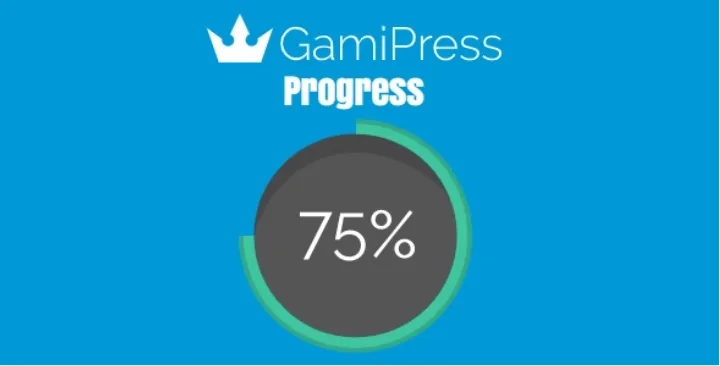
About GamiPress - Progress
Earning 500 points and having 500 points are not the same goal
You want each member to see how far they are from their next achievement, and for that you have to decide what is being measured. One goal says "reach a balance" and another says "earn an amount". They sound the same in a sentence, but the balance goes down when the user spends points and the total earned does not.
A progress bar is only reliable if it follows the same rule as the requirement, and reaching a balance and earning points are two different rules.
GamiPress Progress is a GamiPress add-on that draws the progress of achievements, ranks and points with text, bars, radial bars or images. It understands several kinds of requirement, including balance, amounts earned or spent and steps in order, and on each achievement or rank you can indicate how to calculate progress.
What it measures and how it shows it
It can track achievements, achievement steps, points types, points awards and deductions, ranks and rank requirements. Progress is shown in four ways:
- Text: a fraction such as 3/4 with a pattern you write, and a tag for the percentage.
- Progress bar: responsive, with an optional stripe effect that can be animated.
- Radial bar: with configurable colors.
- Images: one for complete and one for incomplete, with adjustable sizes.
The controls include a live preview of the chosen look. It is inserted with a block, shortcode or widget, either for a specific element or for a goal of your own: an amount of points, a number of unlocked achievements or the current rank. There are also options to show the rank progress of the user viewing the page and fields to show or hide the configured progress.
Progress settings can be set on an achievement type or rank type and apply to all of its elements.
An example: a requirement with a monthly limit
Among the requirements the add-on can track are those with a daily, weekly, monthly or yearly period. You could use it like this:
- Create an achievement with a requirement of repeated activity within a month.
- Add a progress bar with the text "3/4" on the member's account page.
Use the period and bar text that best fit your community.
Limits of the add-on
Requirement progress is not calculated for upcoming ranks, so do not expect a full ladder of ranks with progress on every rung. Visitors who are not logged in are shown no progress, because progress belongs to an account.
First steps and requirements
You need GamiPress installed and active, and at least one achievement or rank with configured requirements so there is something to measure.
- Install and activate the add-on with the WordPress installer.
- Open the achievement or rank and review the field for how progress should be calculated.
- Choose the style: text, bar, radial bar or images, and adjust colors or sizes with the preview.
- Insert the block, shortcode or widget on the page where the member sees their progress.
To compare in the catalog
If your points platform is myCred, look at myCred Progress Bar and myCred Progress Map.
Answers about GamiPress Progress
What display styles are there?
Text, progress bar, radial bar and complete and incomplete images.
Can I show progress toward a goal that is not an achievement?
Yes. The block, shortcode and widget accept a goal of your own: an amount of points, a number of unlocked achievements or the current rank.
What do visitors who have not logged in see?
They are shown no progress.
Can one configuration apply to all achievements of a type?
Yes. Progress options can be defined on the achievement type or rank type and applied to all of its elements.
Version history
-
v
1.4.6 Current 20 Aug 2026
-
v
1.4.3 16 May 2024
Customer reviews
Sign in to leave a review. Only people who have the product can review it.
No reviews for this product yet.
Frequently asked questions
-
GPL (General Public License) is the license under which WordPress and most premium plugins/themes are distributed. It grants you the right to use, modify and redistribute the software in as many projects as you want, with no domain restrictions.
-
Yes. With membership you get automatic updates via our GPLClub Updater plugin (installed on your WP, detects new versions and applies them). With individual purchase, you get one year of manual updates from your account.
-
Depends on the plan. Monthly: 3 domains. Semi-annual: 7. Annual and Lifetime: 15. Individual purchase: 1 domain.
-
GPLClub offers its own support for installation, configuration and compatibility. For direct support from the original author (feature requests, product-specific bugs), a license purchased from the author is required.