GeneratePress Premium
Antivirus scan
Powered by ClamAV
✅ Verified clean
This product file has passed our security filters.
Want to run a fresh ClamAV scan right now? Takes a few seconds and shows scanner version, signature DB and live result.
This can take 5 to 30 seconds.
Clean file Threat detected
No threats detected in this file.
- File
- Size
- Scanned
- ClamAV
- Signature database
⚡ Powered by ClamAV
Scan could not be completed
Report product
If you detected an issue (broken file, malware, inappropriate content, etc.) let us know and we'll review it ASAP.
Sign in to report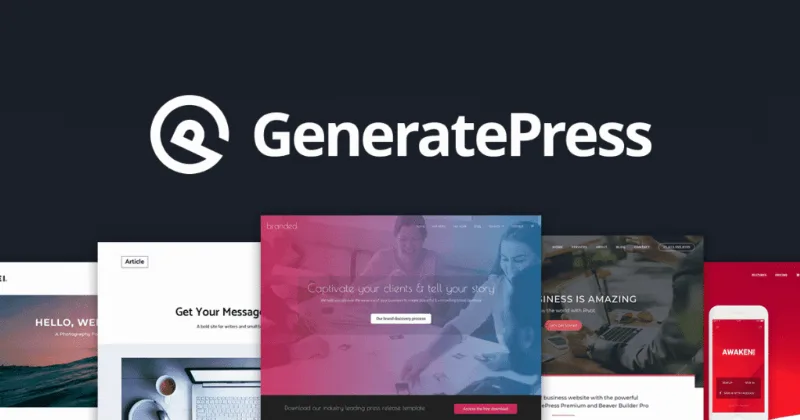
About GeneratePress Premium
Built for people who already use GeneratePress and have outgrown the free theme
It usually happens around the third site: the free theme is fast and clean, but you end up copying code to change a header, build a decent mobile menu or hide the title on a front page. GeneratePress Premium is the plugin that brings those settings into the theme itself.
It suits people who build sites for clients, people who run a large blog, and people with a WooCommerce store who want a lightweight design without switching themes. There is also something you find out late: the problem with a delivered site is not how it looks on launch day, but what happens once the client starts touching things. That is why being able to limit which blocks and settings each user role can use is so handy.
It is not for anyone looking for a complete theme on its own: it is a plugin that extends the GeneratePress theme, so that theme must be installed. Nor is it a form or popup builder, or a drag-and-drop page builder.
Elements: headers, footers and post templates without touching code
The Elements in GeneratePress Premium let you build headers, footers and templates for posts and archives. The real saving is that you define once how each post or category looks and it applies to all of them, instead of editing page by page.
It is the piece you notice most when you manage several similar sites, because the structure repeats and only the content changes.
Menus in GeneratePress Premium: sticky, mobile and off-canvas
The menu is where a free theme tends to fall short. Here you get several options:
- Sticky menu: stays fixed while scrolling, useful on long pages.
- Mobile menu: its own behaviour for small screens.
- Off-canvas: a side panel that opens on click, for sites with many sections.
- Secondary menu: a second bar for supporting links.
Check in the demo how your own menu structure behaves on mobile before you decide.
Blog in columns, a shop in your colours and per-page settings
For the blog there are column, masonry and infinite scroll layouts. For WooCommerce you can adjust colours, typography and layouts, so the shop follows the look of the rest of the site. Keep in mind that WooCommerce remains a separate plugin: Premium changes the appearance, it does not add selling features.
You will also find background images, spacing control and the footer copyright text. And you can hide the header, the title or the footer on any page, ideal for landing pages that want no distractions.
Common questions before installing it
Does it work without the GeneratePress theme?
No. It extends the theme, so install and activate GeneratePress first.
Is it good for an online store?
Yes for the design: WooCommerce colours, typography and layout. It does not replace WooCommerce or add payment gateways.
Does it include forms or popups?
No. This plugin focuses on the theme: headers, footers, menus, blog and settings.
Can I hide the header on just one page?
Yes, you can hide the header, the title or the footer on any page you choose without affecting the rest.
Topics
Version history
-
v
2.5.6 Current 1 Jun 2026
-
v
2.5.5 24 Jul 2025
Customer reviews
Sign in to leave a review. Only people who have the product can review it.
No reviews for this product yet.
Frequently asked questions
-
GPL (General Public License) is the license under which WordPress and most premium plugins/themes are distributed. It grants you the right to use, modify and redistribute the software in as many projects as you want, with no domain restrictions.
-
Yes. With membership you get automatic updates via our GPLClub Updater plugin (installed on your WP, detects new versions and applies them). With individual purchase, you get one year of manual updates from your account.
-
Depends on the plan. Monthly: 3 domains. Semi-annual: 7. Annual and Lifetime: 15. Individual purchase: 1 domain.
-
GPLClub offers its own support for installation, configuration and compatibility. For direct support from the original author (feature requests, product-specific bugs), a license purchased from the author is required.