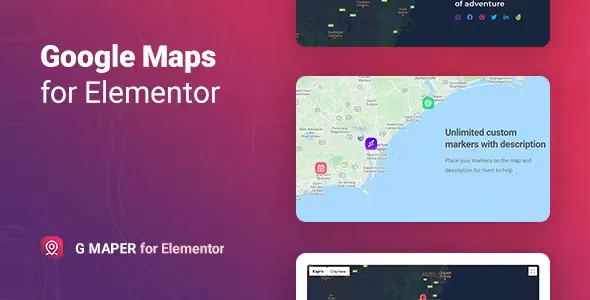
GMaper Google Maps for Elementor
Antivirus scan
Powered by ClamAV
✅ Verified clean
This product file has passed our security filters.
Want to run a fresh ClamAV scan right now? Takes a few seconds and shows scanner version, signature DB and live result.
This can take 5 to 30 seconds.
Clean file Threat detected
No threats detected in this file.
- File
- Size
- Scanned
- ClamAV
- Signature database
⚡ Powered by ClamAV
Scan could not be completed
Report product
If you detected an issue (broken file, malware, inappropriate content, etc.) let us know and we'll review it ASAP.
Sign in to reportNewer version out, or a problem?
About GMaper Google Maps for Elementor
Maps for branches, areas and destinations, depending on who publishes them
A map with a single address takes a moment to set up. The problem comes when there are several branches, areas or destinations to show, and each point needs its name, a description and a legend that visitors understand. GMaper Google Maps for Elementor is built for that step, without writing code or pasting an iframe for each location.
Company with several branches
If you have several branches, each one can be a marker with its coordinates, a title and a description, and the plugin can detect the user's location automatically.
Markers, legends and map types
Each map accepts several markers. For each one you set the longitude and latitude, a title, a description and, if you want, a custom image. You can create as many markers as you need and customize their display styles.
- Four map types: roadmap, satellite, terrain and hybrid.
- Legends to explain the location or how to read the map to visitors.
- Possibility to create as many maps as you need.
- Automatic detection of the user's location.
Display settings are switched on with simple toggles: map type, street view, zoom controls, show legend, overlay and others.
Custom styles, colors and typography
You can pick one of the predefined styles or write your own in JSON. Fonts, colors, borders and backgrounds are customizable, and you can apply different styles to the normal and hover states.
The plugin includes a POT file to translate its texts into any language and works well with RTL direction. Its responsive settings let you adapt the map width and height to any device, and it is compatible with the main browsers.
Frequently asked questions about GMaper Google Maps for Elementor
Do I need to know how to code to create a map?
No. Maps are configured from the visual settings, and markers are defined with coordinates and texts. JSON code is only needed if you want a custom map style.
Can I use my own image as a marker?
Yes. You can use a custom image as a marker.
Does it work for sites in several languages?
Yes. It includes a POT file to translate its texts, and the map displays correctly on multilingual websites.
Does the map adapt to mobile?
Yes. Responsive settings let you define the map size, and the layout adapts to any device.
GMaper Google Maps for Elementor needs Elementor installed and active
It is a plugin that extends Elementor, so the map is added from its editor. It works well with WordPress themes built on Elementor.
Version history
-
v
1.0.11 Current 9 Nov 2026
-
v
1.0.5 8 May 2024
Customer reviews
Sign in to leave a review. Only people who have the product can review it.
No reviews for this product yet.
Frequently asked questions
-
GPL (General Public License) is the license under which WordPress and most premium plugins/themes are distributed. It grants you the right to use, modify and redistribute the software in as many projects as you want, with no domain restrictions.
-
Yes. With membership you get automatic updates via our GPLClub Updater plugin (installed on your WP, detects new versions and applies them). With individual purchase, you get one year of manual updates from your account.
-
Depends on the plan. Monthly: 3 domains. Semi-annual: 7. Annual and Lifetime: 15. Individual purchase: 1 domain.
-
GPLClub offers its own support for installation, configuration and compatibility. For direct support from the original author (feature requests, product-specific bugs), a license purchased from the author is required.