GP Advanced Conditional Logic
Antivirus scan
Powered by ClamAV
✅ Verified clean
This product file has passed our security filters.
Want to run a fresh ClamAV scan right now? Takes a few seconds and shows scanner version, signature DB and live result.
This can take 5 to 30 seconds.
Clean file Threat detected
No threats detected in this file.
- File
- Size
- Scanned
- ClamAV
- Signature database
⚡ Powered by ClamAV
Scan could not be completed
Report product
If you detected an issue (broken file, malware, inappropriate content, etc.) let us know and we'll review it ASAP.
Sign in to report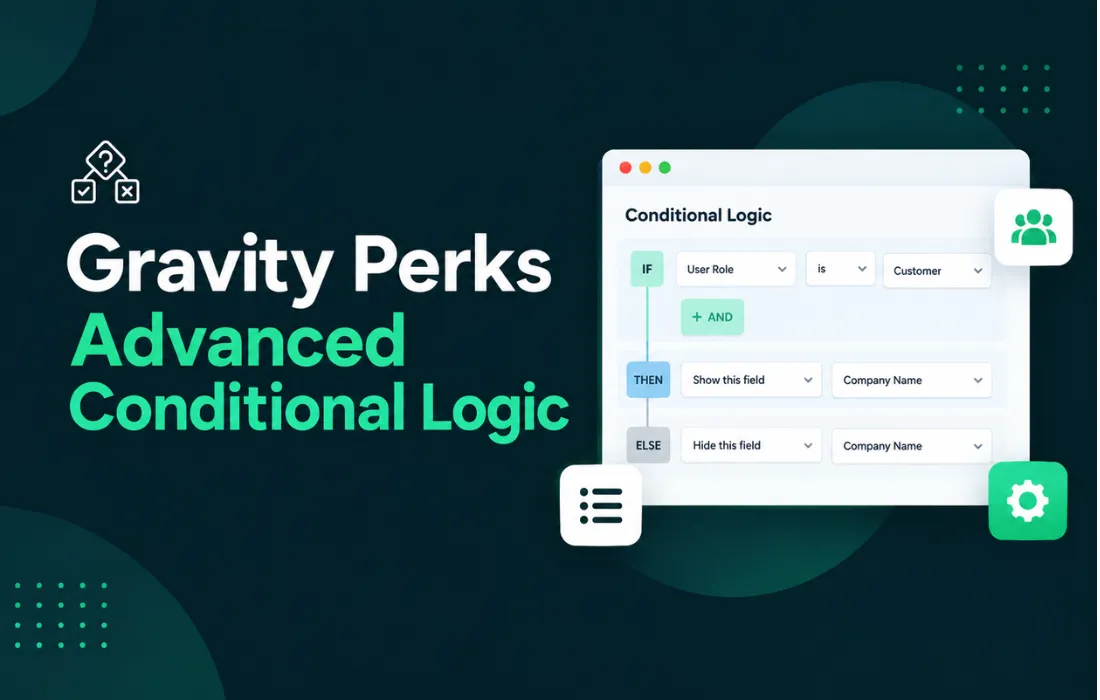
About GP Advanced Conditional Logic
What GP Advanced Conditional Logic Is
Showing or hiding content based on visitor context usually requires custom code or heavy plugins that don't play well with the block editor. GP Advanced Conditional Logic solves this by adding visibility rules directly to the blocks and elements on your site, without touching a line of code. It lets a block, section, or entire module appear or disappear depending on who's visiting the page, what device they're using, or what time it is.
How Conditional Logic Works
The plugin integrates into the settings panel of each block within the editor, adding a set of conditions you can combine with one another. Instead of creating duplicate pages for different audiences, you define a single structure and control which fragments get rendered based on the active rules. This reduces maintenance and avoids inconsistencies between different versions of the same page.
Key Features
- User conditions: show or hide content based on whether the visitor is logged in, their role, or membership in a specific group.
- Device conditions: adapt blocks so they're only visible on desktop, tablet, or mobile, useful for optimizing the experience without building separate templates.
- Time-based conditions: schedule a block to appear or disappear on specific dates or times, ideal for promotions or one-off announcements.
- Page or context conditions: apply rules based on the page, post, category, or content type where the block is located.
- Combinable rules: multiple conditions can be applied at once to the same element, allowing finer-grained logic without relying on external shortcodes.
Common Use Cases
This is especially useful on membership sites, where certain blocks should only be visible to registered users or those with a specific role. It also fits stores and landing pages that need to display temporary notices, time-limited offers, or banners that change depending on the visitor's device. Agencies and designers working with GeneratePress and GenerateBlocks use it to build more dynamic sites without adding extra conditional logic plugins that bog down the editor.
Who It's For
This tool is built for those who already build their sites with native WordPress blocks and want to extend their behavior without leaving the editor. It fits both personal projects and professional workflows that manage multiple visibility conditions across different pages.
Frequently Asked Questions
Do I need coding knowledge to use it?
No. Conditions are configured from the block editor panel, with no need to manually write functions or shortcodes.
Can I apply multiple conditions to the same block?
Yes, rules can be combined so that a block only appears when all the defined conditions are met, such as a specific user role within a particular date range.
Does it work with any WordPress theme?
It's designed to integrate with native blocks and the GeneratePress and GenerateBlocks ecosystem, so optimal performance depends on the site using the standard block editor.
Does it affect page performance?
Since these are visibility rules applied at the block level, the impact is minimal compared to solutions that load additional scripts to manage conditional content.
Version history
-
v
1.0.4 Current 1 Nov 2026
Customer reviews
Sign in to leave a review. Only people who have the product can review it.
No reviews for this product yet.
Frequently asked questions
-
GPL (General Public License) is the license under which WordPress and most premium plugins/themes are distributed. It grants you the right to use, modify and redistribute the software in as many projects as you want, with no domain restrictions.
-
Yes. With membership you get automatic updates via our GPLClub Updater plugin (installed on your WP, detects new versions and applies them). With individual purchase, you get one year of manual updates from your account.
-
Depends on the plan. Monthly: 3 domains. Semi-annual: 7. Annual and Lifetime: 15. Individual purchase: 1 domain.
-
GPLClub offers its own support for installation, configuration and compatibility. For direct support from the original author (feature requests, product-specific bugs), a license purchased from the author is required.