Gravity Forms Autocomplete
Antivirus scan
Powered by ClamAV
✅ Verified clean
This product file has passed our security filters.
Want to run a fresh ClamAV scan right now? Takes a few seconds and shows scanner version, signature DB and live result.
This can take 5 to 30 seconds.
Clean file Threat detected
No threats detected in this file.
- File
- Size
- Scanned
- ClamAV
- Signature database
⚡ Powered by ClamAV
Scan could not be completed
Report product
If you detected an issue (broken file, malware, inappropriate content, etc.) let us know and we'll review it ASAP.
Sign in to reportNewer version out, or a problem?
About Gravity Forms Autocomplete
Gravity Forms Autocomplete for forms with repetitive data
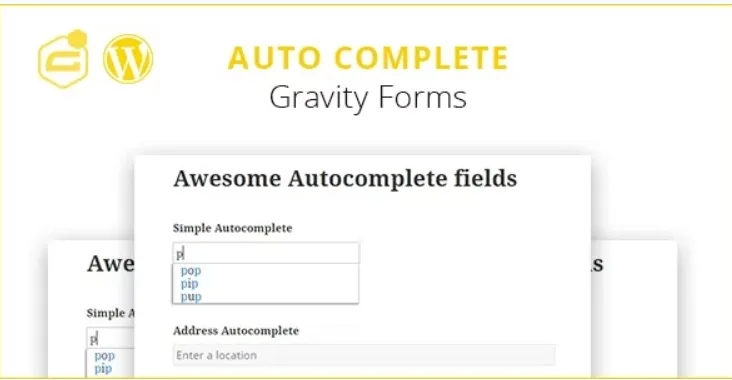
Filling in a long form usually slows the user down on the same fields: a company name, a city, an address or a list of options that never change. This Gravity Forms add-on adds an autocomplete field that suggests possible values while the person types, so they finish sooner.
How to set up the field with a fixed list
You add the autocomplete field to the form and, when editing it, choose where the options come from in «Where to Get Options?». With «Manually» you type the data in «Enter Data for Autocomplete». If you tick «Allow adding new option», visitors can add new values to the list from the public side. Then you save the form and publish it on a WordPress page, because if it is not inserted in a page it will not be displayed on your website.
Where the suggestions can come from
The add-on supports several sources for suggestions. With «WordPress» you can use data from the site itself, such as users, pages, posts or categories, and the post title appears in the list. With «URL (json)» the suggestions are loaded through AJAX from an address that returns data in JSON format, which helps when the list is large. If you use a JSON with numeric keys, the «Use JSON keys as field value» option lets you save the key instead of the value.
Autocompleting addresses with Google Places
With the «Address» source the field suggests addresses while the user types, using the Google Places API. In some cases a Google browser API key is needed, which you obtain from the Google developers console and add in the add-on settings, together with the APIs that Google asks you to enable. Address fields in the form then work as autocomplete on the public side.
What the form stores and what to check
If the source is WordPress, the form stores the entry ID and not its title. If you need to save another attribute, such as the slug or a custom field, the manufacturer offers it through an additional add-on that is sold separately. If you enable «Allow adding new option» with WordPress as the source, each new option becomes a new entry when the form is submitted.
Frequently asked questions about Gravity Forms Autocomplete
Do I need Gravity Forms to use it?
Yes. It is an add-on for Gravity Forms, so that plugin must be installed and active.
Can the visitor add their own options?
Yes, if you enable «Allow adding new option» on the field. New options are saved in the field's list when the source is manual, and if the source is WordPress they are created as entries when the form is submitted.
Does it work for addresses?
Yes. With the «Address» source the field suggests addresses using Google Places, and you may need a Google API key.
Can I load a very large list?
You can use a URL that returns JSON data, so the list does not have to be typed by hand inside the field.
What if the field shows the title «untitled»?
That is the default name Gravity Forms gives a new field. You change it in the field settings.
Topics
Version history
-
v
1.8.8 Current 16 May 2024
Customer reviews
Sign in to leave a review. Only people who have the product can review it.
No reviews for this product yet.
Frequently asked questions
-
GPL (General Public License) is the license under which WordPress and most premium plugins/themes are distributed. It grants you the right to use, modify and redistribute the software in as many projects as you want, with no domain restrictions.
-
Yes. With membership you get automatic updates via our GPLClub Updater plugin (installed on your WP, detects new versions and applies them). With individual purchase, you get one year of manual updates from your account.
-
Depends on the plan. Monthly: 3 domains. Semi-annual: 7. Annual and Lifetime: 15. Individual purchase: 1 domain.
-
GPLClub offers its own support for installation, configuration and compatibility. For direct support from the original author (feature requests, product-specific bugs), a license purchased from the author is required.