Gravity Forms Geolocation Add-on
Antivirus scan
Powered by ClamAV
✅ Verified clean
This product file has passed our security filters.
Want to run a fresh ClamAV scan right now? Takes a few seconds and shows scanner version, signature DB and live result.
This can take 5 to 30 seconds.
Clean file Threat detected
No threats detected in this file.
- File
- Size
- Scanned
- ClamAV
- Signature database
⚡ Powered by ClamAV
Scan could not be completed
Report product
If you detected an issue (broken file, malware, inappropriate content, etc.) let us know and we'll review it ASAP.
Sign in to reportNewer version out, or a problem?
About Gravity Forms Geolocation Add-on
Exact locations for delivery orders, distance quotes and store finders
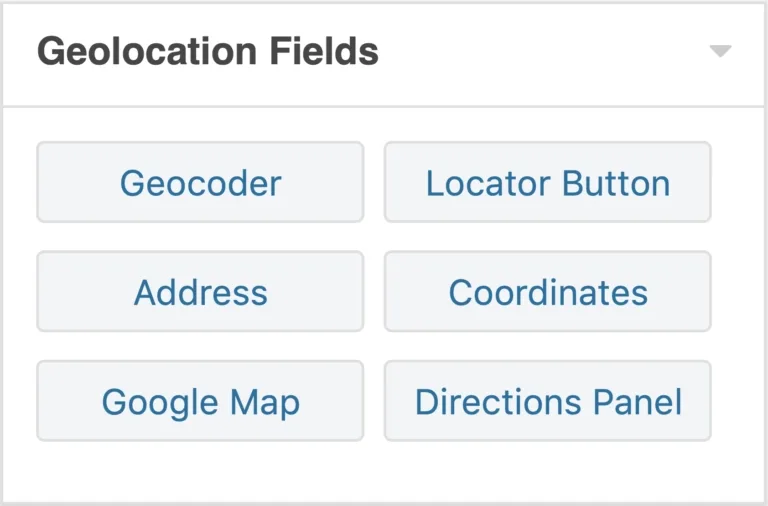
Asking for an address in a form often ends in a half-typed line, a forgotten floor number or a misspelled street, and the driver or technician has no idea where to go. Gravity Geolocation puts right into the form an address field with autocomplete, a map where the visitor can mark the exact point and a button to use their current location.
Delivery and home service orders
The Address Validation field asks the visitor to review and confirm a suggested address before submitting, which helps reduce incomplete addresses in shipping and delivery. The visitor can draw shapes on an interactive map and save them with the entry.
Quotes based on distance
The Distance and Duration field calculates the travel distance and estimated travel time. The values can be passed to native Gravity Forms fields for calculations and conditional logic.
Store, branch or provider finders
The Nearest Locations field compares the visitor's position with a list of destinations and shows the closest ones as markers on an interactive map. The visitor picks one, reviews its details in a panel, and selects or clears it.
Property, event or registration maps
You can store the coordinates, the broken-down address and the drawn shapes with the entry, and send them to custom fields or WordPress user metadata when the form creates posts or users.
From the form to the map: what each location stores and where it is used
Each entry keeps coordinates, address broken down by components, routes, distances, durations, selected nearby locations and drawn shapes, depending on the fields in the form. That data can be used in entry details, exports, merge tags, notifications and confirmations.
- Single Entry Map: shows the location of one specific entry on a map, with the fields you choose displayed next to the marker.
- Mashup Map: brings the locations of several entries together on one map, lets you control which entries are included, customizes markers and groups dense results.
- Dynamic Geolocation Fields: copies values such as city, coordinates, distance in meters or duration in seconds into native Gravity Forms fields.
Gravity Search is an optional extension that searches, filters and displays Gravity Forms entries on the frontend. It is not needed to use Gravity Geolocation.
Frequently asked questions about Gravity Geolocation
Does it require coding?
No. You add and configure the fields in the Gravity Forms editor. Developers who want more advanced workflows can use the available hooks and filters.
Can I add it to a form that already exists?
Yes. You add the geolocation fields in the standard editor, connect their settings and update the form. You can also use them when building a new form.
Which mapping service does it use?
Google Maps. Maps, address autocomplete, routes and distance calculations rely on that service.
Do I need Gravity Search?
No. Gravity Geolocation works on its own, and both products can be combined when a project needs to collect locations and show searchable results.
Requires a Google Maps Platform key to display maps and routes
Map, autocomplete, route and distance features require a Google Maps Platform key. The specific Google APIs that must be enabled depend on the features each form uses.
Topics
Version history
-
v
3.0.1 Current 16 May 2024
Customer reviews
Sign in to leave a review. Only people who have the product can review it.
No reviews for this product yet.
Frequently asked questions
-
GPL (General Public License) is the license under which WordPress and most premium plugins/themes are distributed. It grants you the right to use, modify and redistribute the software in as many projects as you want, with no domain restrictions.
-
Yes. With membership you get automatic updates via our GPLClub Updater plugin (installed on your WP, detects new versions and applies them). With individual purchase, you get one year of manual updates from your account.
-
Depends on the plan. Monthly: 3 domains. Semi-annual: 7. Annual and Lifetime: 15. Individual purchase: 1 domain.
-
GPLClub offers its own support for installation, configuration and compatibility. For direct support from the original author (feature requests, product-specific bugs), a license purchased from the author is required.