Gravity Forms Geolocation Addon
Antivirus scan
Powered by ClamAV
✅ Verified clean
This product file has passed our security filters.
Want to run a fresh ClamAV scan right now? Takes a few seconds and shows scanner version, signature DB and live result.
This can take 5 to 30 seconds.
Clean file Threat detected
No threats detected in this file.
- File
- Size
- Scanned
- ClamAV
- Signature database
⚡ Powered by ClamAV
Scan could not be completed
Report product
If you detected an issue (broken file, malware, inappropriate content, etc.) let us know and we'll review it ASAP.
Sign in to report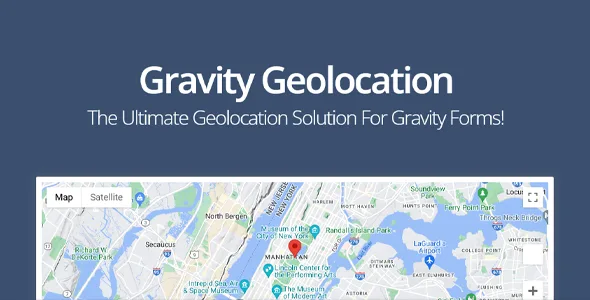
About Gravity Forms Geolocation Addon
When the address your customer types is useless
A quote or order form with a free-text field receives "123 main st, 2nd", "near the square" or an address with three typos. Then someone has to fix it by hand, work out the distance with another tool and retype the price. Gravity Forms Geolocation Addon adds location fields to Gravity Forms so that data arrives clean and can be used in calculations. Think of a business that charges for travel: a wrong address is lost money or a failed delivery.
Step 1: the customer says where they are
With Gravity Forms Geolocation Addon the visitor has several ways to give their location, all as native fields in the editor:
- Address field with autocomplete, to type less and make fewer mistakes.
- Coordinates field, which stores latitude and longitude.
- Locator button, to detect the user's position.
- Map field, to pick the point by hand.
You can combine several groups of geolocation fields in the same form, for example origin and destination.
Step 2: check the address before submission
Validation standardizes the address, verifies whether it is deliverable and lets the user decide whether to accept the suggested corrections. It reduces failed deliveries, but it is not in the most basic option: it is in the Toolkit package, not in the location-collection-only one.
Step 3: distance, duration and price
You can calculate distance and travel time between two points, with several waypoints and different travel modes, and show the route with step-by-step directions on a map. The distance value is sent to a standard Gravity Forms number field, so it works for quotes, shipping rates or surcharges without writing code.
An important nuance: the plugin delivers the data, but you build the price formula yourself with Gravity Forms calculation fields.
Frequently asked questions about Gravity Forms Geolocation Addon
Does it work without Gravity Forms?
No. It is an add-on that integrates into Gravity Forms and adds fields to the editor.
Can I define delivery zones?
Yes, with the drawing tools: markers, polygons, circles, rectangles, lines and freehand shapes. They can be edited, labeled and saved with each submission, and you can calculate area, perimeter or radius.
Can I search for the nearest location?
Yes. You can compare locations by driving distance, radius or travel time, loading destinations from manual lists, CSV, JSON or database tables, and see them on a map with markers.
Can I show submissions on a map on my site?
Yes, with a shortcode you can embed a map with one or several locations wherever you want.
Is it good for directories or entry search?
That search and listing feature belongs to Gravity Search, a separate product from Gravity Geolocation. Do not assume it is included.
What to know about the edition you use
Features are split across tiers: location collection (address, map, coordinates, button), and at a higher tier routes, validation, nearby locations, drawing and standalone maps. Before building your project, check in the demo that the feature you need is in your edition. Results are passed to standard fields for conditional logic, notifications and confirmations, and there are hooks and filters for developers.
Topics
Version history
-
v
1.5.3 Current 12 Aug 2026
-
v
1.4.0 8 Jan 2025
Customer reviews
Sign in to leave a review. Only people who have the product can review it.
No reviews for this product yet.
Frequently asked questions
-
GPL (General Public License) is the license under which WordPress and most premium plugins/themes are distributed. It grants you the right to use, modify and redistribute the software in as many projects as you want, with no domain restrictions.
-
Yes. With membership you get automatic updates via our GPLClub Updater plugin (installed on your WP, detects new versions and applies them). With individual purchase, you get one year of manual updates from your account.
-
Depends on the plan. Monthly: 3 domains. Semi-annual: 7. Annual and Lifetime: 15. Individual purchase: 1 domain.
-
GPLClub offers its own support for installation, configuration and compatibility. For direct support from the original author (feature requests, product-specific bugs), a license purchased from the author is required.