Handily
Antivirus scan
Powered by ClamAV
✅ Verified clean
This product file has passed our security filters.
Want to run a fresh ClamAV scan right now? Takes a few seconds and shows scanner version, signature DB and live result.
This can take 5 to 30 seconds.
Clean file Threat detected
No threats detected in this file.
- File
- Size
- Scanned
- ClamAV
- Signature database
⚡ Powered by ClamAV
Scan could not be completed
Report product
If you detected an issue (broken file, malware, inappropriate content, etc.) let us know and we'll review it ASAP.
Sign in to report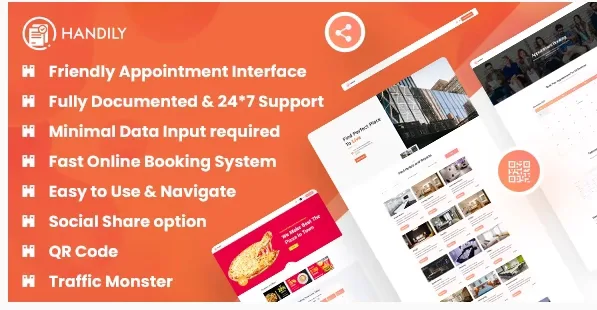
About Handily
Anyone who rents rooms, tables or tours often manages bookings through WhatsApp messages, missed calls and a notebook where two appointments end up overlapping. Handily is a booking plugin for WordPress that brings that management into a single panel: hotel rooms, café tables, services and your client base.
A business with many faces: Handily is not just for hotels
What is interesting about this plugin is that it is not limited to one sector. It works for overnight stays, tour bookings, hotel reservations, appointments and rentals, and also for café tables. That is an advantage if you run a mixed business (for example a country house with a restaurant), but it is also a warning: a plugin that works for everything rarely fits one specific case to the millimetre. Before deciding, think about which booking matters most to you and test it thoroughly in the demo.
What Handily gives you to manage bookings
- Responsive booking form: it adapts to any device and asks for little data, which helps customers reach the end.
- Shortcode: you place the system on any page you like without touching code.
- QR code: it is one of its most highlighted features, useful for linking to the booking from signage, menus or the counter.
- Categories: they let you organise what you offer (rooms, services, tables).
- Editable emails: you can change the content of the emails customers receive.
- Booking export: you can pull out booking details to work with them outside the plugin.
- Payments with Stripe and Razorpay: the plugin includes both gateways. Razorpay is mostly used in India, so if you sell elsewhere check that Stripe covers what you need.
- SMS via mobile API and several colours: for notifications and to bring the look closer to your brand.
And mind what you should not take for granted: if your business depends on a channel manager that syncs calendars with rental portals or on an advanced rate engine, check in the demo whether Handily covers it before deciding.
Questions buyers ask about Handily
Do I need to know how to code?
No. It installs without coding knowledge and is inserted with a shortcode.
Can I charge for the booking in advance?
Yes, through Stripe or Razorpay. Check in the demo how payment behaves for your type of booking.
Does it work for a restaurant or café?
Yes, it includes a café table booking calendar. If you need very detailed control of shifts or capacity, test it first.
Does it work well on mobile?
The form is fully responsive, which matters because many customers book from their phone.
How to organise your bookings from day one
Even though installation is simple, the result depends on what you load at the start. First define your categories (rooms, tables, services), review the confirmation email texts so they sound like your business, and make a complete test booking, payment included, from your phone. If you use the QR code, print it and scan it yourself before handing it out: it is the kind of detail you find out late, once it is already on your signage.
Topics
Version history
-
v
1.0.1 Current 16 May 2024
Customer reviews
Sign in to leave a review. Only people who have the product can review it.
No reviews for this product yet.
Frequently asked questions
-
GPL (General Public License) is the license under which WordPress and most premium plugins/themes are distributed. It grants you the right to use, modify and redistribute the software in as many projects as you want, with no domain restrictions.
-
Yes. With membership you get automatic updates via our GPLClub Updater plugin (installed on your WP, detects new versions and applies them). With individual purchase, you get one year of manual updates from your account.
-
Depends on the plan. Monthly: 3 domains. Semi-annual: 7. Annual and Lifetime: 15. Individual purchase: 1 domain.
-
GPLClub offers its own support for installation, configuration and compatibility. For direct support from the original author (feature requests, product-specific bugs), a license purchased from the author is required.