Helpful Pro
Antivirus scan
Powered by ClamAV
✅ Verified clean
This product file has passed our security filters.
Want to run a fresh ClamAV scan right now? Takes a few seconds and shows scanner version, signature DB and live result.
This can take 5 to 30 seconds.
Clean file Threat detected
No threats detected in this file.
- File
- Size
- Scanned
- ClamAV
- Signature database
⚡ Powered by ClamAV
Scan could not be completed
Report product
If you detected an issue (broken file, malware, inappropriate content, etc.) let us know and we'll review it ASAP.
Sign in to reportNewer version out, or a problem?
About Helpful Pro
Documentation teams who want to know which articles actually answer questions
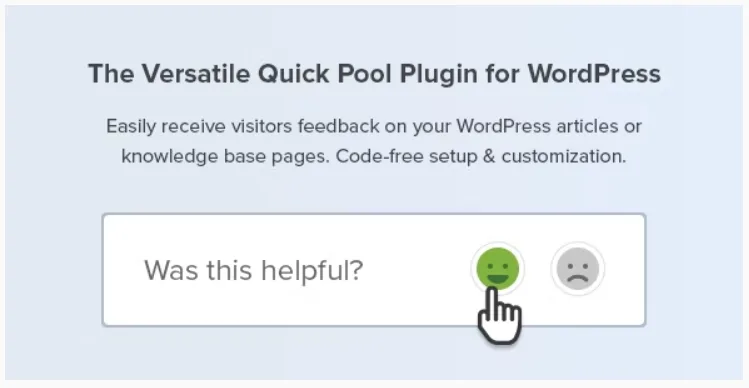
Visits to a help article show that someone arrived, but not that they understood what they were looking for. A page view counter cannot tell the reader who found the answer from the one who left frustrated and opened a ticket. Helpful Pro adds the familiar question «Was this helpful?» at the end of each article.
It is a good fit if you maintain documentation or help centers with content that must answer specific questions. This plugin collects a positive or negative vote per article, with an optional comment if the reader wants to add something.
A dashboard to sort articles by their usefulness index
The statistics panel gathers the votes for each entry and calculates the PFR, an indicator that measures the proportion of positive ratings. With it you can filter and sort articles by your own criteria and quickly find the ones that need a review.
You can also limit monitoring to specific content types. If you only want to know how the help pages perform, you can leave blog entries out and track changes only on those pages.
Export the data to review it outside WordPress
Helpful Pro lets you export two reports. The first lists every vote on an entry with its date, the rating and the comment if there was one. The second is a summary of all articles with the form active, showing positive and negative votes and the performance indicator for each one.
Reader comments on what they liked and what they did not
Besides the rating, you can enable an optional comment. There the reader explains what was missing or what helped them, something a single vote cannot tell you.
From the settings you decide how many characters each comment allows and when the field appears: always, only after a positive rating, only after a negative one, or never. Asking for a comment only after a negative vote is a way to focus on what is failing.
Format, buttons and form position in your theme
The form can go at the end of the article, which is the usual choice, or at the beginning. You can show the number of votes next to each button and choose between text, SVG icons or both, with several icon styles and the option to recolor them.
The layout can be side by side or stacked, with configurable margins, padding and borders. Typography and colors can follow your website style, and all the form texts are editable, so you can translate them or adjust them to your brand voice. In total, the plugin includes 92 customization options.
Avoiding repeated votes and what storing IPs involves
To keep the same person from voting several times on the same article, Helpful Pro can use two methods. One saves a cookie in the reader's browser, lasting for a duration you define. The other stores the user's IP address in the database.
The second method does not depend on the cookie, but it stores personal data in your database, so it is worth weighing it against the privacy rules in your country. If you change an article's content a lot, you can also reset the votes in the database to start measuring from scratch.
Frequently asked questions about Helpful Pro
Does it work for blog posts or only for documentation?
You can set the plugin to monitor only the entry types you choose, for example the help pages.
Can I see what readers wrote?
Yes, if you enable the optional comment. Comments appear in the detailed report of each entry, together with the date and the rating.
What happens to earlier votes if I change the article?
You can reset the vote database at any time. If the article has changed significantly, it is worth doing so to evaluate the new version without carrying over the history.
Can I stop the same person from voting several times?
Yes, it is optional. You can limit the number of ratings with cookies or with the IP stored in the database.
Version history
-
v
1.01 Current 12 May 2024
Customer reviews
Sign in to leave a review. Only people who have the product can review it.
No reviews for this product yet.
Frequently asked questions
-
GPL (General Public License) is the license under which WordPress and most premium plugins/themes are distributed. It grants you the right to use, modify and redistribute the software in as many projects as you want, with no domain restrictions.
-
Yes. With membership you get automatic updates via our GPLClub Updater plugin (installed on your WP, detects new versions and applies them). With individual purchase, you get one year of manual updates from your account.
-
Depends on the plan. Monthly: 3 domains. Semi-annual: 7. Annual and Lifetime: 15. Individual purchase: 1 domain.
-
GPLClub offers its own support for installation, configuration and compatibility. For direct support from the original author (feature requests, product-specific bugs), a license purchased from the author is required.