Hendon – Single Property Theme
Antivirus scan
Powered by ClamAV
✅ Verified clean
This product file has passed our security filters.
Want to run a fresh ClamAV scan right now? Takes a few seconds and shows scanner version, signature DB and live result.
This can take 5 to 30 seconds.
Clean file Threat detected
No threats detected in this file.
- File
- Size
- Scanned
- ClamAV
- Signature database
⚡ Powered by ClamAV
Scan could not be completed
Report product
If you detected an issue (broken file, malware, inappropriate content, etc.) let us know and we'll review it ASAP.
Sign in to report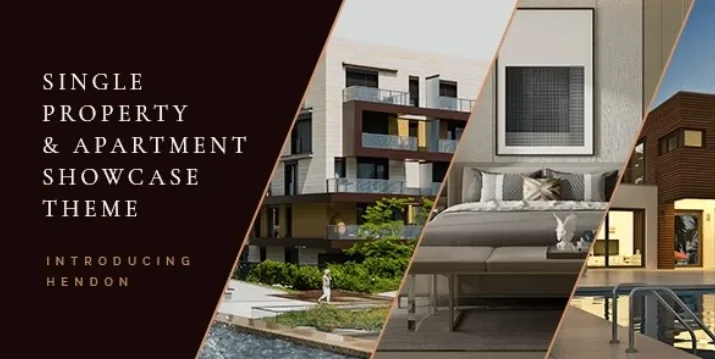
About Hendon – Single Property Theme
When you sell a single building, buyers compare homes, not listings
On a property portal your development gets lost among hundreds of ads. And whoever lands on the website of one specific building is not asking whether the area is good: they are asking which unit is still available, how it is laid out and how big it is. A generic agency website is not built to answer that. Hendon is a theme designed to showcase a single property, a building or a group of apartments, with showcase layouts, floor plan templates and booking templates.
Hendon step by step: from the whole building to each apartment page
This is the typical route for an agent or a small developer with a single property:
1. Start from a demo
The theme imports demo content with one click and comes with a large collection of pages and layouts. Import the one closest to your project and swap in your own text and images. The demo photos cannot be used on your website: you need your own photos or renders.
2. Add each home
Properties have their own content type, so each apartment is an entry with its own data, not a loose page. To display them there are shortcodes for property lists, apartment lists, basic and advanced info, hierarchical info and an info table. That lets you decide whether visitors see a list, a comparison table or the full page.
3. Draw the building on an image
It includes Image Map Pro and a shortcode for a property image map gallery. The idea: the visitor moves over an image of the building and reaches each home. The map is prepared in the Image Map Pro editor with your own image, and it is worth checking in the demo how each area responds before you start building yours.
4. Floor plans and booking
There are floor plan templates and property booking templates. They are design templates: do not assume a visit calendar with payments or a booking system of its own. To collect enquiries it is compatible with Contact Form 7, which is a separate form plugin.
5. Header, language and launch
You can choose among several header types (standard, divided, minimal with a fullscreen menu) and behaviors such as fixed or visible only when scrolling up. It is translation ready, compatible with WPML and includes a child theme.
Common questions before choosing Hendon
Does it work for an agency with hundreds of properties? Its focus is showcasing one property or one development. If you need a directory with many listings and advanced search, check in the demo whether the list is enough for you.
Do I need Elementor? It is compatible with Elementor, but it also brings its own shortcodes and an options panel. No coding knowledge is needed.
Which plugins come inside? Slider Revolution and Image Map Pro, plus the theme's own plugin.
Can I run the site in several languages? It is compatible with WPML, but translating your content is up to you.
Extras for a development website
- Customizable Google Map to locate the building.
- Countdown, useful if you announce the launch of a phase.
- Pricing and comparison tables to present home types.
- Team and client lists, plus testimonials.
- Working hours widget and a side area with a menu.
- Responsive design, retina ready and more than 900 Google Fonts.
Topics
Version history
-
v
1.5.1 Current 16 Jun 2024
Customer reviews
Sign in to leave a review. Only people who have the product can review it.
No reviews for this product yet.
Frequently asked questions
-
GPL (General Public License) is the license under which WordPress and most premium plugins/themes are distributed. It grants you the right to use, modify and redistribute the software in as many projects as you want, with no domain restrictions.
-
Yes. With membership you get automatic updates via our GPLClub Updater plugin (installed on your WP, detects new versions and applies them). With individual purchase, you get one year of manual updates from your account.
-
Depends on the plan. Monthly: 3 domains. Semi-annual: 7. Annual and Lifetime: 15. Individual purchase: 1 domain.
-
GPLClub offers its own support for installation, configuration and compatibility. For direct support from the original author (feature requests, product-specific bugs), a license purchased from the author is required.