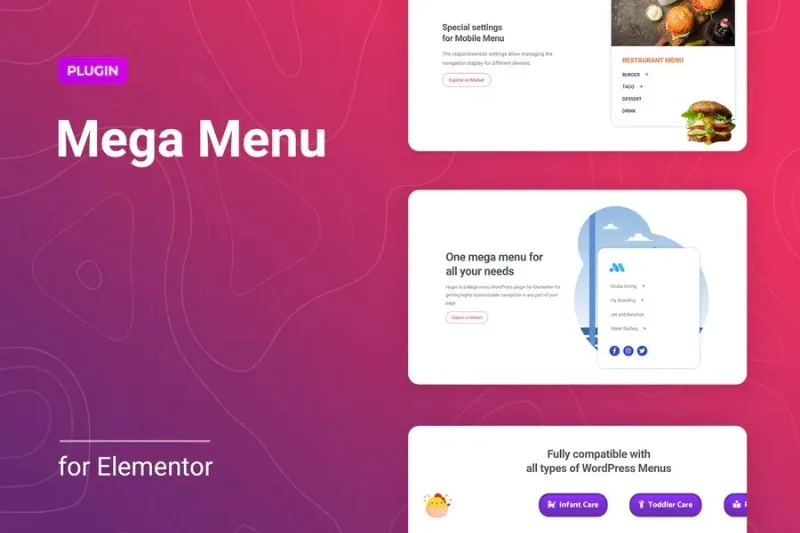
Huger for Elementor
Antivirus scan
Powered by ClamAV
✅ Verified clean
This product file has passed our security filters.
Want to run a fresh ClamAV scan right now? Takes a few seconds and shows scanner version, signature DB and live result.
This can take 5 to 30 seconds.
Clean file Threat detected
No threats detected in this file.
- File
- Size
- Scanned
- ClamAV
- Signature database
⚡ Powered by ClamAV
Scan could not be completed
Report product
If you detected an issue (broken file, malware, inappropriate content, etc.) let us know and we'll review it ASAP.
Sign in to reportNewer version out, or a problem?
About Huger for Elementor
A menu that does not fit the theme template
When a site built with Elementor starts to grow, the theme menu usually falls short: there are services, categories or content that need more room than a plain list of links. Huger replaces that dropdown with a mega menu you can build from Elementor templates, so almost anything fits inside: images, videos, interactive elements or a search bar.
What to build depending on the type of site
Store with many categories
A mega menu with images for each category helps customers find what they are looking for sooner. Huger is compatible with WooCommerce and lets you add widgets and shortcodes to the menu block.
Corporate site with several services
You can give each submenu its own content and order the main menu items directly from the Elementor Editor.
Portal with many sections
With multi-level submenus, each level has its own settings, and you can set the position of the dropdown with offsets and apply animation.
Agency managing several sites
You can create multiple navigations for one page and place them anywhere on the site, horizontal or vertical.
Menus for mobile, tablet and desktop
Navigation on small screens has its own rules, and Huger lets you adjust them by device. You choose the toggle icon for the mobile menu and its position, the background and the close icon, and you customize the submenu indicator with Font Awesome icons.
- Custom toggle and close menu icons
- Submenu indicator with Font Awesome icons
- Adjustable submenu display position
The responsiveness settings control how the menu looks on each type of device.
Elementor must be installed and active to build the menu
Huger is an add-on for Elementor, so without Elementor there is nowhere to build the menu. It works well with all WordPress themes built on Elementor.
Frequently asked questions about Huger for Elementor
Can I use any kind of content inside the menu?
Yes. You can use Elementor templates as the content source, as well as widgets and shortcodes.
Does it work for horizontal and vertical menus?
Yes, you can choose a horizontal or vertical orientation for the menu.
Is it compatible with WooCommerce?
Yes, the plugin is compatible with WooCommerce.
Can it be translated?
It includes a POT file so you can translate it into any language.
Does it support right-to-left languages?
Yes, it is prepared for the RTL direction.
Five starter templates and styles per menu state
Huger includes five ready-to-use style templates that serve as a starting point and can be customized. From there you control the size, typography, colors, background, border and submenu offset.
Each menu element can have different styles for the normal, hover and active states.
Version history
-
v
1.1.1 Current 17 May 2024
Customer reviews
Sign in to leave a review. Only people who have the product can review it.
No reviews for this product yet.
Frequently asked questions
-
GPL (General Public License) is the license under which WordPress and most premium plugins/themes are distributed. It grants you the right to use, modify and redistribute the software in as many projects as you want, with no domain restrictions.
-
Yes. With membership you get automatic updates via our GPLClub Updater plugin (installed on your WP, detects new versions and applies them). With individual purchase, you get one year of manual updates from your account.
-
Depends on the plan. Monthly: 3 domains. Semi-annual: 7. Annual and Lifetime: 15. Individual purchase: 1 domain.
-
GPLClub offers its own support for installation, configuration and compatibility. For direct support from the original author (feature requests, product-specific bugs), a license purchased from the author is required.