HurryTimer Pro WordPress Plugin
Antivirus scan
Powered by ClamAV
✅ Verified clean
This product file has passed our security filters.
Want to run a fresh ClamAV scan right now? Takes a few seconds and shows scanner version, signature DB and live result.
This can take 5 to 30 seconds.
Clean file Threat detected
No threats detected in this file.
- File
- Size
- Scanned
- ClamAV
- Signature database
⚡ Powered by ClamAV
Scan could not be completed
Report product
If you detected an issue (broken file, malware, inappropriate content, etc.) let us know and we'll review it ASAP.
Sign in to report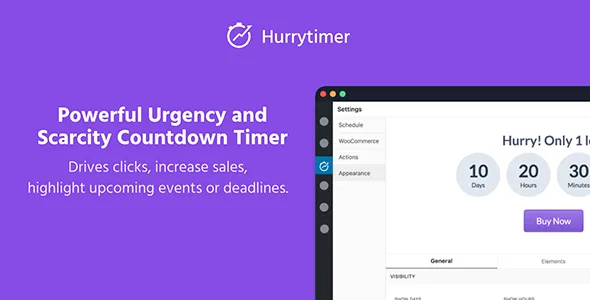
About HurryTimer Pro WordPress Plugin
A countdown that repeats for everyone ends up giving itself away
Putting a clock on an offer seems trivial until the customer comes back the next day and the clock shows the same hours as yesterday. Urgency only sells when it is believable, and it is believable when the deadline reflects something real: a shipping cut-off, an event, the end of a campaign. HurryTimer Pro is a multi-purpose countdown plugin that offers different rules for each case, and choosing the right rule matters more than the look of the clock.
It works for WooCommerce stores as well as for any page that needs to highlight a deadline, because it does not depend on WooCommerce to work.
Four situations, four types of clock in HurryTimer Pro
Store with a shipping cut-off time
Recurring campaigns are clocks that repeat on their own according to rules you define. They fit messages like «order before the cut-off and it ships today», which push people to finish the purchase without inventing any offer.
Offer with a firm date
Fixed-deadline campaigns run between two specific dates and every visitor sees the same clock. They are the honest option for seasonal sales or promotions with a real end. There are also scheduled campaigns.
Funnel or ongoing launch
Each visitor can get their own timer, whatever their time zone and the moment they arrived on your site. The clock can also restart automatically when it runs out (evergreen mode). Use it wisely: if the deadline is relative to each person, do not present it as the real end of a general promotion.
Event or deadline you want to keep in view
The sticky announcement bar shows the countdown at the top or bottom of any page, customizable and mobile-friendly. It keeps the promotion in sight while the visitor browses.
What happens when it reaches zero
A clock that ends and changes nothing is just decoration. Expiry actions let you:
- Redirect to another page.
- Hide the countdown.
- Show a custom message.
- Expire a coupon code.
- Change the stock status.
- Hide the add to cart button.
In WooCommerce you can show the countdown on the product page, even only on the products you choose through conditions, to drive add to cart clicks. There is also a call-to-action button, custom labels for the time units (days, hours…), visual style customization and your own CSS if you want detailed control over the look.
Do you need WooCommerce? And other questions buyers ask
Do I need WooCommerce? No. The plugin works on its own; with WooCommerce you can show the countdown on the product page.
Can each visitor see a different time? Yes, with the unique countdown per visitor. With a fixed deadline, on the other hand, everyone sees the same one.
Can it restart by itself? Yes: recurring campaigns and the evergreen timer are designed for that.
Will it fit my design? You can adjust the style visually and add your own CSS. Check in your theme how the sticky bar looks on mobile.
No email timers for now
Countdowns for email campaigns are not available yet, so do not expect to embed the clock in your newsletters. It also does not verify that your deadlines are real: that honesty is up to you, and it is what keeps customers trusting your offers.
Topics
Version history
-
v
2.19.1 Current 31 Oct 2026
-
v
2.18.0 10 Jul 2026
-
v
2.17.3 31 Mar 2026
Customer reviews
Sign in to leave a review. Only people who have the product can review it.
No reviews for this product yet.
Frequently asked questions
-
GPL (General Public License) is the license under which WordPress and most premium plugins/themes are distributed. It grants you the right to use, modify and redistribute the software in as many projects as you want, with no domain restrictions.
-
Yes. With membership you get automatic updates via our GPLClub Updater plugin (installed on your WP, detects new versions and applies them). With individual purchase, you get one year of manual updates from your account.
-
Depends on the plan. Monthly: 3 domains. Semi-annual: 7. Annual and Lifetime: 15. Individual purchase: 1 domain.
-
GPLClub offers its own support for installation, configuration and compatibility. For direct support from the original author (feature requests, product-specific bugs), a license purchased from the author is required.