Iconic WooCommerce Linked Variations
Antivirus scan
Powered by ClamAV
✅ Verified clean
This product file has passed our security filters.
Want to run a fresh ClamAV scan right now? Takes a few seconds and shows scanner version, signature DB and live result.
This can take 5 to 30 seconds.
Clean file Threat detected
No threats detected in this file.
- File
- Size
- Scanned
- ClamAV
- Signature database
⚡ Powered by ClamAV
Scan could not be completed
Report product
If you detected an issue (broken file, malware, inappropriate content, etc.) let us know and we'll review it ASAP.
Sign in to report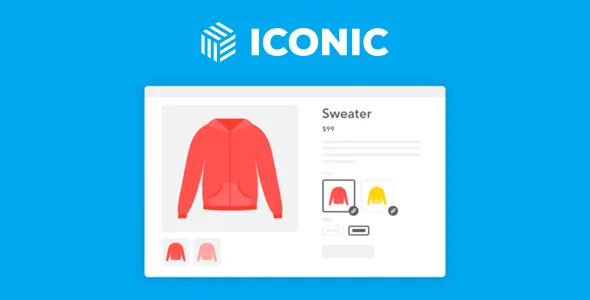
About Iconic WooCommerce Linked Variations
Six near-identical pages are worth less than one done well
A WooCommerce variable product keeps all its colours and sizes on a single page, with one title and one description. To someone searching for the sofa in green, your store has a sofa and no further detail. Splitting each version into its own product creates the opposite problem: six loose product pages that nothing connects.
WooCommerce Linked Variations joins those two halves. Each version remains an independent product, with its own URL, title and description, and the page shows the linked options as if it were a variable product.
Here is the hardest thing to see before buying it: the plugin gives you the page, not the reason for it to exist. Splitting variations only pays off if each page says something different. Six copies of the same text with the colour swapped mean six times the upkeep and no new reason for anyone to choose them. If you will not write and photograph each version, a variable product still serves you better.
Linked product groups and what the customer sees
- Variation groups: you link separate products by attributes such as colour, size or whatever you need.
- Any product type: a group is not limited to the variations of one variable product.
- Three ways to show the options: text links, dropdowns or product images.
- Faded unavailable products, so it is clear which option cannot be bought.
- More exact store search: it returns the matching product, with its image.
What it means for every option to be another page
When choosing another option, the customer moves to that product's page. It is not a photo swap inside the same page: it is a navigation, with its load. With many combinations the journey gets longer, so it is worth testing on a phone before migrating the catalogue.
The internal work changes too. Each version carries its own price, its own images and a single value per attribute.
Limits worth knowing before you migrate
Images only apply to the first attribute in the list. If you link by colour and capacity, colour can show photos and capacity cannot.
True visual swatches need another plugin. For the options to inherit the swatch look you need WooCommerce Attribute Swatches, from the same maker.
With a page builder, the links may not appear on their own. In that case, place the [iconic_wlv_links] shortcode in the product template.
Its features do not include bulk editing or stock shared between products. Groups can be imported with WP All Import.
How to create your first group
You need a WooCommerce store. The theme must be well coded and WooCommerce compatible. It has official integration with WPML, WeGlot, WP All Import, Kadence Shop Kit, Divi and Astra Pro. Iconic Linked Variations is being folded into Kadence Shop Kit.
- Create the attributes and their values under Products, Attributes.
- Create each version as a product, with its price and one value per attribute.
- Under Products, Linked Variations, add a group, choose the products and tick the attributes.
- Drag the attributes to set their order and enable images if you want them.
- Publish the group and test the options from a product page.
Other ways to handle variations
WPC Linked Variation also links products of any type by attributes, with swatches, a shortcode and opening in the same tab, another tab or quick view.
If your store already runs on Kadence, Kadence Shop Kit brings together swatches, a gallery and other store tools, although it needs that maker's theme and blocks. And if your only problem was dropdowns hiding the options, without splitting products, Variation Swatches Pro turns them into visible swatches.
Questions when splitting variations
Are linked products real variations?
No. They are independent products joined in a group, displayed in a way similar to a variable product.
Does it work with a page builder?
In a template made with a builder, the links are placed with the [iconic_wlv_links] shortcode.
Is it suitable for a multilingual store?
It has official integration with WPML and WeGlot.
Topics
Version history
-
v
1.12.1 Current 12 May 2026
-
v
1.12.0 19 Nov 2025
Customer reviews
Sign in to leave a review. Only people who have the product can review it.
No reviews for this product yet.
Frequently asked questions
-
GPL (General Public License) is the license under which WordPress and most premium plugins/themes are distributed. It grants you the right to use, modify and redistribute the software in as many projects as you want, with no domain restrictions.
-
Yes. With membership you get automatic updates via our GPLClub Updater plugin (installed on your WP, detects new versions and applies them). With individual purchase, you get one year of manual updates from your account.
-
Depends on the plan. Monthly: 3 domains. Semi-annual: 7. Annual and Lifetime: 15. Individual purchase: 1 domain.
-
GPLClub offers its own support for installation, configuration and compatibility. For direct support from the original author (feature requests, product-specific bugs), a license purchased from the author is required.