Illustrator – Illustration & Artist Portfolio
Antivirus scan
Powered by ClamAV
✅ Verified clean
This product file has passed our security filters.
Want to run a fresh ClamAV scan right now? Takes a few seconds and shows scanner version, signature DB and live result.
This can take 5 to 30 seconds.
Clean file Threat detected
No threats detected in this file.
- File
- Size
- Scanned
- ClamAV
- Signature database
⚡ Powered by ClamAV
Scan could not be completed
Report product
If you detected an issue (broken file, malware, inappropriate content, etc.) let us know and we'll review it ASAP.
Sign in to reportNewer version out, or a problem?
About Illustrator – Illustration & Artist Portfolio
Illustration portfolios that don't look like a generic website
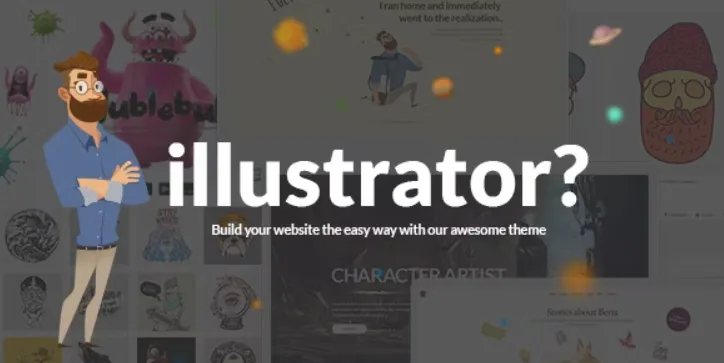
An illustrator or designer who shows their work online usually has the same problem: pieces appear as loose thumbnails, series get mixed with commissions, and the homepage doesn't explain who they are or what they do. Illustrator is a theme for any artist, storyteller, designer or creative person, with elements and layouts that can be changed to fit your needs.
Two uses covered: a visual portfolio or a shop with books and products
The theme serves two kinds of projects that are often mixed up:
- Creative portfolios: artist, illustration, animated or designer portfolio, with templates for storytelling, exhibitions and 3D studio or game app layouts.
- Shop and books: selling products from the same site, with features made for any book website and an online shop that can be set up in a few easy steps.
If you only want a portfolio, you can ignore the shop; if you sell, it's worth planning it from the start.
Illustrator shows each project as portfolio, Pinterest or full screen
Project lists can use standard, masonry, Pinterest or gallery layouts, and each piece can open with image, slider, gallery, masonry, split screen, full screen or custom layouts. There is a lightbox for images and videos and an option to show related projects on each work's page.
It is useful, for example, to show an illustration series in Pinterest format and an animation in full screen.
Homepages with Edge slider, parallax and zoom animations
The Edge slider supports image and video, with zoom animations on images, a parallax effect and several slide transitions. It also includes a vertical split slider, a scroll slider and a blog slider shortcode.
To build pages it includes WPBakery Page Builder and Slider Revolution, so the page builder and the slider come in the same package.
Headers and menus built for a one-page website
There are three header types (standard, vertical and full screen) with several behaviors, a side area and a customizable mega menu. The mobile header can have its own logo and styles, and the logo can change between light, dark and sticky versions. Anchor functions serve one-page sites, and sections support image or video backgrounds, parallax and full-height layouts.
WooCommerce, WPML and the images used in the demos
The WooCommerce integration includes a dropdown cart widget. The theme is compatible with WPML for translating the site and integrates with Contact Form 7 for contact forms. Typography can be adjusted separately for the mobile version, with more than 800 Google Fonts and eight icon font packs.
The photos shown in the demos are not included with the theme: they are only used to show the design. To use them on your site you need to buy the license from a stock image website. The theme also includes a child theme for making your changes without touching the original theme.
Frequently asked questions about Illustrator
Is it only for illustrators?
No. It is designed for artists, storytellers, designers and creative people in general, and it also includes features for book websites.
Can I sell my work from the website?
Yes. It lets you set up an online shop in a few easy steps, with WooCommerce integration and a dropdown cart widget.
Can the website be translated into another language?
Yes, the theme is ready for translation and is compatible with WPML.
Are the demo images included?
No. To use them on your website, you need to buy the license from a stock image website.
Topics
Version history
-
v
1.7 Current 13 Aug 2024
Customer reviews
Sign in to leave a review. Only people who have the product can review it.
No reviews for this product yet.
Frequently asked questions
-
GPL (General Public License) is the license under which WordPress and most premium plugins/themes are distributed. It grants you the right to use, modify and redistribute the software in as many projects as you want, with no domain restrictions.
-
Yes. With membership you get automatic updates via our GPLClub Updater plugin (installed on your WP, detects new versions and applies them). With individual purchase, you get one year of manual updates from your account.
-
Depends on the plan. Monthly: 3 domains. Semi-annual: 7. Annual and Lifetime: 15. Individual purchase: 1 domain.
-
GPLClub offers its own support for installation, configuration and compatibility. For direct support from the original author (feature requests, product-specific bugs), a license purchased from the author is required.