Image Hover Add-on for WPBakery Page Builder
Antivirus scan
Powered by ClamAV
✅ Verified clean
This product file has passed our security filters.
Want to run a fresh ClamAV scan right now? Takes a few seconds and shows scanner version, signature DB and live result.
This can take 5 to 30 seconds.
Clean file Threat detected
No threats detected in this file.
- File
- Size
- Scanned
- ClamAV
- Signature database
⚡ Powered by ClamAV
Scan could not be completed
Report product
If you detected an issue (broken file, malware, inappropriate content, etc.) let us know and we'll review it ASAP.
Sign in to report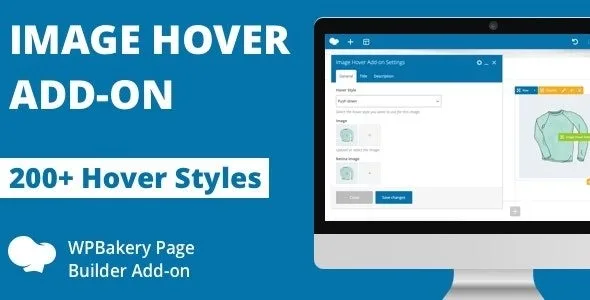
About Image Hover Add-on for WPBakery Page Builder
Dish photos that sit still while the customer is deciding
A restaurant website lives on its photos: the signature dish, the terrace, the team in the kitchen. The problem is that a gallery of static images is skimmed and quickly forgotten. A hover effect gives people a reason to stop on each photo and discover a name, a short line or a button.
Image Hover Add-on for WPBakery Page Builder adds that layer to your images. One detail of the sector: many people read a menu on their phone, where hovering does not exist. That is why the key information (dish name, price) should not depend on the effect alone.
Image Hover Add-on: over 200 effects sorted into more than 35 families
The plugin offers more than 200 overlay styles for your images, grouped into more than 35 categories so you do not have to try them blindly. You can use different styles on different pages, so the menu, the gallery and the events page do not have to look the same. Some of the families:
- Fade, Push, Slide, Border Reveal and Zoom and Rotate
- Flip, Cube, Book Open, Fold, Blinds and Hinge
- Shutter In, Shutter Out, Pixel, Parallax, Lightspeed, Circle and Stack
There are more families: Modal Slide, Throw in, Throw out, Fall Away, Dive, Pivot in, Pivot out, Switch, Blocks, Gradient, Bounce and Strip, among others.
Now, what it is not: this add-on only works inside WPBakery Page Builder, so it is no use with another builder. It works on images and their overlay; it does not create menus, does not manage bookings or orders and does not replace a gallery with filters. How each effect behaves on touch screens is something you should check in the demo.
Questions before adding Image Hover Add-on to your WPBakery
Does it work without WPBakery Page Builder?
No. It is an add-on for that builder and needs it installed and active.
Is it suitable for a restaurant menu?
It is suitable for adding effects to photos of dishes, drinks or spaces. It is not a menu manager: you have to write the dishes, prices and allergens yourself.
Can I use a different effect on each page?
Yes. You can apply different styles on different pages.
How do I choose among so many effects?
Start with the category. The demo shows a preview of the effects in each one, which saves you from testing them one by one on your page.
Pick the family in the demo, not on your live site
With more than 200 styles it is easy to overdo it. A good practice: choose one or two families for the whole site and keep a flashier effect for a specific photo, such as the dish of the day.
Before publishing, check the page on your phone and make sure the dish name and the essentials can be read without any effect. And if a photo has a lot of detail, choose a discreet style so the overlay does not cover what makes people hungry.
Topics
Version history
-
v
1.0 Current 30 May 2024
Customer reviews
Sign in to leave a review. Only people who have the product can review it.
No reviews for this product yet.
Frequently asked questions
-
GPL (General Public License) is the license under which WordPress and most premium plugins/themes are distributed. It grants you the right to use, modify and redistribute the software in as many projects as you want, with no domain restrictions.
-
Yes. With membership you get automatic updates via our GPLClub Updater plugin (installed on your WP, detects new versions and applies them). With individual purchase, you get one year of manual updates from your account.
-
Depends on the plan. Monthly: 3 domains. Semi-annual: 7. Annual and Lifetime: 15. Individual purchase: 1 domain.
-
GPLClub offers its own support for installation, configuration and compatibility. For direct support from the original author (feature requests, product-specific bugs), a license purchased from the author is required.