Import WP PRO
Antivirus scan
Powered by ClamAV
✅ Verified clean
This product file has passed our security filters.
Want to run a fresh ClamAV scan right now? Takes a few seconds and shows scanner version, signature DB and live result.
This can take 5 to 30 seconds.
Clean file Threat detected
No threats detected in this file.
- File
- Size
- Scanned
- ClamAV
- Signature database
⚡ Powered by ClamAV
Scan could not be completed
Report product
If you detected an issue (broken file, malware, inappropriate content, etc.) let us know and we'll review it ASAP.
Sign in to report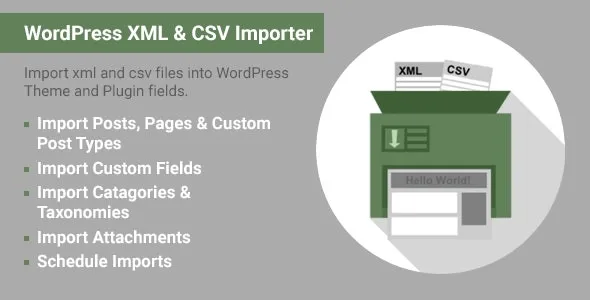
About Import WP PRO
Importing someone else's data is rarely copy and paste
The file a supplier sends you, or the one you export from your old system, rarely has the columns WordPress expects. Titles come mixed with HTML, images are a list of URLs separated by commas and authors appear by name instead of by user. Doing it by hand is slow, and a rigid importer forces you to edit the file before uploading it.
Whoever installs Import WP PRO is usually migrating a site, feeding a catalog from a spreadsheet or syncing content that someone else maintains outside WordPress. In all those cases the real work is not importing but deciding which piece of data goes into which field. That is where the plugin earns its place.
Import WP PRO: from file to field, with a preview
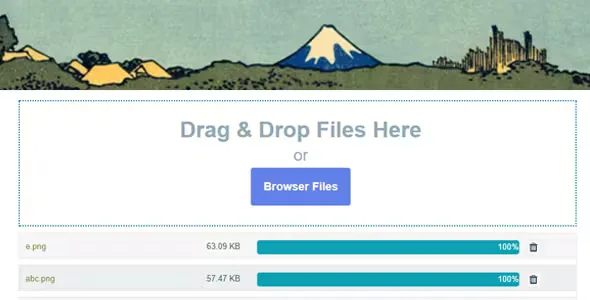
You can bring in the file from a remote URL, from the server's file system or by uploading it directly. It accepts XML and CSV, and also Google Sheets and Microsoft Excel. That lets whoever maintains the data keep working in their usual spreadsheet.
The data selector with inline preview lets you see how each record will be read while you assign fields, so you catch a wrong mapping before importing hundreds of rows. You can load:
- Posts, pages and custom post types.
- Categories, tags and custom taxonomies.
- Users.
- Custom fields, from text to lists of images, in any theme or plugin that registers them.
- Images and attachments.
Updating without overwriting what you edited by hand
The first import is the easy part. The problem comes when the file changes and you want to load it again without destroying the corrections you made in WordPress. That is why it matters that you can manually choose which fields are inserted or updated in each import: the price can sync every day while the description, which you tweaked, stays as it is.
Each import is launched by hand or scheduled to run in the background, so your data stays synchronized at a regular pace. A history log records what happened in each run, which is useful for reviewing what failed. The plugin also aims at faster imports with lower memory use, something you notice with large files.
WooCommerce, ACF and Yoast come as separate add-ons
The base plugin covers WordPress content and generic custom fields. For certain popular plugins there are separate add-ons, and it is worth being clear about that before building a project on them.
- Already solved by the base plugin: posts, pages, content types, taxonomies, users, custom fields, images and attachments, scheduling and history.
- Needs the WooCommerce add-on: variable, simple, grouped and external products, with their categories, tags and taxonomies.
- Needs the Advanced Custom Fields add-on: importing into the fields ACF generates.
- Needs the Yoast SEO add-on: fields such as opengraph, meta description and keywords.
- You will cover with a professional: integration with a specific theme or plugin that is not supported, for example a listing from a car dealership theme.
Nor should you expect it to clean your data: if the file has formatting errors or duplicates, they will reach WordPress all the same. Review the file first and make a backup.
Try a few rows before launching the whole file
A good method is to load a handful of records first on a copy of the site, check how images, custom fields and categories turn out, and only then launch the full file. If you use a theme with its own fields, check in the demo or on a test installation that those fields show up as import targets.
Frequently asked questions about Import WP PRO
Can I import from Excel or Google Sheets?
Yes, in addition to XML and CSV, it supports Google Sheets and Microsoft Excel.
Can imports be scheduled?
Yes. You can launch them by hand or leave them scheduled in the background to sync data regularly.
Does it import WooCommerce products?
With the WooCommerce add-on, which is separate from the base plugin. It covers simple, variable, grouped and external products.
Does it bring in images?
Yes, it imports images and attachments.
Does it work with my theme's fields?
With those the theme or plugin registers as custom fields. For ACF fields you need its add-on, and for very specific integrations it is best to ask beforehand.
Version history
-
v
2.9.5 Current 5 Feb 2025
Customer reviews
Sign in to leave a review. Only people who have the product can review it.
No reviews for this product yet.
Frequently asked questions
-
GPL (General Public License) is the license under which WordPress and most premium plugins/themes are distributed. It grants you the right to use, modify and redistribute the software in as many projects as you want, with no domain restrictions.
-
Yes. With membership you get automatic updates via our GPLClub Updater plugin (installed on your WP, detects new versions and applies them). With individual purchase, you get one year of manual updates from your account.
-
Depends on the plan. Monthly: 3 domains. Semi-annual: 7. Annual and Lifetime: 15. Individual purchase: 1 domain.
-
GPLClub offers its own support for installation, configuration and compatibility. For direct support from the original author (feature requests, product-specific bugs), a license purchased from the author is required.