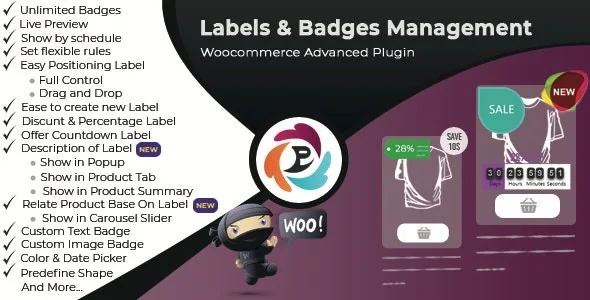
iThemeland WooCommerce Advanced Product Labels Pro
Antivirus scan
Powered by ClamAV
✅ Verified clean
This product file has passed our security filters.
Want to run a fresh ClamAV scan right now? Takes a few seconds and shows scanner version, signature DB and live result.
This can take 5 to 30 seconds.
Clean file Threat detected
No threats detected in this file.
- File
- Size
- Scanned
- ClamAV
- Signature database
⚡ Powered by ClamAV
Scan could not be completed
Report product
If you detected an issue (broken file, malware, inappropriate content, etc.) let us know and we'll review it ASAP.
Sign in to reportNewer version out, or a problem?
About iThemeland WooCommerce Advanced Product Labels Pro
A weekend offer, from the label to the product page
A shop with many products rarely lets the customer see at a glance what is on sale, what is running out or what is new. The crossed-out price helps, but it gets lost among the rest of the product page. With WooCommerce Advanced Product Labels Pro the process is more direct: you create a label, assign it to the products that meet your conditions and see it appear in the shop with the design you chose.
First you create the offer label, then you choose which products get it, then you decide where it appears and, finally, you set when it should be active.
Rules that decide which products get each label
You define rules for each label and the plugin applies it to the products that meet them. Available conditions include stock status, whether a coupon is applied, the order amount or weight, and the shipping method or shipping class.
As an add-on for WooCommerce, it needs WooCommerce active: without the shop there are no products or orders to apply the rules to. The rules are flexible, so a label can depend on a single condition or on several at once.
Questions to settle before setting up offer labels in WooCommerce
Do I need WooCommerce to use it?
Yes. The plugin works on WooCommerce products, so the shop must be installed and active.
Can I show the labels in several languages?
Yes. The plugin supports several languages and is compatible with Polylang.
Can I add icons to the labels?
Yes. You can add an icon to each badge and a tooltip to the badges.
What happens to products that do not meet the rule?
They do not receive the label, because it only applies to products that meet the rules.
Label design: icon, colors and a position set by dragging
A label without context goes unnoticed or gets mistaken for decoration. That is why you can add icons to each badge, show a tooltip and start from predefined templates. The position is set by dragging the label, and the color picker lets you adjust the tones so they fit your shop design.
Where the label appears: image, price, cart or a product tab
The same label can be shown at different points of the product page. These are the available locations:
- Before or after the product title.
- After the price, the excerpt or the add to cart button.
- After the meta information, the share buttons or in a dedicated product tab.
Clicking a badge can open a popup with more details. Each label has a priority so that, if a product meets several, the most important one is shown. The plugin can also show related products in a carousel based on the label they have.
Scheduling the offer and showing the countdown
With scheduling you decide when each label is shown, and the countdown label lets the customer see how much time is left to take advantage of the discount.
Topics
Version history
-
v
1.8.7 Current 17 May 2024
Customer reviews
Sign in to leave a review. Only people who have the product can review it.
No reviews for this product yet.
Frequently asked questions
-
GPL (General Public License) is the license under which WordPress and most premium plugins/themes are distributed. It grants you the right to use, modify and redistribute the software in as many projects as you want, with no domain restrictions.
-
Yes. With membership you get automatic updates via our GPLClub Updater plugin (installed on your WP, detects new versions and applies them). With individual purchase, you get one year of manual updates from your account.
-
Depends on the plan. Monthly: 3 domains. Semi-annual: 7. Annual and Lifetime: 15. Individual purchase: 1 domain.
-
GPLClub offers its own support for installation, configuration and compatibility. For direct support from the original author (feature requests, product-specific bugs), a license purchased from the author is required.