IvyPrep - Education & School WordPress Theme
Antivirus scan
Powered by ClamAV
✅ Verified clean
This product file has passed our security filters.
Want to run a fresh ClamAV scan right now? Takes a few seconds and shows scanner version, signature DB and live result.
This can take 5 to 30 seconds.
Clean file Threat detected
No threats detected in this file.
- File
- Size
- Scanned
- ClamAV
- Signature database
⚡ Powered by ClamAV
Scan could not be completed
Report product
If you detected an issue (broken file, malware, inappropriate content, etc.) let us know and we'll review it ASAP.
Sign in to report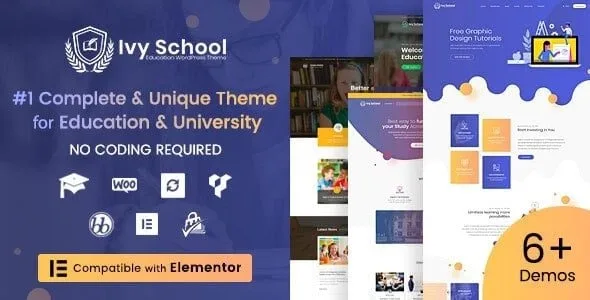
About IvyPrep - Education & School WordPress Theme
People choosing where to study look for three facts, and almost nobody finds them
An education website often grows in pieces: a PDF with the fees, a professors page that is out of date, a virtual classroom on another domain. Applicants don't search for «courses»: they want to know if they meet the requirements, how much it costs and who will teach them. IvyPrep puts those answers in one place, with the structure of a university, school or academy and LearnPress as the course system underneath.
From the program page to enrollment: how IvyPrep is used
Imagine you are launching a new degree and want an applicant to go from the homepage to signing up.
1. You start from a complete demo
The theme comes with 4 prebuilt websites with content and images, imported with one click. They are edited with Elementor, by dragging and dropping. What you import is sample material: the texts, fees and photos have to be yours.
2. You publish the program
Each program has its own page with admission requirements, who it is for, fees, learning outcomes and associated courses. From there the applicant can apply or write through a contact form. Check in the demo what happens when the apply button is pressed, so you can fit it to your real admissions process.
3. You link faculties and professors
Faculties or departments have their own page with their associated courses, and each professor has a profile with background, specialty, courses taught and contact details. It works just as well for a college with a single faculty as for a university with several departments. There is also event management, with a listing of upcoming campus events.
4. You build the course catalog
Courses can be browsed by category and each page covers description, objectives, lessons and quizzes, enrollment capacity, requirements and instructors. Lessons, quizzes and enrollments are handled by LearnPress, which works independently of the theme: if you switch demos or redesign the site, the courses stay.
5. You get paid
It supports online and offline courses, and several payment methods through LearnPress add-ons (Stripe, Authorize.net, 2Checkout, WooCommerce). You need your own account with the gateway you choose: the theme does not collect payments for you.
Common questions before building your campus with IvyPrep
- Is it suitable for a small school? It is designed for universities, colleges, schools and academies. If you have a single faculty, you present it as such, without setting up departments that don't exist.
- Do I need to code? No: you import the demo and make changes with Elementor.
- Can I build something like Udemy? You can publish and sell online courses with lessons and quizzes, but it is your institution's website, not a separate marketplace.
- Does it support right-to-left languages? Yes, it includes RTL support, as well as dark mode.
The LearnPress add-ons already included in IvyPrep
The theme includes these add-ons:
- Certificates, gradebook (Gradebook) and co-instructors
- Content Drip and course collections
- BuddyPress and bbPress integration
- Paid Membership Pro, myCRED and WooCommerce
- Ordered-choice question type (Sorting Choice)
Being included does not mean they are activated with your setup: review which ones you need and test them with a sample course before opening enrollment. The design is responsive and retina-ready, with a Mega Menu, so an applicant arriving from a phone sees the same information as on a computer.
Topics
Version history
-
v
1.6.1 Current 23 Mar 2025
Customer reviews
Sign in to leave a review. Only people who have the product can review it.
No reviews for this product yet.
Frequently asked questions
-
GPL (General Public License) is the license under which WordPress and most premium plugins/themes are distributed. It grants you the right to use, modify and redistribute the software in as many projects as you want, with no domain restrictions.
-
Yes. With membership you get automatic updates via our GPLClub Updater plugin (installed on your WP, detects new versions and applies them). With individual purchase, you get one year of manual updates from your account.
-
Depends on the plan. Monthly: 3 domains. Semi-annual: 7. Annual and Lifetime: 15. Individual purchase: 1 domain.
-
GPLClub offers its own support for installation, configuration and compatibility. For direct support from the original author (feature requests, product-specific bugs), a license purchased from the author is required.