JetEngine - dynamic charts builder
Antivirus scan
Powered by ClamAV
✅ Verified clean
This product file has passed our security filters.
Want to run a fresh ClamAV scan right now? Takes a few seconds and shows scanner version, signature DB and live result.
This can take 5 to 30 seconds.
Clean file Threat detected
No threats detected in this file.
- File
- Size
- Scanned
- ClamAV
- Signature database
⚡ Powered by ClamAV
Scan could not be completed
Report product
If you detected an issue (broken file, malware, inappropriate content, etc.) let us know and we'll review it ASAP.
Sign in to report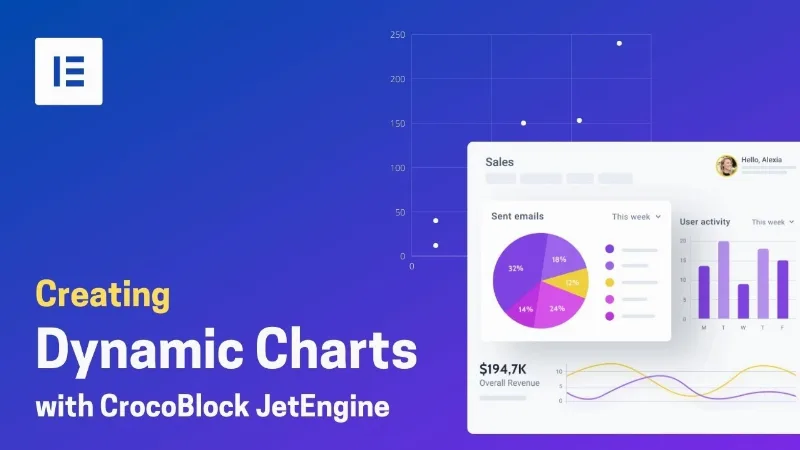
About JetEngine - dynamic charts builder
Data that sits in the database and nobody sees
You have surveys saved, product statistics or ratings spread across tables, and on the site they remain loose numbers that nobody interprets. JetEngine - dynamic charts builder turns that data into charts based on a query to your data.
Whoever installs this usually has a site with its own content (custom content types, taxonomies, products) and a problem that only shows up later: the data exists, but visitors cannot read it at a glance. A chart does not replace the data, but it decides whether someone understands it or ignores it.
How a chart is built with JetEngine - dynamic charts builder
The workflow has four steps and it helps to understand them before you start:
- Custom query: you define which data comes out of the database and how.
- Columns: you fetch the columns of that query and use them as display options on the front end.
- Style: you choose among more than ten chart types, order the columns, place the legend wherever you want, adjust the length and width of the canvas and enable stacked columns if needed.
- Preview: you check the result before placing it on a page.
If the look you want is not in the settings, you can insert JSON code for advanced styles.
Which chart for each type of buyer
You run a site with surveys or forms
Store the answers in a custom content type (CCT), for example from front-end forms, create a query that groups them by category and choose several charts to display the results.
You manage a store
You can build charts with product data such as rating, stock status, quantity or total sales, show the most popular ones or prepare an internal stock panel for administrators.
You publish a lot of editorial content
With a terms query and two columns (term title and number of posts) you show which topics carry the most weight on your site.
You work with data from another site or an API
A REST API query lets you pull up-to-date data from one site and display it on another, for example movie ratings with title and worldwide score. If you work with geographic data, there is a map chart type: Crocoblock's own demo uses it with YouTube video statistics stored in SQL, showing the countries with the most views.
It works inside JetEngine and with your editor
This module is part of JetEngine: it is not a standalone plugin you can use on its own. It integrates with Elementor, the Gutenberg block editor and Bricks. The data sources it supports include database, CCT, terms, products and REST API.
Frequently asked questions
Can I show the same data as a table?
Not with this module. For tabular data JetEngine has a separate function, Tables Builder, which is independent.
Do I need to know SQL?
The query is built in the plugin itself. In the demo's geographic example an SQL query is configured, so if your data comes from your own tables, some comfort with databases will help.
Can I see the result before publishing it?
Yes, there is a chart preview before you place it on the page.
It needs JetEngine as its base
Without JetEngine there are no charts: it is an add-on to that plugin. In addition, your data must already be well organized in fields, content types or an API; the builder draws it, but it does not collect it for you.
Version history
-
v
1.0.11 Current 8 Jan 2025
Customer reviews
Sign in to leave a review. Only people who have the product can review it.
No reviews for this product yet.
Frequently asked questions
-
GPL (General Public License) is the license under which WordPress and most premium plugins/themes are distributed. It grants you the right to use, modify and redistribute the software in as many projects as you want, with no domain restrictions.
-
Yes. With membership you get automatic updates via our GPLClub Updater plugin (installed on your WP, detects new versions and applies them). With individual purchase, you get one year of manual updates from your account.
-
Depends on the plan. Monthly: 3 domains. Semi-annual: 7. Annual and Lifetime: 15. Individual purchase: 1 domain.
-
GPLClub offers its own support for installation, configuration and compatibility. For direct support from the original author (feature requests, product-specific bugs), a license purchased from the author is required.