JetEngine Post Expiration Period Module
Antivirus scan
Powered by ClamAV
✅ Verified clean
This product file has passed our security filters.
Want to run a fresh ClamAV scan right now? Takes a few seconds and shows scanner version, signature DB and live result.
This can take 5 to 30 seconds.
Clean file Threat detected
No threats detected in this file.
- File
- Size
- Scanned
- ClamAV
- Signature database
⚡ Powered by ClamAV
Scan could not be completed
Report product
If you detected an issue (broken file, malware, inappropriate content, etc.) let us know and we'll review it ASAP.
Sign in to report
Official activation available
With membership we activate it with the official Crocoblock Suite license.
Newer version out, or a problem?
Activate it with the official license
Crocoblock Suite, with the author's license
| What it includes | GPL download | Official license |
|---|---|---|
| Works with all its features | ||
| Direct updates | Yes, via GPLClub Updater | Direct |
| Author's official support | Basic installation support | Advanced technical support from Crocoblock |
Included with memberships.
Or buy it on its own: $7.00
About JetEngine Post Expiration Period Module
Posts that should disappear on their own when their run ends
A time-limited offer, an event notice or a customer submission that only makes sense for a few weeks usually ends the same way: someone has to remember to take it down by hand, and meanwhile it stays visible to anyone who reaches the site. This JetEngine module helps show new posts added with a front-end form for a limited time.
Expiration in days, moving posts to draft or trash
When a post is created from a front-end form, you set how many days it should stay published. When that period ends, the post changes status according to the action you chose: it moves to draft or to trash.
There are two limits worth knowing. The module only applies to posts created through the form, not to posts edited later, and posts that already existed on the site do not change.
Where it is set up in JetFormBuilder and in the JetEngine form
In JetFormBuilder, expiration is switched on inside the «Insert/Update Post» submit action, in the same place where you choose the post type and its initial status. There you define the days and the final action. If you prefer the JetEngine form, the option lives in the post insert notification, with the same set of days and destination.
After submitting the form, the post is published as usual and, in the source's example, it moved to trash 24 hours later.
Frequently asked questions about post expiration in JetEngine
Can it be used to edit posts that are already expired or running?
No. The feature is designed only to create posts, not to update them.
What happens to the posts I already have on the site?
They do not change. Expiration only applies to new posts created with the configured form.
Can I choose whether the post goes to draft or to trash?
Yes. In the form settings you choose the expiration action: draft or trash.
What unit is the period set in?
In days. You enter the number you need and, when it is reached, the chosen action is applied.
Admin column to see when each post expires
If you manage several posts with an expiration date, you can add a column in the content type's admin panel that shows when they will move to draft or trash. It is set up in JetEngine > Post Types, with the Custom Callback type, the jet_engine_custom_cb_date callback and the _jet_pep_period field.
JetEngine and JetFormBuilder requirements for posts with expiration
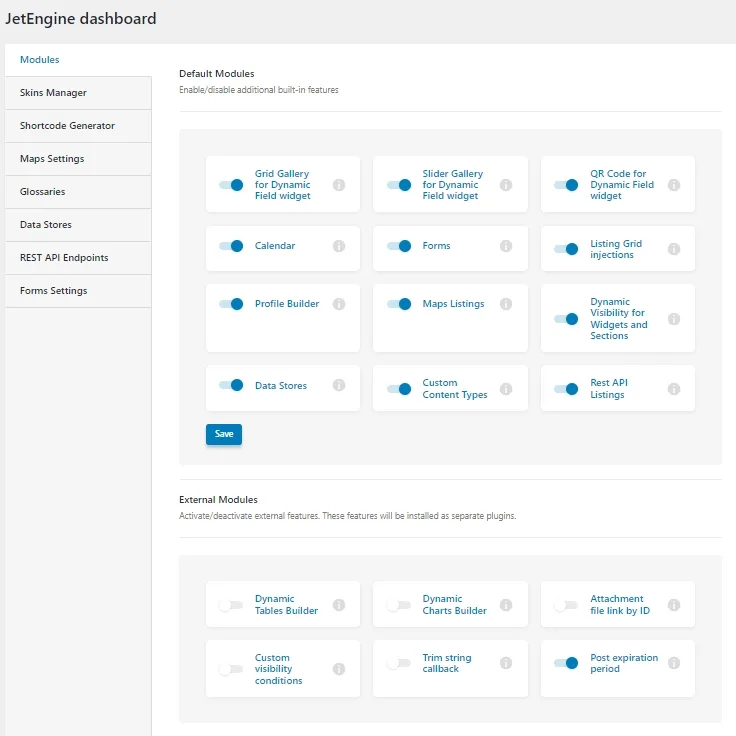
The module is activated from JetEngine, which must be installed and active. To create posts with an expiration date you can use the JetFormBuilder form, which must also be installed and active, or the JetEngine form.
On the page, the form is displayed with the JetForm widget in Elementor, which can be used in its free version, or with the form block in the WordPress block editor.
Version history
-
v
1.1.2 Current 14 May 2024
Customer reviews
Sign in to leave a review. Only people who have the product can review it.
No reviews for this product yet.
Frequently asked questions
-
GPL (General Public License) is the license under which WordPress and most premium plugins/themes are distributed. It grants you the right to use, modify and redistribute the software in as many projects as you want, with no domain restrictions.
-
Yes. With membership you get automatic updates via our GPLClub Updater plugin (installed on your WP, detects new versions and applies them). With individual purchase, you get one year of manual updates from your account.
-
Depends on the plan. Monthly: 3 domains. Semi-annual: 7. Annual and Lifetime: 15. Individual purchase: 1 domain.
-
GPLClub offers its own support for installation, configuration and compatibility. For direct support from the original author (feature requests, product-specific bugs), a license purchased from the author is required.