JetFormBuilder Formless Actions Endpoints
Antivirus scan
Powered by ClamAV
✅ Verified clean
This product file has passed our security filters.
Want to run a fresh ClamAV scan right now? Takes a few seconds and shows scanner version, signature DB and live result.
This can take 5 to 30 seconds.
Clean file Threat detected
No threats detected in this file.
- File
- Size
- Scanned
- ClamAV
- Signature database
⚡ Powered by ClamAV
Scan could not be completed
Report product
If you detected an issue (broken file, malware, inappropriate content, etc.) let us know and we'll review it ASAP.
Sign in to report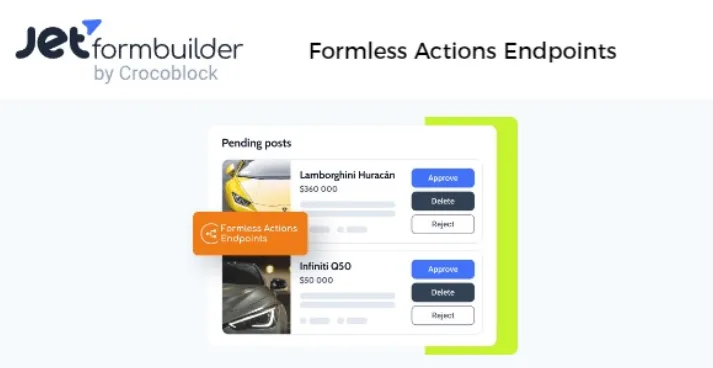
About JetFormBuilder Formless Actions Endpoints
A button that deletes, publishes or changes a status without showing any form
Many actions on a website don't need anyone to fill in anything: moving a post to the trash, changing a user's status, deleting a record or sending data to another site. Building a visible form for that makes no sense, and custom code is costly to maintain. This JetFormBuilder add-on lets you run after-submit actions from a single front-end button, without the visitor seeing any fields.
The point almost nobody considers: the button is the easy part. The delicate part is who can press it. An action that deletes content, exposed on a URL, is an open door if you don't close it. That is why JetFormBuilder Formless Actions Endpoints is more about permissions than about the button.
How JetFormBuilder Formless Actions Endpoints works
You start from a normal JetFormBuilder form with its after-submit actions (for example, insert or update a post). Then you create a route in the plugin's Endpoints section and link it to that base form. In the route you choose:
- Action type: WordPress AJAX, URL Query String or REST API endpoint.
- Namespace and path (if you use REST API): only lowercase Latin letters, numbers and hyphens are allowed.
- Restriction: who can run it.
- Request log: a toggle to keep the attempts and review them later.
You also define the data structure: the expected fields, their types, and default or sample values. From there a sample request is generated, already formatted, which you copy and paste into the button.
Who can press the button: three permission levels
The restriction toggle supports three criteria:
- Any registered user.
- A user with a specific role.
- A user with a specific capability.
If you leave the restriction off, anyone can run the action. That may be fine for something harmless, but not for deleting posts. If you use a custom REST endpoint to send data from one site to another, turn the restriction on. To protect the button, it's better to rely on wp-nonce and anti-CSRF methods than on captchas, and to sanitize the namespace and path values.
Two different uses: functional buttons and a backend for applications
The first is buttons inside listings: changing the status of a post or user, deleting users or posts, or triggering a one-click purchase. The second is the REST endpoint: receiving posts from another site or turning your WordPress into the backend of an application. They are different buyer profiles. Someone building a directory with dynamic listings is after the first; someone developing a connected app is after the second.
You provide the button and the base form
Here it helps to set expectations. The add-on does not include a ready-made button or templates:
- Already solved: creating routes, choosing the action type, limiting by role or capability, logging requests and generating the sample request.
- You cover it: the base form with its after-submit actions, and a button in your builder (Elementor, Gutenberg or Bricks) where you paste the request data.
- With another plugin: if you want dynamic listings where the button appears on each item, you'll need something like JetEngine.
- With a professional: the extra security (nonces, sanitizing) if you connect it to another site or to an application.
It is a JetFormBuilder Pro add-on, so it does not work on its own: it depends on the main plugin.
Frequently asked questions
Does it work with any theme?
Yes, it works with any WordPress theme.
Can I send data from one site to another?
Yes, with the REST API Endpoint type. Turn on access restriction so it isn't left open.
Are requests saved?
If you enable the log, they are kept for you to review. Also, if the form has the save record action, submissions appear in the form records.
Do I need to code?
For a functional button, configuring the route and pasting the sample data is enough. Integrating an external application will require code on the other side.
Topics
Version history
-
v
1.0.4 Current 5 May 2026
Customer reviews
Sign in to leave a review. Only people who have the product can review it.
No reviews for this product yet.
Frequently asked questions
-
GPL (General Public License) is the license under which WordPress and most premium plugins/themes are distributed. It grants you the right to use, modify and redistribute the software in as many projects as you want, with no domain restrictions.
-
Yes. With membership you get automatic updates via our GPLClub Updater plugin (installed on your WP, detects new versions and applies them). With individual purchase, you get one year of manual updates from your account.
-
Depends on the plan. Monthly: 3 domains. Semi-annual: 7. Annual and Lifetime: 15. Individual purchase: 1 domain.
-
GPLClub offers its own support for installation, configuration and compatibility. For direct support from the original author (feature requests, product-specific bugs), a license purchased from the author is required.