JetPopup for Elementor
Antivirus scan
Powered by ClamAV
✅ Verified clean
This product file has passed our security filters.
Want to run a fresh ClamAV scan right now? Takes a few seconds and shows scanner version, signature DB and live result.
This can take 5 to 30 seconds.
Clean file Threat detected
No threats detected in this file.
- File
- Size
- Scanned
- ClamAV
- Signature database
⚡ Powered by ClamAV
Scan could not be completed
Report product
If you detected an issue (broken file, malware, inappropriate content, etc.) let us know and we'll review it ASAP.
Sign in to report
About JetPopup for Elementor
A badly timed popup scares visitors off more than it informs
Almost all popups annoy for the same reason: they appear before the visitor has read anything, or they don't appear when the visitor is already leaving. Whoever installs JetPopup for Elementor usually has something specific to communicate (an offer, a subscription, a notice).
This plugin is about exactly that: you design the window with Elementor widgets and decide when it shows up and on which pages.
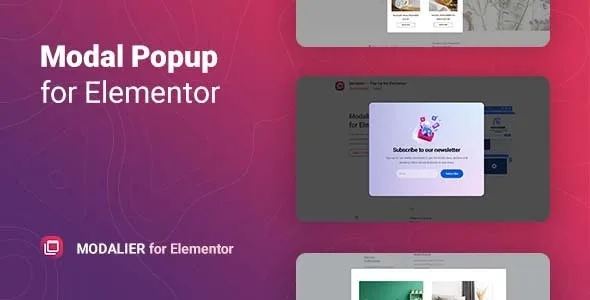
JetPopup for Elementor: drag and drop design, presets and animations
The popup content is built by dragging and dropping Elementor widgets, just like a page. So you don't start from scratch, there are presets for subscribe, discount, yes/no, countdown, contact, info card, GDPR and cookie policy.
- Window formats: classic, slide in, bar, bordering, full view and custom.
- Entry and exit animations: fade, zoom in and zoom out, move up, bounce in and bounce out, slide up, down, left and right, horizontal and vertical flip, and rotate.
- Close icon: its position can be adjusted in px, %, vh, vw and other units.
When to open it, depending on the kind of site you have
Store with offers or launches
You can set a date (or date and time combined) for the popup to start showing: a project launch, discounted prices, a special date. It can also open when the page loads to announce ongoing promotions.
Blog or content site
When the visitor scrolls to a certain point, the popup can offer a subscription or social sharing links. With the exit intent option, it appears when the visitor is about to close the page: the moment for a sign-up form or a last offer.
Services or contact site
After a period of visitor inactivity it can show a form or a yes/no question. You can also attach it to a specific Elementor widget so it opens on click, on scroll or on page load, for example with contact details or social media links.
Site with many pages
Include and exclude conditions let you show the popup only on specific pages and templates, exclude pages or content types and mix several conditions. That way a promotion notice doesn't show up where it gets in the way.
It only works with Elementor or the block editor
JetPopup works with the Elementor editor and with Gutenberg; if you use another builder, it isn't your plugin. The presets are a starting point: you supply the text and the offer. If the popup has to collect emails, check in the demo where that data goes. The GDPR and cookie presets are window designs: on their own they don't guarantee your site's regulatory compliance.
Questions before building your first popup
Can I show it only on some pages? Yes, with include and exclude conditions by pages, templates and content types.
Can it be scheduled for a date? Yes, you can set the start day and even date and time combined.
Do I have to design it from scratch? No, there are presets you can adapt with Elementor widgets.
Is it compatible with WPML? Yes, for localizing popup content.
Does it work without Elementor? It works with Elementor and with Gutenberg.
When it is worth having
If you already work with Elementor and want to control the timing, the page and the look of your notices without leaving the editor, JetPopup for Elementor is an option built for that job.
Topics
Version history
-
v
2.2.3.4 Current 15 Oct 2026
-
v
2.2.3.3 7 Oct 2026
-
v
2.2.3.2 2 Oct 2026
-
v
2.2.3.1 30 Sep 2026
-
v
2.2.3 26 Sep 2026
-
v
2.2.2 9 Aug 2026
-
v
2.2.0 1 May 2026
Customer reviews
Sign in to leave a review. Only people who have the product can review it.
No reviews for this product yet.
Frequently asked questions
-
GPL (General Public License) is the license under which WordPress and most premium plugins/themes are distributed. It grants you the right to use, modify and redistribute the software in as many projects as you want, with no domain restrictions.
-
Yes. With membership you get automatic updates via our GPLClub Updater plugin (installed on your WP, detects new versions and applies them). With individual purchase, you get one year of manual updates from your account.
-
Depends on the plan. Monthly: 3 domains. Semi-annual: 7. Annual and Lifetime: 15. Individual purchase: 1 domain.
-
GPLClub offers its own support for installation, configuration and compatibility. For direct support from the original author (feature requests, product-specific bugs), a license purchased from the author is required.