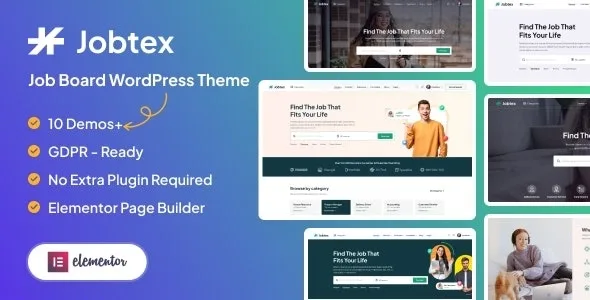
Jobtex – Job Board WordPress Theme
Antivirus scan
Powered by ClamAV
✅ Verified clean
This product file has passed our security filters.
Want to run a fresh ClamAV scan right now? Takes a few seconds and shows scanner version, signature DB and live result.
This can take 5 to 30 seconds.
Clean file Threat detected
No threats detected in this file.
- File
- Size
- Scanned
- ClamAV
- Signature database
⚡ Powered by ClamAV
Scan could not be completed
Report product
If you detected an issue (broken file, malware, inappropriate content, etc.) let us know and we'll review it ASAP.
Sign in to reportNewer version out, or a problem?
About Jobtex – Job Board WordPress Theme
A job board lives on a tension between employers and candidates
A job board runs on a tension: employers want to see candidates, and candidates do not want just anyone to see their CV or contact details. Jobtex is a complete WordPress theme for building a job listings portal, with listings, search tools and candidate profiles, and with options to decide who sees what.
Three ways to use Jobtex depending on who posts
A portal can be an open noticeboard, a business that charges for access to candidates, or a site that gathers job offers from outside. These are the profiles that fit best.
If you want to charge employers for viewing candidates
You can limit candidate viewing to registered employers and reserve their contact details for those who have bought a CV or contact package. Each restriction is set separately, so any visitor can view the profile while only employers with a package see the contact details.
If you want companies to publish their own jobs
Employers can add a job from the frontend, without going through the admin panel. It includes a user dashboard template and a fields manager.
If you want the site to have jobs from day one
The theme can import listings from Indeed, Careerjet, ZipRecruiter and Career Builder.
Jobtex's design can be adjusted without touching code
You import the demo with one click and then adjust the look: grid size, boxed layout and typography options. It includes a large collection of inner pages and templates, and the design is responsive and ready for retina screens. Someone who does not know how to code can start from the demo.
Job and résumé listings with search tools and shortcodes
Job and résumé listings have sorting options and several ways to display them. With shortcodes you can place the job list, a simple search, an advanced search or the résumé list. To place jobs on a map, the theme supports Google Maps, Mapbox and OpenStreetMap.
Social login and notifications for users
Sign-in supports Facebook, Google, Twitter and LinkedIn, and candidates can apply with those accounts. There are user notifications, job alerts, pricing tables and comparison pricing tables with shortcode, and an option for Zoom meetings.
Jobtex frequently asked questions
Do I need to know how to code to set up the site?
No. The demo is imported with one click and you do not need to know how to code.
Can I charge employers for viewing candidates?
Yes. You can restrict candidate views and their contact details to employers who have bought a package.
Can employers publish without entering the admin panel?
Yes, they can add a job from the frontend.
Is it compatible with WooCommerce?
Yes, the theme is compatible with WooCommerce.
Can I bring in jobs from other sites?
Yes, from Indeed, Careerjet, ZipRecruiter and Career Builder.
Candidate contact visibility can depend on the package purchased
One option is for any user to view a candidate's profile, while only employers with a contact package see their contact details.
Topics
Version history
-
v
1.2.13 Current 8 Jan 2025
Customer reviews
Sign in to leave a review. Only people who have the product can review it.
No reviews for this product yet.
Frequently asked questions
-
GPL (General Public License) is the license under which WordPress and most premium plugins/themes are distributed. It grants you the right to use, modify and redistribute the software in as many projects as you want, with no domain restrictions.
-
Yes. With membership you get automatic updates via our GPLClub Updater plugin (installed on your WP, detects new versions and applies them). With individual purchase, you get one year of manual updates from your account.
-
Depends on the plan. Monthly: 3 domains. Semi-annual: 7. Annual and Lifetime: 15. Individual purchase: 1 domain.
-
GPLClub offers its own support for installation, configuration and compatibility. For direct support from the original author (feature requests, product-specific bugs), a license purchased from the author is required.