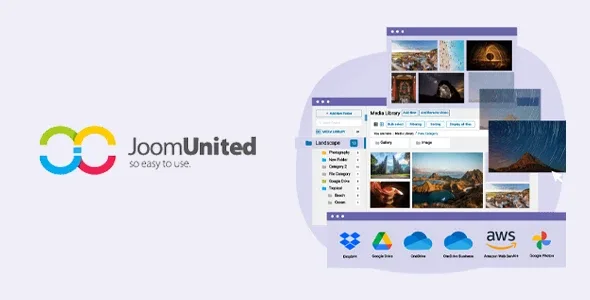
JoomUnited WP Media Folder Plugin
Antivirus scan
Powered by ClamAV
✅ Verified clean
This product file has passed our security filters.
Want to run a fresh ClamAV scan right now? Takes a few seconds and shows scanner version, signature DB and live result.
This can take 5 to 30 seconds.
Clean file Threat detected
No threats detected in this file.
- File
- Size
- Scanned
- ClamAV
- Signature database
⚡ Powered by ClamAV
Scan could not be completed
Report product
If you detected an issue (broken file, malware, inappropriate content, etc.) let us know and we'll review it ASAP.
Sign in to reportNewer version out, or a problem?
About JoomUnited WP Media Folder Plugin
When the media library turns into a junk drawer
At first you upload four images and find them without trouble. Over time, the WordPress library becomes an endless list of files sorted only by date, with names like IMG_4032, duplicates nobody remembers uploading and the constant question of where that photo was. JoomUnited WP Media Folder tackles exactly that: it adds folders to the media library so you can organize your files.
Folders, sorting and filters
- Folders: you organize the files in the media library into folders.
- Sorting and filters: you sort and filter the files in the library.
The plugin also lets you import and synchronize server folders with the library.
Cloud services, watermarks and the rest of what it can do
Beyond organizing, WP Media Folder connects with external storage services: Google Drive, OneDrive, Dropbox and Amazon S3, among others. It is useful if your team already works with files in the cloud and you want to see them from the WordPress library.
It also includes watermarks, handy if you publish your own photography and don't want to edit them one by one before uploading. And it offers integrations with popular page builders such as Elementor, Divi, WPBakery and Avada, plus WooCommerce, WPML and Polylang for anyone running stores or multilingual content. If you are in one of those cases, check in the demo how it behaves with your specific builder.
Is JoomUnited WP Media Folder right for you? What to know before deciding
It is a good option if you manage hundreds of files, work with a team or with clients, or your site relies on lots of images and documents. For a blog with twenty photos, it is probably overkill.
Keep in mind that some features, such as galleries, belong to an add-on separate from the main plugin. Check what you need before counting on them.
Does it reorganize the files I already have?
You create and fill the folders yourself: they are not sorted by topic on their own.
Is it only for images?
To present downloads with a design of their own there is another product from the same company.
Does it work with my page builder?
There are integrations for Elementor, Divi, WPBakery and Avada, as well as the block editor. Test your combination in a demo before migrating.
Does it prevent uploading repeated images?
It helps because you see what you already have in each folder, but it does not replace an occasional review of your library.
Version history
-
v
6.2.8 Current 22 Sep 2026
-
v
6.2.7 5 Sep 2026
-
v
6.2.6 6 Aug 2026
-
v
6.2.2 17 Apr 2026
Customer reviews
Sign in to leave a review. Only people who have the product can review it.
No reviews for this product yet.
Frequently asked questions
-
GPL (General Public License) is the license under which WordPress and most premium plugins/themes are distributed. It grants you the right to use, modify and redistribute the software in as many projects as you want, with no domain restrictions.
-
Yes. With membership you get automatic updates via our GPLClub Updater plugin (installed on your WP, detects new versions and applies them). With individual purchase, you get one year of manual updates from your account.
-
Depends on the plan. Monthly: 3 domains. Semi-annual: 7. Annual and Lifetime: 15. Individual purchase: 1 domain.
-
GPLClub offers its own support for installation, configuration and compatibility. For direct support from the original author (feature requests, product-specific bugs), a license purchased from the author is required.