Keylin – WordPress Magazine and Blog Theme
Antivirus scan
Powered by ClamAV
✅ Verified clean
This product file has passed our security filters.
Want to run a fresh ClamAV scan right now? Takes a few seconds and shows scanner version, signature DB and live result.
This can take 5 to 30 seconds.
Clean file Threat detected
No threats detected in this file.
- File
- Size
- Scanned
- ClamAV
- Signature database
⚡ Powered by ClamAV
Scan could not be completed
Report product
If you detected an issue (broken file, malware, inappropriate content, etc.) let us know and we'll review it ASAP.
Sign in to report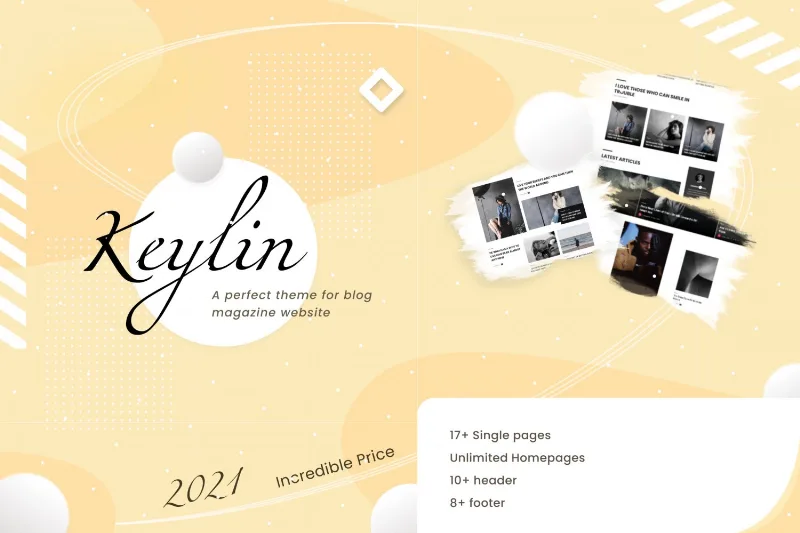
About Keylin – WordPress Magazine and Blog Theme
An online magazine falls apart when every article feels like it belongs to a different site
Building a news, tech or product blog often ends the same way: the homepage is a jumble of posts with no hierarchy, every category looks identical, and reviews are written like any other paragraph, so nobody can find the verdict. Keylin is designed for that problem: a homepage built from blocks and articles that can be treated differently depending on what they cover.
Whoever installs a theme like this doesn't live off a single page, they live off recirculation: a reader who arrived through one article should end up reading three more. Almost everything Keylin offers revolves around that.
A homepage you build with modules, not code
The theme works with the BKNinja Composer plugin, which is part of its system: you pick modules, drag them into the homepage sections and combine them. Among them there is a Masonry module. Since each section accepts several modules, you can have a breaking news block on top, a grid of reviews below and a classic list at the end.
You can also start from one of the demos and adapt it, or build yours from scratch. There is dark and light mode, unlimited custom color schemes and Google fonts.
Keylin features that serve a high-volume blog
- Ajax post loading: the next articles appear without reloading the page, which helps readers keep scrolling.
- Built-in review system: you add a review to a post with a summary and a pros and cons list, and the theme generates structured data for posts and reviews.
- Post formats: standard, gallery and video (YouTube and Vimeo), with several post layouts to choose from.
- Per-post options: what you set on one article only affects that article and overrides the global settings, useful for a special feature.
- Related posts and same-category posts: both sections are built in and configured article by article.
- Categories with their own layout: each category can have its own layout, sidebar and position (left or right).
- Unlimited sidebars: with the built-in generator you assign a different one to category, tag, author, index or search. There is also a sticky sidebar, an optional sticky header and social sharing buttons.
What to know before choosing it
The homepage depends on BKNinja Composer: if you deactivate it, you lose the module-based layout. The advanced category options are still being developed, so don't expect the same breadth of control as on posts. And although Google authorship options are mentioned, it is an obsolete feature: don't count on it for your ranking. It is an editorial theme: it includes no shop or bookings.
Frequently asked questions about Keylin
Is it suitable for a site that isn't news?
Yes, as long as you publish articles regularly: tech, product reviews or a personal blog all fit. If your site is mostly static service pages, you'll get less out of it.
Can I translate it into my language?
It includes a .pot file to translate all the theme's texts.
Does it look good on mobile?
It is fully responsive, and you can hide the sidebar on small screens so the article has room to breathe.
Can I add reviews?
Yes, with a summary and pros and cons. Reviews must be your own and genuine: don't use the system to invent ratings.
Does it work in all browsers?
It is compatible with Chrome, Safari, Firefox and Edge.
Demos import with one click, but you adjust the homepage yourself
Importing a demo gives you a starting point with the structure already built. Afterwards you will need to replace the sample images (they come from libraries such as Unsplash and Pexels), upload your logo and favicon, and decide which modules stay on the homepage. Take time to assign a sidebar to each type of page and to check in the demo how Ajax loading behaves with your volume of posts. Once the homepage and categories are clear, the rest is publishing.
Topics
Version history
-
v
1.5 Current 18 Jun 2024
Customer reviews
Sign in to leave a review. Only people who have the product can review it.
No reviews for this product yet.
Frequently asked questions
-
GPL (General Public License) is the license under which WordPress and most premium plugins/themes are distributed. It grants you the right to use, modify and redistribute the software in as many projects as you want, with no domain restrictions.
-
Yes. With membership you get automatic updates via our GPLClub Updater plugin (installed on your WP, detects new versions and applies them). With individual purchase, you get one year of manual updates from your account.
-
Depends on the plan. Monthly: 3 domains. Semi-annual: 7. Annual and Lifetime: 15. Individual purchase: 1 domain.
-
GPLClub offers its own support for installation, configuration and compatibility. For direct support from the original author (feature requests, product-specific bugs), a license purchased from the author is required.