Kold – Air Conditioner & HVAC Repair Service Elementor Template
Antivirus scan
Powered by ClamAV
✅ Verified clean
This product file has passed our security filters.
Want to run a fresh ClamAV scan right now? Takes a few seconds and shows scanner version, signature DB and live result.
This can take 5 to 30 seconds.
Clean file Threat detected
No threats detected in this file.
- File
- Size
- Scanned
- ClamAV
- Signature database
⚡ Powered by ClamAV
Scan could not be completed
Report product
If you detected an issue (broken file, malware, inappropriate content, etc.) let us know and we'll review it ASAP.
Sign in to report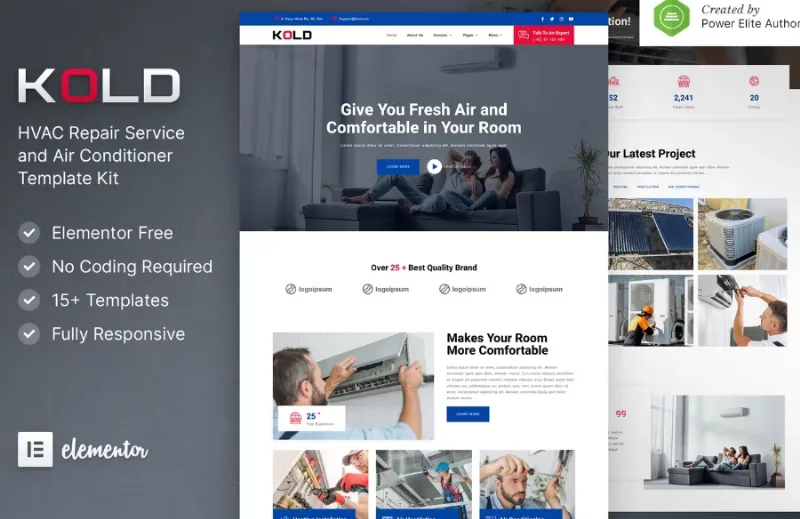
About Kold – Air Conditioner & HVAC Repair Service Elementor Template
For the HVAC technician who lives on word of mouth and wants to start taking quote requests online
If your business is installing or repairing air conditioning, heating or ventilation, your website is probably a business card with a phone number and little else. Kold is an Elementor template kit built for that profile: home technical service companies that need to show their work and receive enquiries.
It is not for anyone looking for a store selling equipment with a cart and payments. The design revolves around services, projects and contact, not a catalog with checkout. Nor is it a ready-to-publish template: all the texts are placeholder (lorem ipsum) and the names, job titles, addresses and phone numbers are samples, so you will have to write the real content. Since it is an Elementor kit, you need Elementor installed to import and edit it.
A business called urgency: the website has to get the call
Someone looking for an air conditioning technician usually does so with a broken unit or the heat bearing down. They are not comparing designs: they want to know whether you work in their area, what you do and how to reach you. That is why Kold puts a large headline, a consultation button (Talk To An Expert) and a visible phone number in the header on the home page, and repeats the invitation to request a free consultation at several points.
Your part is to fill those blocks with true information: service areas, types of faults, opening hours. A nice template with generic texts does not convince someone in a hurry.
The pages Kold includes and what each one is for
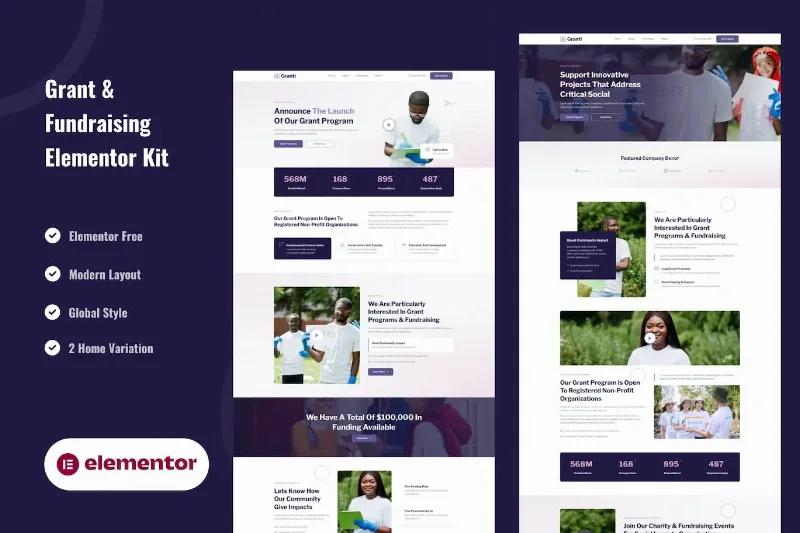
- Home: introduction, featured services (heating installation, ventilation and air conditioning), projects, team and news.
- About Us and Technician: to introduce the team, which matters in this trade because the person walks into the customer's home.
- Services and service detail: one page per job, useful for ranking each service separately.
- Pricing: a plans or rates page that you fill in with your own figures.
- FAQ, Contact and 404 page: they answer common questions, receive enquiries and avoid leaving the visitor at a dead end.
- News and news detail: to publish tips and promotions.
Filterable projects: show your finished work by type of installation
The projects section of the demo can be filtered by category: heating, ventilation and air conditioning. Inside you will find examples such as gas heater, solar heater, home ventilation, big ventilation, central AC and AC service. It is a good way to stop a ventilation customer from having to wade through heating photos to find something similar to their own case.
You will need your own photos of real installations. If you do not have them yet, it is better to show fewer projects than to fill the section with someone else's images.
The blog as a seasonal weapon, not decoration
The design includes a news list with categories (tips and promotions) and an individual article page. In this sector searches change with the seasons: heat drives air conditioning enquiries and cold drives heating ones. The sample articles go in that direction: air circulation in a room or things to avoid when using a heater. Use it to answer real customer questions, not to publish filler.
The numbers on the home page (years of experience, projects, clients) appear as counters that you must set with your real figures, and the team section with your own data and photos.
Frequently asked questions
Do I need Elementor Pro?
You need Elementor to use the kit. If a specific element requires the paid version, check it by importing the demo and reviewing which widgets it uses.
Can I book an appointment online?
Not as a booking system. The template offers contact and consultation requests; if you want an appointment calendar, you will have to add another plugin.
Does it come with real content?
No. The texts, names, phone numbers and addresses are samples and must be replaced before publishing.
Topics
Version history
-
v
1.0.0 Current 22 Jun 2024
Customer reviews
Sign in to leave a review. Only people who have the product can review it.
No reviews for this product yet.
Frequently asked questions
-
GPL (General Public License) is the license under which WordPress and most premium plugins/themes are distributed. It grants you the right to use, modify and redistribute the software in as many projects as you want, with no domain restrictions.
-
Yes. With membership you get automatic updates via our GPLClub Updater plugin (installed on your WP, detects new versions and applies them). With individual purchase, you get one year of manual updates from your account.
-
Depends on the plan. Monthly: 3 domains. Semi-annual: 7. Annual and Lifetime: 15. Individual purchase: 1 domain.
-
GPLClub offers its own support for installation, configuration and compatibility. For direct support from the original author (feature requests, product-specific bugs), a license purchased from the author is required.