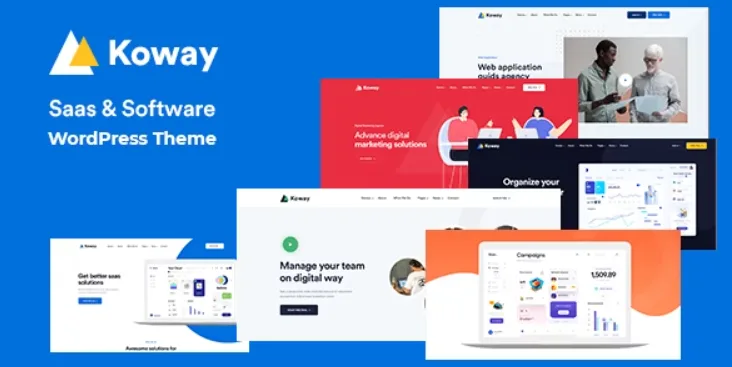
Koway – Saas Landing WordPress Theme for Saas Startup + RTL
Antivirus scan
Powered by ClamAV
✅ Verified clean
This product file has passed our security filters.
Want to run a fresh ClamAV scan right now? Takes a few seconds and shows scanner version, signature DB and live result.
This can take 5 to 30 seconds.
Clean file Threat detected
No threats detected in this file.
- File
- Size
- Scanned
- ClamAV
- Signature database
⚡ Powered by ClamAV
Scan could not be completed
Report product
If you detected an issue (broken file, malware, inappropriate content, etc.) let us know and we'll review it ASAP.
Sign in to reportNewer version out, or a problem?
About Koway – Saas Landing WordPress Theme for Saas Startup + RTL
A SaaS landing page that has to explain the product fast
Anyone launching a SaaS or a startup usually faces the same problem: the visitor arrives, decides at a glance whether the product fits them and, if they don't understand it, leaves. The homepage has to explain, show and lead to contact before anyone loses interest. Koway is a WordPress theme built for that first impression, aimed at software, mobile apps, agencies and startups that need a modern, clear homepage.
This text follows a startup that wants to launch its website from an already designed homepage, from loading the demo to a page with its own texts, forms and colors.
Frequently asked questions about Koway
Do I need to know how to code to build the site?
No. Koway is set up with visual options and editing happens in Elementor, so the work consists of choosing blocks, changing texts and images and adjusting colors.
Does it work for right-to-left languages?
Yes. The theme includes RTL support for languages that are read from right to left.
Do I need Elementor to edit the pages?
Yes. Koway is built on Elementor, and its blocks and widgets are edited from that page builder.
How do I add a contact form?
Koway is compatible with Contact Form 7, so forms are created with that plugin.
Choosing one of the demo homepages and loading sample content
The theme includes several homepage demos and more than ten inner pages. With one-click demo import you load the homepage closest to your project, with sample texts and images that you replace later. If you prefer another route, you can also install it via FTP or WordPress and activate the demo content when it suits you.
The advantage of starting from a homepage is that its section structure is already solved, so your work focuses on deciding what to change and what to remove.
Koway and Elementor: how each block gets edited
Koway relies on Elementor, a drag-and-drop visual builder that works on both the frontend and the backend. Each block is changed on the page itself without touching code. The theme also adds its own Elementor widgets, more than thirty.
The theme's widgets are Elementor widgets, so the plugin needs to be installed and active from the start.
Headers and footers with variations so each project stands out
To keep several projects from looking alike, the theme offers more than seven header variations and three footer variations. From the settings you can change the header style, the mobile menu and the breadcrumbs, plus the typography and colors with options and Google Fonts.
Contact forms and adaptation to mobiles and tablets
Forms are handled with Contact Form 7, which the theme supports, so you can create the contact form with that plugin.
The design is 100% responsive and looks good on mobiles, tablets and retina screens. It also supports child themes, so you can override templates without touching the original files.
Topics
Version history
-
v
1.0.2 Current 14 Aug 2024
Customer reviews
Sign in to leave a review. Only people who have the product can review it.
No reviews for this product yet.
Frequently asked questions
-
GPL (General Public License) is the license under which WordPress and most premium plugins/themes are distributed. It grants you the right to use, modify and redistribute the software in as many projects as you want, with no domain restrictions.
-
Yes. With membership you get automatic updates via our GPLClub Updater plugin (installed on your WP, detects new versions and applies them). With individual purchase, you get one year of manual updates from your account.
-
Depends on the plan. Monthly: 3 domains. Semi-annual: 7. Annual and Lifetime: 15. Individual purchase: 1 domain.
-
GPLClub offers its own support for installation, configuration and compatibility. For direct support from the original author (feature requests, product-specific bugs), a license purchased from the author is required.