KuteShop WooCommerce Theme
Antivirus scan
Powered by ClamAV
✅ Verified clean
This product file has passed our security filters.
Want to run a fresh ClamAV scan right now? Takes a few seconds and shows scanner version, signature DB and live result.
This can take 5 to 30 seconds.
Clean file Threat detected
No threats detected in this file.
- File
- Size
- Scanned
- ClamAV
- Signature database
⚡ Powered by ClamAV
Scan could not be completed
Report product
If you detected an issue (broken file, malware, inappropriate content, etc.) let us know and we'll review it ASAP.
Sign in to report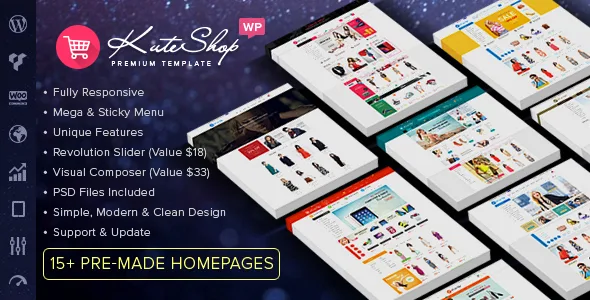
About KuteShop WooCommerce Theme
In a marketplace, other people photograph your shop window
One vendor uploads a product on a white background. Another shoots it with a phone on the kitchen table. A third copies the manufacturer's image with the logo still showing. All three photos end up side by side in the same grid, and a first-time visitor forms an idea of the store from the worst one.
In your own store, you decide how each product looks. In a marketplace, whoever uploads it decides. The theme you choose will display material you did not prepare, and that changes what is worth reviewing before you install it.
KuteShop is a WooCommerce theme for multi-vendor marketplaces and for electronics, furniture, clothing, tech and accessories stores. Several of its features bring the image closer to the buyer: inner image zoom, a rollover effect and quick view. Without rules, they show every flaw up close, so your image standards should exist before your first vendor does.
KuteShop features for catalog and purchase
- Catalog: grid or list view, Ajax tabs and Ajax product loading with lazy load.
- Images: jQuery inner zoom, a rollover effect and product quick view.
- Purchase: Ajax add to cart, wishlist and compare, with YITH Wishlist and YITH Compare.
- Navigation: mega menu, sticky menu and different headers.
- Design: theme options for colors and layouts, and over 500 Google Fonts with preview.
- Promotion: Sales Popup, a newsletter and promotion popup, and Revolution Slider.
- Reach: responsive design, a mobile version, and compatibility with WPML and right-to-left languages.
Dokan, WC Vendors, WC Marketplace or WCFM: the decision that comes first
KuteShop is compatible with those four multi-vendor plugins. Its features do not include a vendor dashboard, commissions or balance withdrawals: that part comes with the plugin you install, and the theme handles the presentation.
Its features do not include image review or publishing rules either. If you need to approve products, look for that option in the multi-vendor plugin.
That is why it makes sense to choose the plugin first and then check on a staging install how each vendor page looks with KuteShop.
Image standards to give every vendor
The theme does not enforce these rules: you write them and share them when someone signs up to sell.
- A common format: set an aspect ratio and a minimum size, and check them in the grid, in quick view and in the zoom.
- Nothing on top of the photo: no logos, watermarks or offer text.
- A test with real material: build the home page with photos sent by vendors, not with the demo images.
Requirements and a first test store with KuteShop
KuteShop runs on WordPress with WooCommerce and is compatible with Elementor. For a marketplace you also need one of the four multi-vendor plugins named above.
This route lets you see the result before you open:
- Install WooCommerce and the theme on a test site.
- Import the demo data and choose the home page closest to your catalog.
- Add the multi-vendor plugin and create two test vendors.
- Upload products with uneven photos, like the ones you will really receive.
- Review the grid, quick view and zoom on a phone.
Wolmart, WoodMart or Dokan, depending on what you are missing
Wolmart is also a marketplace theme for WooCommerce, and it works with WCFM Marketplace, Dokan, WC Vendors and MultiVendorX.
If you sell on your own, WoodMart brings wishlist and compare without separate plugins, and it works with Elementor, WPBakery and the block editor.
Dokan Pro does not compete with KuteShop: it completes it, with a public dashboard for each vendor and commissions.
KuteShop in three answers
Does it work for a single store, with no outside vendors?
Yes. Besides the multi-vendor marketplace, it is designed for electronics, furniture, clothing, tech and accessories stores.
Can it be used in several languages, or in Arabic and Hebrew?
It is compatible with WPML for several languages and supports right-to-left languages, which covers Arabic and Hebrew.
Does it control the quality of the photos vendors upload?
Its features include no control of that kind. It is worth publishing your own standards and checking whether your multi-vendor plugin lets you review products before they appear.
Topics
Version history
-
v
4.3.0 Current 5 Mar 2026
Customer reviews
Sign in to leave a review. Only people who have the product can review it.
No reviews for this product yet.
Frequently asked questions
-
GPL (General Public License) is the license under which WordPress and most premium plugins/themes are distributed. It grants you the right to use, modify and redistribute the software in as many projects as you want, with no domain restrictions.
-
Yes. With membership you get automatic updates via our GPLClub Updater plugin (installed on your WP, detects new versions and applies them). With individual purchase, you get one year of manual updates from your account.
-
Depends on the plan. Monthly: 3 domains. Semi-annual: 7. Annual and Lifetime: 15. Individual purchase: 1 domain.
-
GPLClub offers its own support for installation, configuration and compatibility. For direct support from the original author (feature requests, product-specific bugs), a license purchased from the author is required.